

Disappearing symbols
Hi again,
Here are todays issues with Creo Illustrate 7.0:
1. For some reason some symbols disappear after saving and reopening of the file.
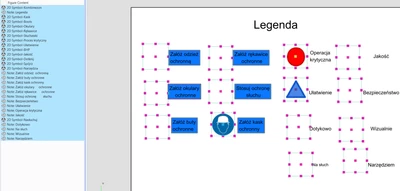
They are there as you can see, but they're invisible.
Now why those 3 have not changed? There's one distinct thing about them - I have them in a couple of other figures and I had them before I created this figure above.
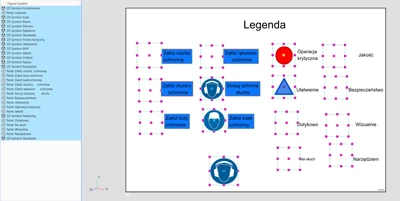
After I placed a symbol that was already in the figure, saved and reopened - BOOM, the original appears...
So are we supposed to place hundreds of symbols back into figures every now and then and then delete them because they randomly bug out?
2. Somehow after just repositioning a newly created figure (seriously, why do new figures always end up on the bottom when they would be created just below a selected figure in any reasonable software in current century??) one of my figures just disappeared, which I noticed after saving and reopening of the file. Not only that, but all figures below this one shifted their names...I can't stress it enough how happy I am at the moment.
I mean seriously, does PTC even have a single software tester? There has not been a single day for the past month that I had not found a multitude of problems within this program. PTC should add a huge stamp on their software alarming people not to use it for anything more complicated than a toaster.