

The intended way of using Illustrate output
Hi,
I'd like to ask you what is the intended way of using Creo Illustrate post-publish output? What I mean by that is that I wish to create assembly instructions (I have done that already), publish them as 2d PDF files and send them to assembly line for use as a guidance. However the issues I find are as follows:
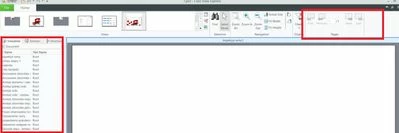
a) viewing the output in Creo View is suboptimal - opening all the illustrations in the grid view takes a lot of time and afterwards I can pick one that I need, maximize it but then what? The "pages" ribbon menu is unavailable for some reason and shows only one page. Also zooming in and out takes a lot of time to render. (edit: opening and rendering is significantly better in Creo View Lite compared to Express)
b) when viewed in Creo view the illustrations loose sharpness compared to Adobe. (edit: the loose sharpness in creo view express. They don't in creo view Lite)
c) I could potentially open the pvz file, extract all the PDFs and merge them, but it's a lot of hassle.
So in the end - How am I supposed to work with the output from Creo Illustrate in a seamless fashion?