1-Visitor
January 27, 2022
Solved

Unable to open CAD Model with .sldasm format in Creo Illustrate

  • January 27, 2022
  • 2 replies
  • 4040 views

Good day everyone,


we trying to open the file with format .sldasm in Creo Illustrate but unfortunately are not able to see it during the import. 

Based on this PTC Help Center . sldasm should be supported format. Are we missing something here?

The version of creo: 8.1 

oparfon_0-1643278682740.png

And solidworks 

oparfon_1-1643278682740.png

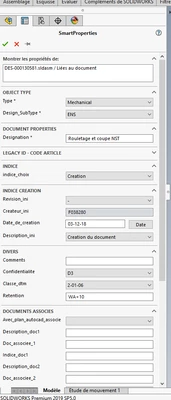
 The model properties:

oparfon_2-1643278796451.png


Best Regards

Olena

Best answer by agarland

Hi Olena,


It looks like you are running Creo Illustrate Standard which does not support the import of Solidworks files.

You would need a Professional license to enable those formats.

agarland_0-1643279564752.png


Regards

Adrian

2 replies

24-Ruby III
January 27, 2022

 Hi Olena,


What version of Creo Illustrate and SOLIDWORKS are you using?


P.S. @agarland 

oparfon1-VisitorAuthor
1-Visitor
January 27, 2022

I added this info to the message

agarland16-PearlAnswer
16-Pearl
January 27, 2022

Hi Olena,


It looks like you are running Creo Illustrate Standard which does not support the import of Solidworks files.

You would need a Professional license to enable those formats.

agarland_0-1643279564752.png


Regards

Adrian

24-Ruby III
January 27, 2022

Thanks, Adrian!

oparfon1-VisitorAuthor
1-Visitor
January 28, 2022

Thank you!