Unable to open .idr or .cgm files as illustrations
Hi.
I've created a couple of figures in Creo illustrate 7.0. I published them and now I wish to view them in Creo View Lite 5.1. As far as 3d formats are concerned everything seems to work fine and pdf files for 2d views open as well. The problem lies with .idr and .cgm files which when I try to open Creo View hangs and I need to shut it down.
I can import a standalone .cgm file - Creo View asks to choose to either open it as and Illustration or a Drawing. The drawing works, the illustration hangs the program. If I open a pvz file I have no option available to open those as Drawings and it always hangs.
Is it the case because I try to open them in Creo View 5.1 and they're not compatible or there's some other issue?
P.S.
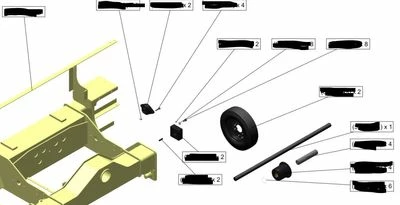
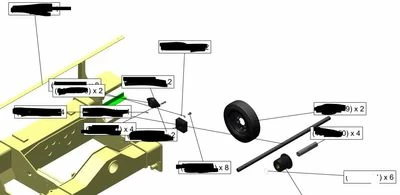
1. Why callouts end up moved around randomly when I open the published pvz file in Creo View?
2. Why color overrides are not present in published pvz file? See the green piece on 2nd image.
The first image is a supposed view in Illustrate, the second is the published outcome in Creo View.