


Singularities and Isolate for Exclusion AutoGEM Controls
Last week, a customer was concerned about the singularity warning that Creo Simulate sometimes prints near the end of the summary file.
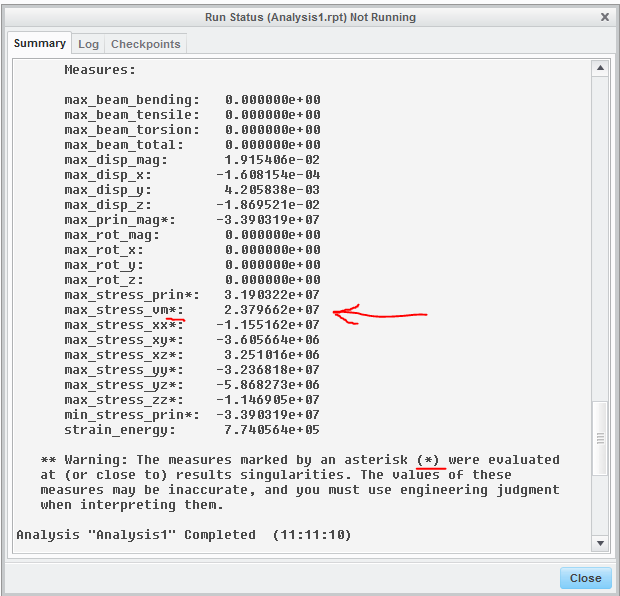
The key phrase of this warning message is “use engineering judgment”. This blog post describes what may happen if you don’t, and along the way discusses some subtle aspects of isolate for exclusion AutoGEM controls.
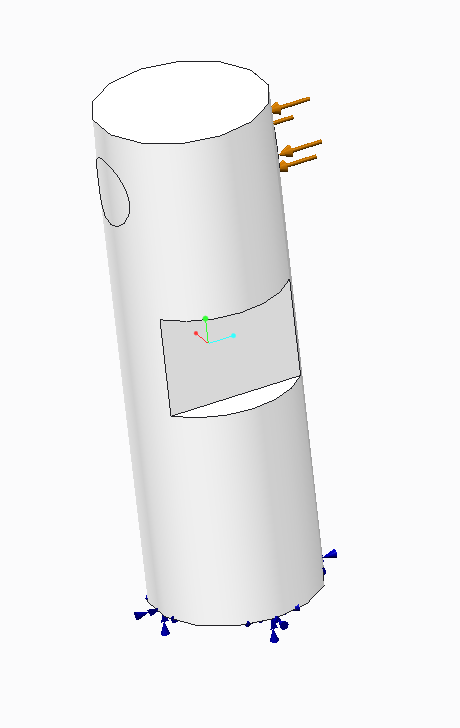
The customer’s model looks like this.
Running the analysis results in the following stress results:
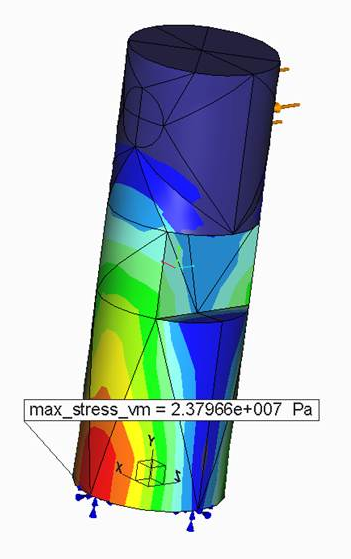
These results look OK, but the customer was concerned because Simulate warned that the max_stress_vm measure occurred near a singularity. In fact, the high stress is at a singularity, but not at the singularity that Simulate automatically identified.
Simulate identifies only certain types of singularities, such as point loads, point constraints and reentrant corners. In these cases, Simulate is very conservative in terms of what measures are identified as occurring near a singularity. Any measure result that occurs within an element that touches a singularity is identified as being "near" the singularity. In this model, there are four reentrant corners, one of which I've highlighted in red below:
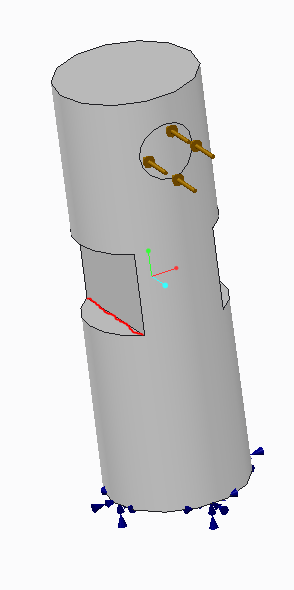
Looking at the results again, we see that the measure value occurs in an element that touches the reentrant corner. However, the measure value occurs some distance away from the reentrant corner, and therefore is probably not influenced by it.
By the way, because of the way this model is constrained, there is a singularity along the boundary curve of the surface constraint.
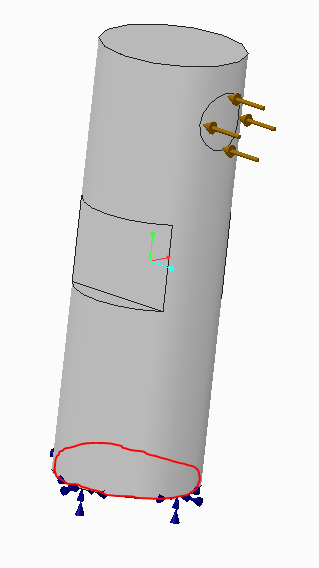
This singularity occurs in materials with non-zero Poisson's ratio. However, this singularity is fairly weak and usually does not influence the results very much. For this reason, this type of singularity is not automatically identified by Simulate. Another type of singularity that is usually weak and is not automatically identified by Simulate is at the boundaries of interfaces where parts of different materials are bonded.
If you try to avoid the singularity warning message by creating an Isolate for Exclusion AutoGEM control…
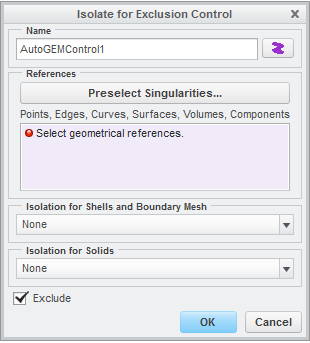
and you pick the Preselect Singularities button...
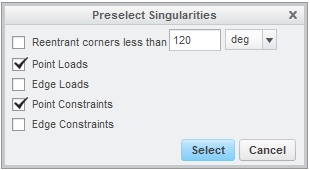
and check Reentrant corners, then Simulate pre-selects the four reentrant corner edges but not the bottom edge.
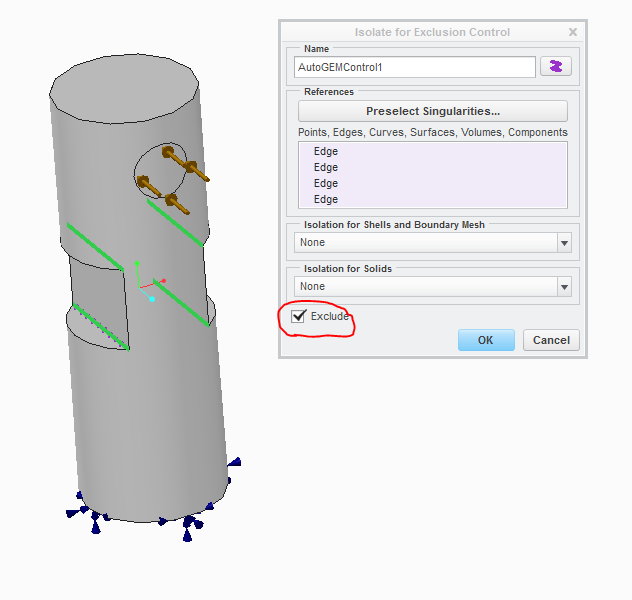
Note that the Exclude check box is checked by default. This has the important effect that any elements that touch the Isolate for Exclusion Control will be excluded from measure computations. Running an analysis with the isolate for exclusion control results in:
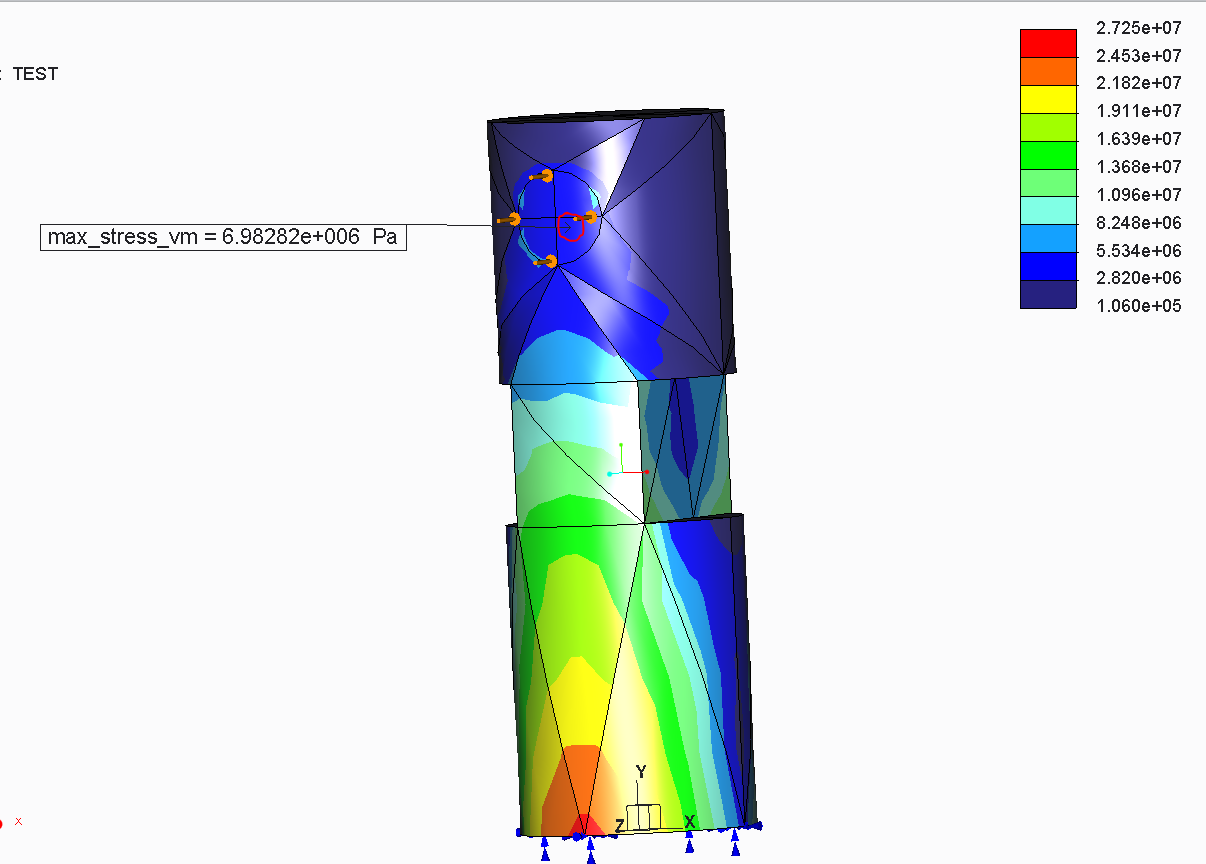
Note that maximum value 2.7e5 Pa is similar to that from the previous analysis (2.4e7 Pa) but because every element that touches the four reentrant corner edges is excluded from measure evaluations, the value of the measure max_stress_vm is only 7.0e6 Pa and it occurs far from the high stress in the model. To avoid this problem, when using “isolate for exclusion” AutoGEM controls, it’s usually best to isolate the singularity from the rest of the model by entering a maximum element size on the dialog box:
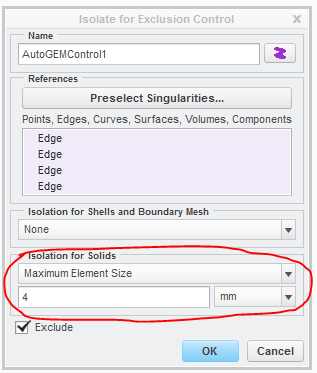
The new results are:
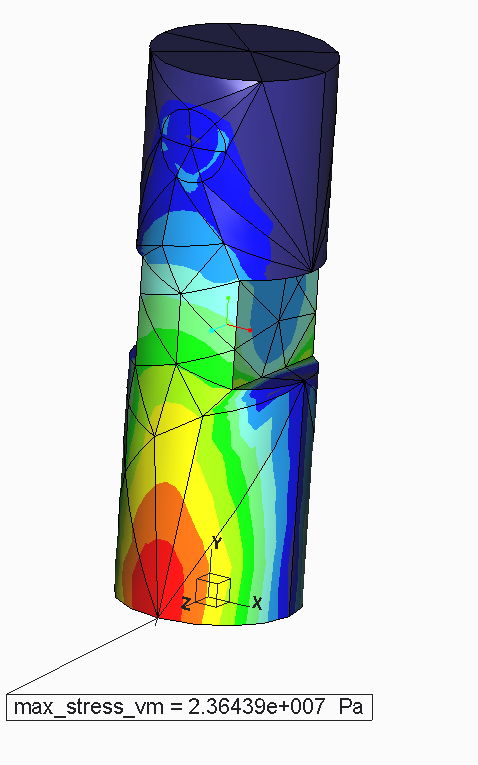
Note that reentrant corners are now "isolated", because all of the elements that touch the reentrant corners are relatively small, having edges that are less than 4 mm in length.
If desired (but not required in this case), you can get rid of the reentrant corner singularities by rounding them, resulting in:
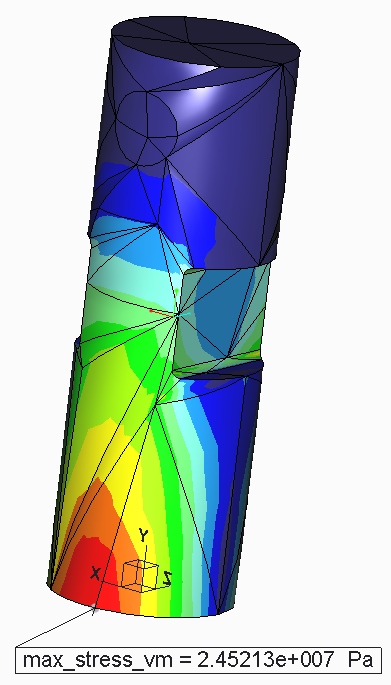
In conclusion, here are some points to remember:
- If you get the singularity warning message, be sure to closely examine your results to see if the singularities truly affect the results you care about.
- By default, measures are not evaluated in the elements that touch the references of “isolate for exclusion” AutoGEM controls.
- Therefore, if you use the “isolate for exclusion” AutoGEM control, you probably want to control the element size near the singularity.
- You can round a reentrant corner edge to eliminate those singularities.