Best answer by MJG

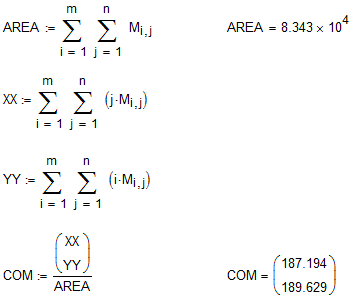
Here is how I would have approached:

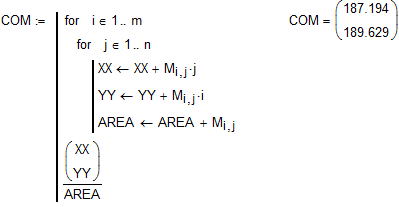
Or, programmatically:

Both of these methods calculate almost instantly.

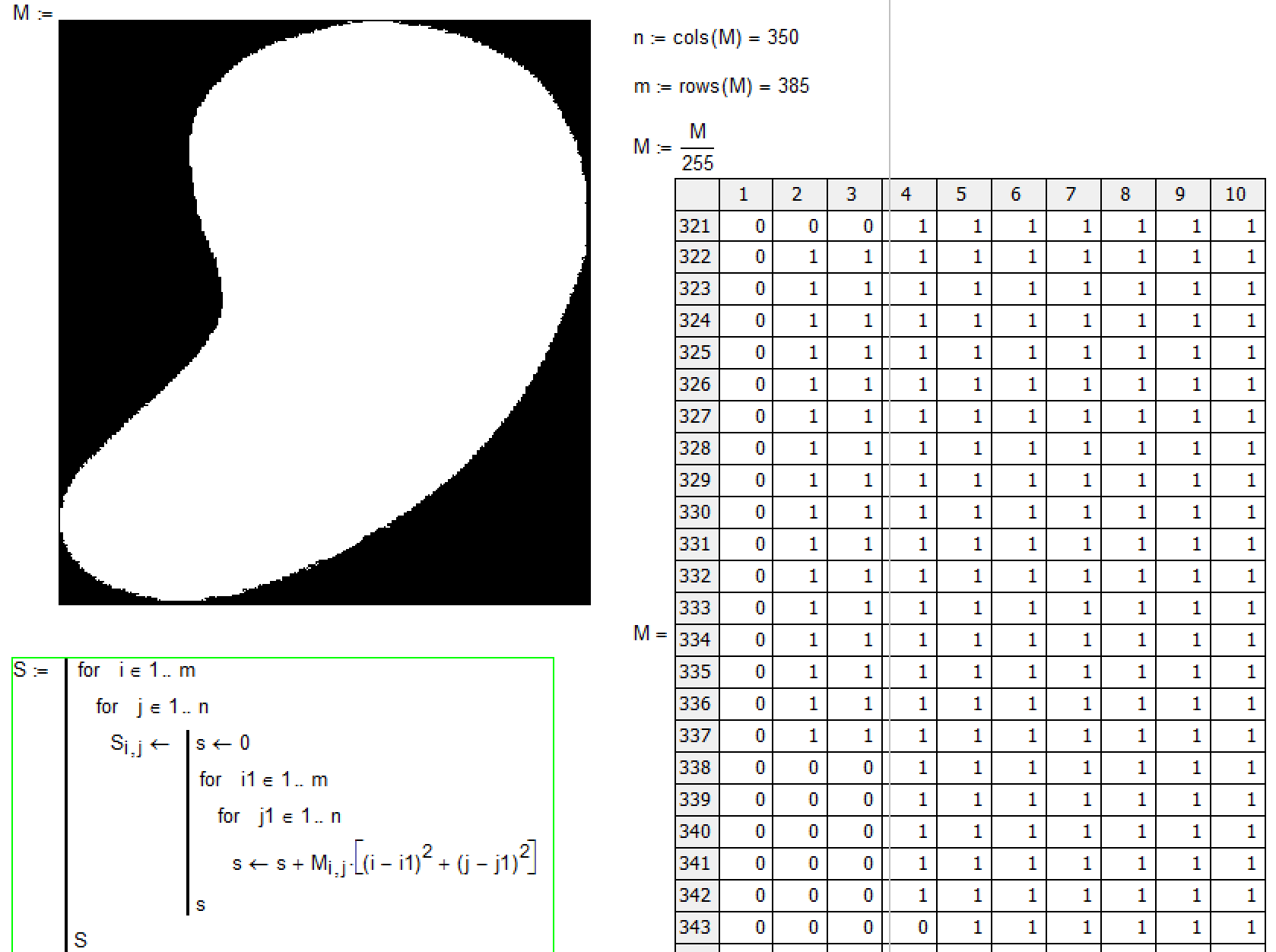
Quickly looking at your calculations, I did not follow what you were doing.  What's wrong with my approach compared to yours?

5 replies

24-Ruby IV
December 22, 2016

I have got the solution but it needed... 5 hr. Not from me but from my PC

1-Visitor
December 22, 2016

Valery,

I believe you made the following error:

The matrix indices should be i1 and j1.

As a result, you found the center of the picture frame:

350 / 2 = 175

385 / 2 = 192.5

24-Ruby IV
December 22, 2016

Thanks, Mark

Now I am going to bed. I will say tomorrow the resultat

23-Emerald I
December 22, 2016

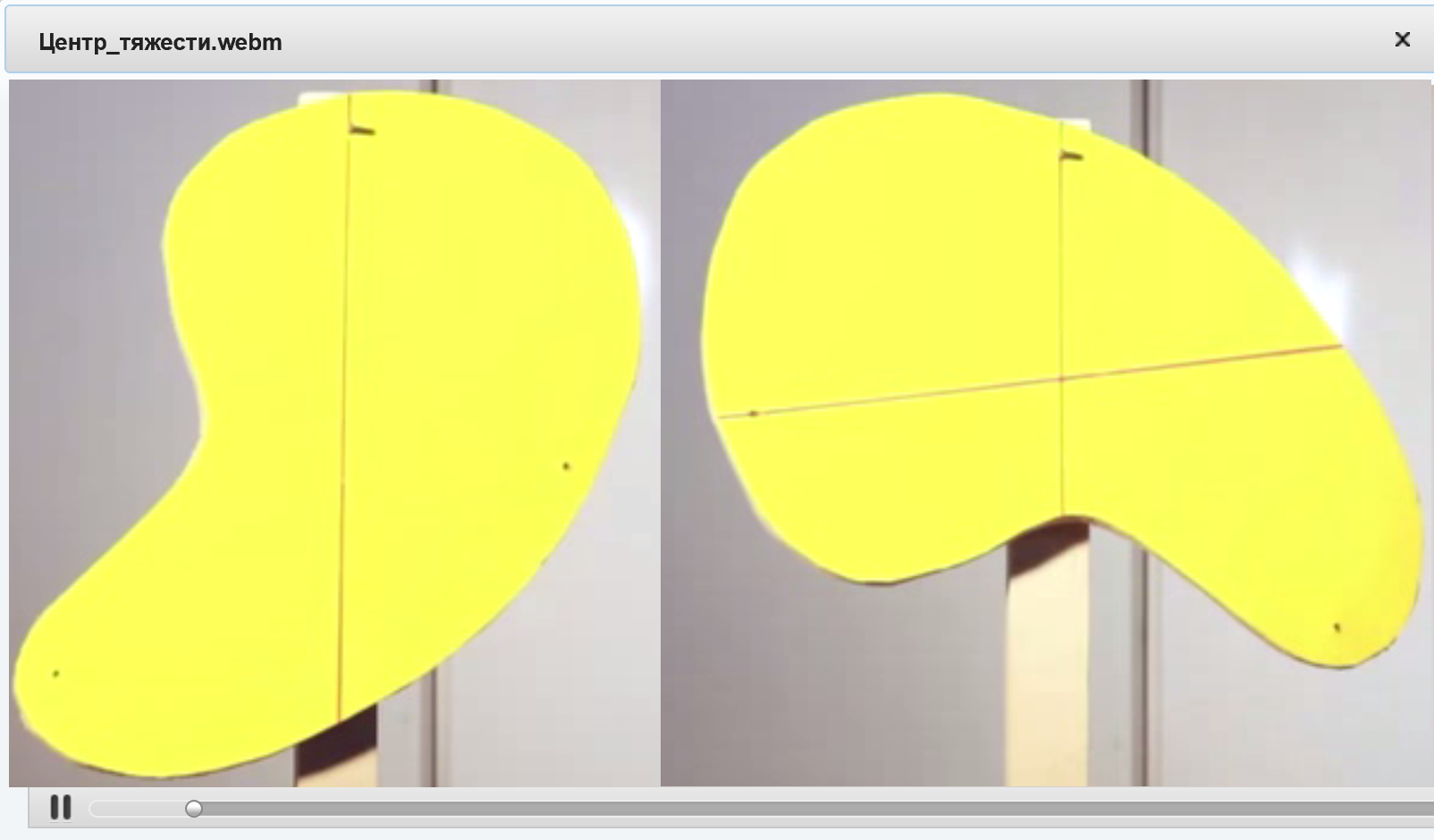
You can integrate the boundary curves.

45 minutes start to finish:

24-Ruby IV
December 22, 2016

Thanks, Fred!

But I see one error

MJG1-VisitorAnswer
1-Visitor
December 22, 2016

Here is how I would have approached:

Or, programmatically:

Both of these methods calculate almost instantly.

Quickly looking at your calculations, I did not follow what you were doing.  What's wrong with my approach compared to yours?

23-Emerald I
December 22, 2016

EXCELLENT!

You've replaced my integration (with it's troublesome edge/function needs) with the simple summations.

Impressive!

25-Diamond I
December 22, 2016

Here is another simpler approach if the area is given by a pixel graphics

EDIT: Oops, sorry. Had not seen that Mark already suggested this approach.

24-Ruby IV
May 3, 2017
24-Ruby IV
May 4, 2017

You can find CG by using our Monte-Carlo method

(from Kirsanov book http://vuz.exponenta.ru/PDF/tm2.pdf)

Kirsanov-CG.png