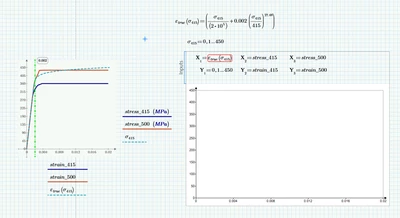
I see at least three problems:
1) You have to use sigma.415 for Y[1 and not a manually defined new range
2) To get the same plot as shown in the native Prime Plot you have to swap X and Y for the second and third plot.
3) The Chart component has some advantages, but also many disadvantages. One of them is that it does not know anything about units (incomprehensible for an add-on to a software like Mathcad Prime). It just deals with the numbers it gets and in case of quantities in MPa this is the value in the standard unit Pa. It is therefore necessary to divide the values to be plotted by the desired unit MPa or at least by 10^6 so the data fits in the range you manually had set.
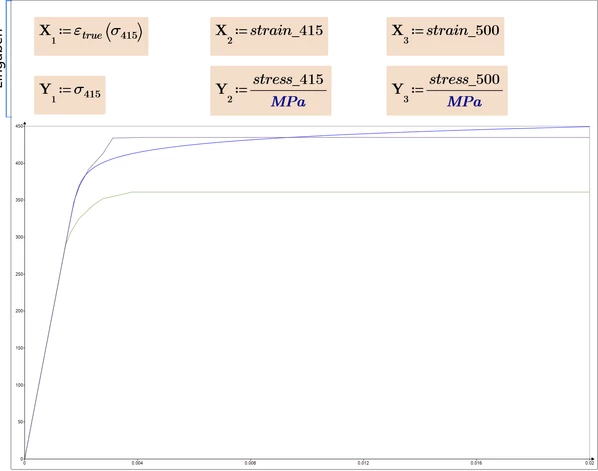
The fact that in my picture (and probably also when you open my worksheet) the axis scaling is so tiny and the thickness of the lines is so puny is because I am using a small notebook screen in high 4K resolution and therefore use a fairly high Windows zoom factor. This is not a problem for any common software nowadays except for the way the chart component was implemented by PTC, because it does not adapt to the Windows zoom factor used.
I assume that if you recalculate the sheet or click once into the component to open it, the problem will be solved for you and you will see larger numbers and thicker lines. Unfortunately there is no solution for my configuration other than not using the component at all 😉
Prime 10 file attached