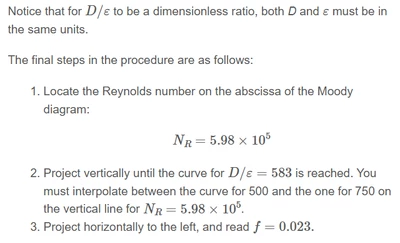
With worksheet I meant the Prime file which you posted.
I see no equation which would include the friction f, so obviously we can't derive it by any calculation.
But I see that the text mentions a "Moody diagram". I looked it up at Wikipedia and obviously its something you should have at hand in printed form (maybe as an appendix in a book). The curves in this diagram look like they are determined empirically. There is no function equation which would generate those curves. So neither a graphing calculator nor Mathcad can help with finding the friction number as both have no way to draw the lines we see in the Moody diagram. You have to use the printed copy you should have available and follow the instructions given.
First you lookup the value 56725.621. I used the diagram found at the German Wikipedia (the English Wikipedia shows diagram with epsilon/D and not D/epsilon as described in your text).
So first lookup the Reynolds number 56700 (56725.621) at the abscissa.
Go upwards until you meet the curve for D/epsilon = 8400. There is no such curve! There is one for 6000 and one for 10000. The one for 8400 has to be estimated somewhere in-between.
The you go to the left and read off the approximate value you have arrived at. Could be something like f=0.01475.
EDIT: WRONG!! I looked up 567000 at the abscissa but it should have been 56700. See my reply below.
The ...75 is overconfident megalomania. It is difficult to read accurately to ten thousandths. The value is certainly between the grid lines for 0.014 and 0.015 and obviously much closer to 0.015. You also should not forget that we are looking at log scales
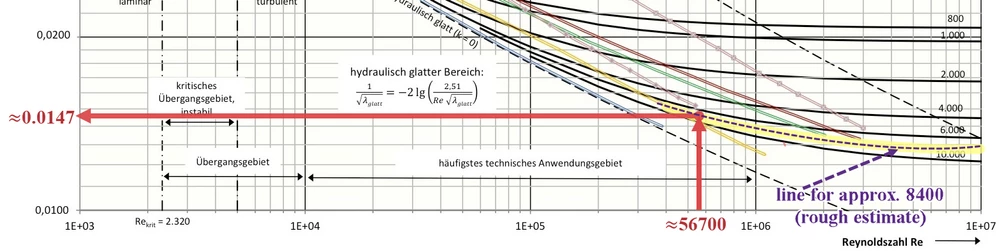
So once again, neither a graphics calculator nor Mathcad can help here, since everything needed to determine f is only preprinted and not available in the form of equations or table values.
Of course, one could laboriously digitize the diagram and thus obtain a vast amount of table values. Mathcad could then use these for an interpolation function, which would make it easy to determine the corresponding friction factor for a given Reynolds number and a given D/epsilon ratio.
But someone would first have to undertake this laborious digitization of the diagram and then make the data available. 😉