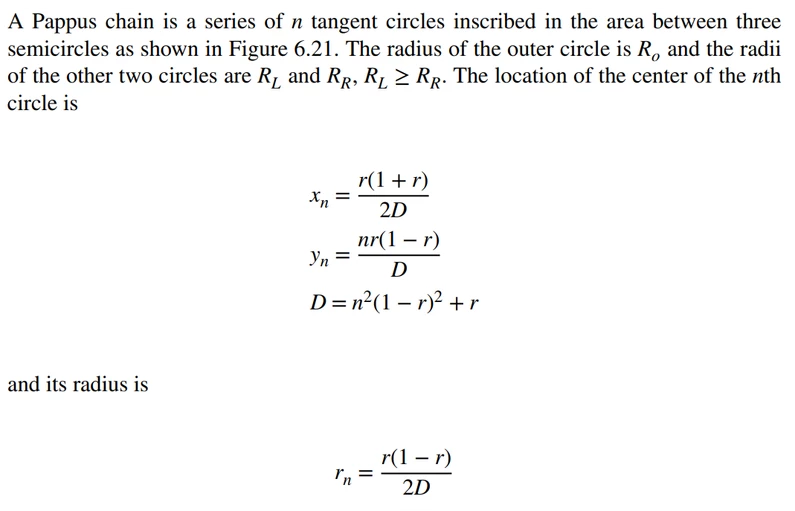
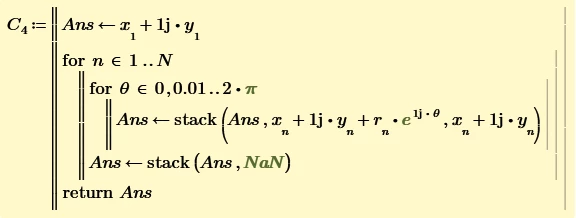
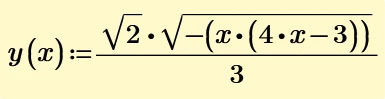
I'm having a mathematical bad hair day, so the equations don't make sense to me.
If RL = RR, then r = 2 RL / (RL + RR) = 2 RL / (RL + RL) = 1
Therefore, rn = r (1-r) / 2 D = 1 (1 - 1) / 2D = 1 * 0 / 2D = 0, for all rn
As people have been happily drawing these things for millennia (albeit algebraically for a lot less), I'm missing something here.
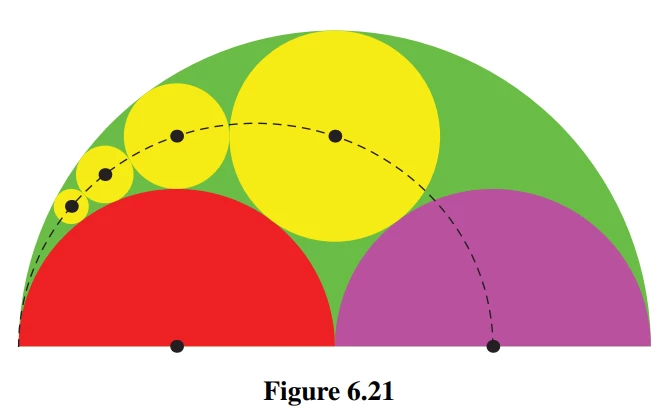
It's pretty straightforward to draw the circles (once generated) in a 2D plot, but 2D plots (AFAIA) don't allow user-controlled (or any) shading.
A 3D plot should allow colouring by plotting each circle class (main, left, right, Pappas) at a different height and letting the 3D plot fill the interior. You have to manually set each 'layer' to the colour you want.
Stuart
Examples of the kind of thing Mathcad can do ... but it takes a lot of manual fiddling to get a 3D Plot to look reasonable. However, I haven't used a Mathcad Prime for a long time and it may do a lot more than my initial glance at the Plot tab suggests.
P.S.: I converted the sheet to Prime 10 and after some rework I got a similar result (without animation, of course).
But while in real Mathcad the effect of a changed parameter can be seen within the blink of an eye, Prime takes nearly endless until it finally shows the modified plot. Sure has to to with the amount of data used to fill the circles, but that's sure not an excuse for incompetent implementation of something basic like a plot facility.
You can't do animation in Mathcad Prime 10, I'm afraid.
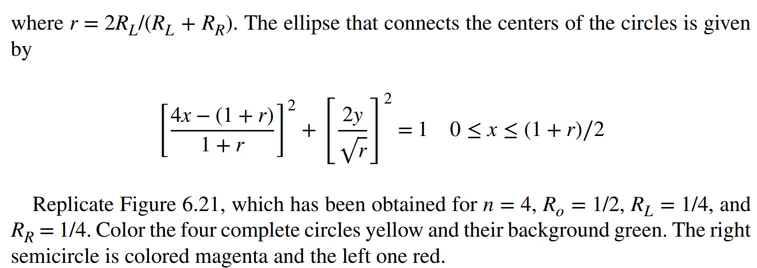
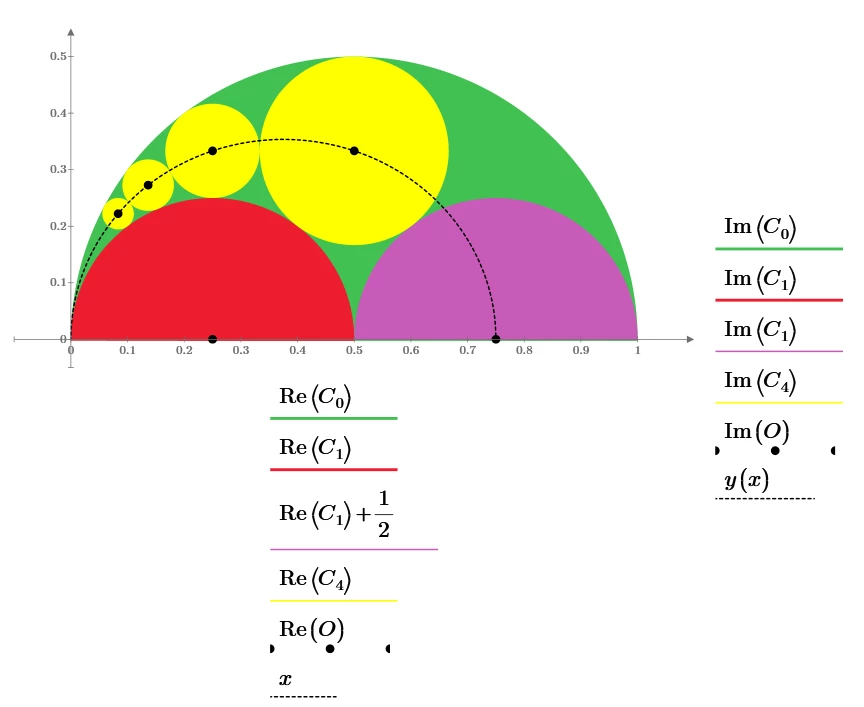
You should be able to use my worksheet to fill out both sides of the Pappus chain and plot the centre-of-circles ellipse - fairly straightforward to implement given a few moments thought.
Fixed the problem. The ratio description is a bit ... confusing. The actual ratio is RL/(RL+RR), ie left hand circle diameter to outer circle diameter. Furthermore, the origin of the coordinate system is at the left hand y=0 of the outer circle ... I was getting the correct configuration of circles but always in the wrong position. Then I had my Homer Simpson "Doh!" moment (I really am getting quite good at them. Practice makes perfect, as they say). There is probably a plethora of errors in there, and, yes, I do know what a plethora is (five points to Slytherin if you get the film reference).
So, if you like the simplicity of the 2D plot:
And in glorious 2D in a 3D plot ...
As Werner says, the Prime 3D plot lacks some of the UI finesse of the original Mathcad 3D plot. I couldn't work out how to set the viewing angle without dragging the thing around, and that was an exercise in both patience and futility. Futility I can do, but patience isn't one of my strong points.
As Werner says, the Prime 3D plot lacks some of the UI finesse of the original Mathcad 3D plot.
I only used 2D-plots and realized the area filling by a multitude of vertical lines (the number of which Prime, in contrast to Mathcad, was quite overwhelming). My comments therefore only referred to the native 2D plot, which is implemented badly enough in Prime. But of course the 3D plot in Prime is an even bigger disaster.
As Werner says, the Prime 3D plot lacks some of the UI finesse of the original Mathcad 3D plot.
I only used 2D-plots and realized the area filling by a multitude of vertical lines (the number of which Prime, in contrast to Mathcad, was quite overwhelming). My comments therefore only referred to the native 2D plot, which is implemented badly enough in Prime. But of course the 3D plot in Prime is an even bigger disaster.
True. I miss the flexibility and improved capabilities of the 3D plot, particularly its scripting and ability to be used as a function.
Still, we now have scripting in some controls, and I seem like I'm able to do a little bit more in Mathcad Prime 10 than I could in previous versions (I stopped updating at Version 7). Progress is being made, I just wish it would happen faster, and my priority list is a little different to PTC's (I can't believe there's no Plot Component replacement in the immediate pipeline!!)!