1-Visitor
October 7, 2015
Solved

Two questions about Symbolic Complex functions.

  • October 7, 2015
  • 2 replies
  • 4681 views

Hi, guys,

Capture.JPG

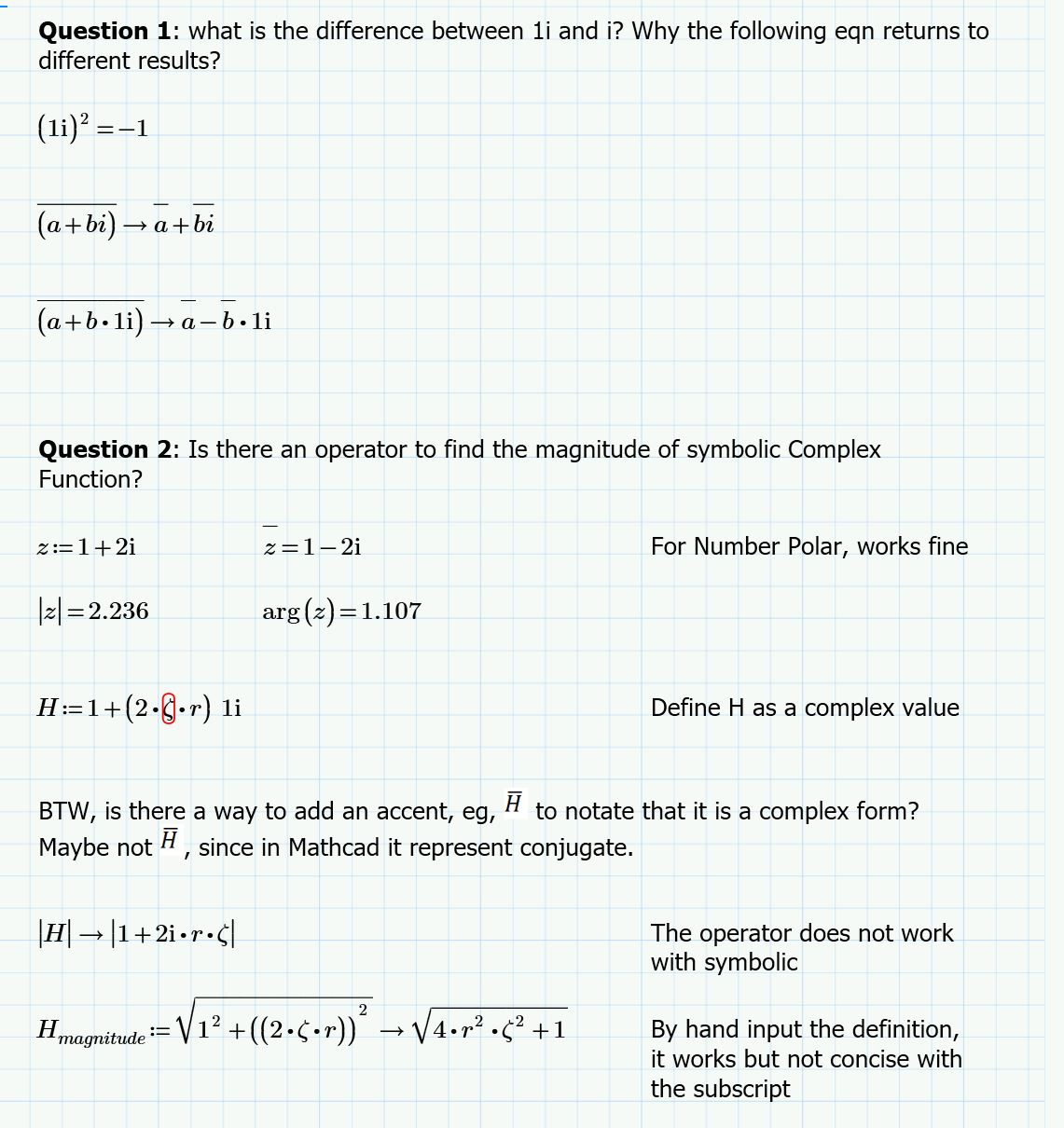
As shown in the photo,

What's the differences between i and 1i?

Is it possible to use an operator or a function to find the magnitude (or angle) of a symbolic complex function?

Hope you could help me.

May the force be with you guys.

Shawn
Best answer by StuartBruff

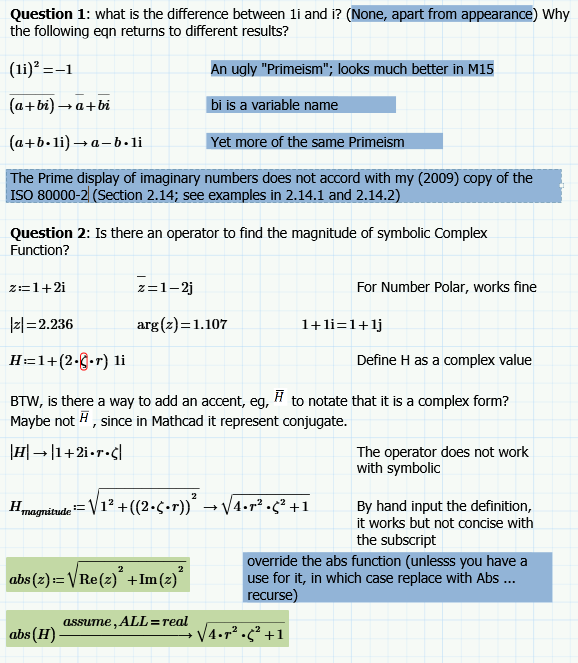
Addendum:  My previous response was via my phone.  I'm now back at my PC, so can attach an annotated copy of your original Prime file.

I've checked my copy of the ISO 80000-2 and the Prime x + 1i.y notation appears to be a deviation from the standard.  As Mathcad 15 shows the correct form, I regard the Prime form as a bug.

M15:

Stuart

2 replies

23-Emerald V
October 7, 2015

There is no mathematical difference between 1i and i - it's just an ugly Primism. Possibly introduced as part of a Nannyware Groupthink exercise to prevent new users getting confused - mathematical convention be damned! Or it's a case of software engineers rather than scientists/mathematicians/engineers having more of say in how things should look. Whatever. Mathcad 15 does it better.  In M15, you could use a Math Style to distinguish compkex numbers by font or colour, but Prime doesn't have that option unless you want to use one of the other labels.

a+bi looks different possibly because youve typed bi, which is a legitimate name rather than an imaginary number.

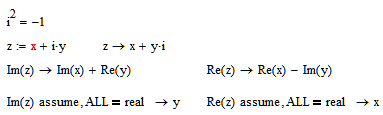
Override Prime's built in abs function with abs(z):=sqrt (Re (z)^2+Im(z)^2), then call symbolically with assume, ALL=real.  The symbolic processor will otherwise have to consider the possibility that zeta and/or r is complex.

Stuart

23-Emerald V
October 7, 2015

Addendum:  My previous response was via my phone.  I'm now back at my PC, so can attach an annotated copy of your original Prime file.

I've checked my copy of the ISO 80000-2 and the Prime x + 1i.y notation appears to be a deviation from the standard.  As Mathcad 15 shows the correct form, I regard the Prime form as a bug.

M15:

Stuart

sfan1-VisitorAuthor
1-Visitor
October 7, 2015

Yep, you got me through this problem.

You are so sophisticate, I hope I could be like you one day.

Thank you for your help!

Force is with you.

Shawn

23-Emerald I
October 7, 2015

Mathcad has always required you to input an imaginary number using "1i" or "1j" --the two keystrokes with nothing between them.  Typing "1*I" will get you either an error (if you haven't declared a variable "I", or simply your already defined variable.

Before Prime, after you typed "3+4*1i", you would see displayed "3+4i", the superfluous "1" would disappear.  As Stuart has said, Prime will display it as typed.

One could argue that this avoids the confusion of what's imaginary and what's not.  (Note that with the cursor in the expression the "1i" is still there in version 15.

For a version that claims to be more "presentation friendly," one might expect closer adherence to standard terminology.

Oh well!

sfan1-VisitorAuthor
1-Visitor
October 7, 2015

Haha, yes I missed 15, though I still have that as Studica website bundle the 15 and 3.1 together.

But I think I might use Prime more often, as PTC has stopped updating 15 any more.

Prime has its merits, its files are always much smaller than 15's, I think they optimize the efficiency of algorithm in the programming.

It is still great that 15 and Prime are still interchangeable, and I have such great community and senior engineers like you guys who can help me thru the learning curve.

Thank you, Fred

Force is with you!

19-Tanzanite
October 7, 2015

its files are always much smaller than 15's,

Go to Tools, Preferences, and the Save tab. Change the type of file to Mathcad Compressed XML Document. Problem solved