1-Visitor
December 17, 2012
Solved

Help need with odd Chamfer /Pocket feature

  • December 17, 2012
  • 6 replies
  • 3488 views

Hi,


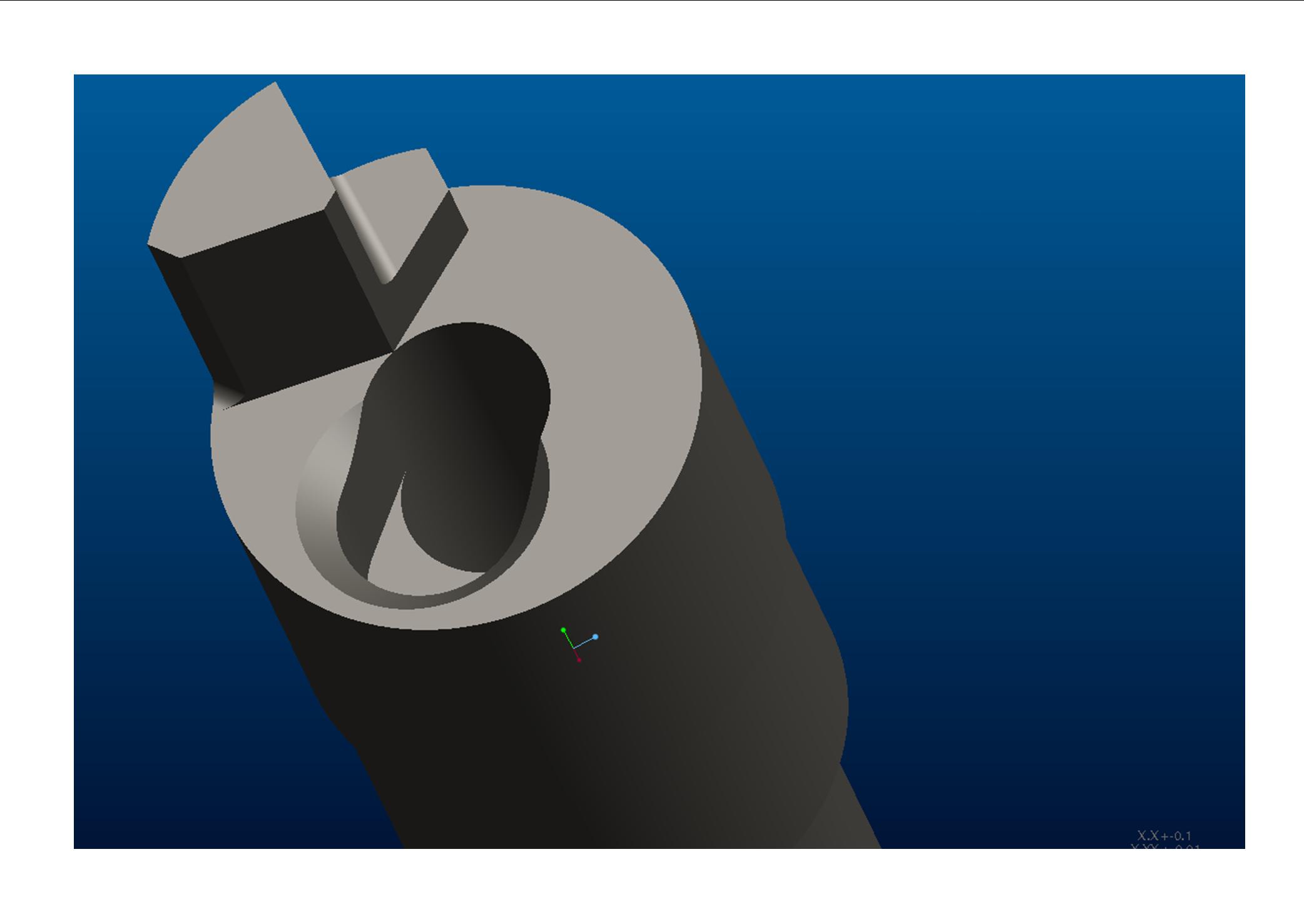
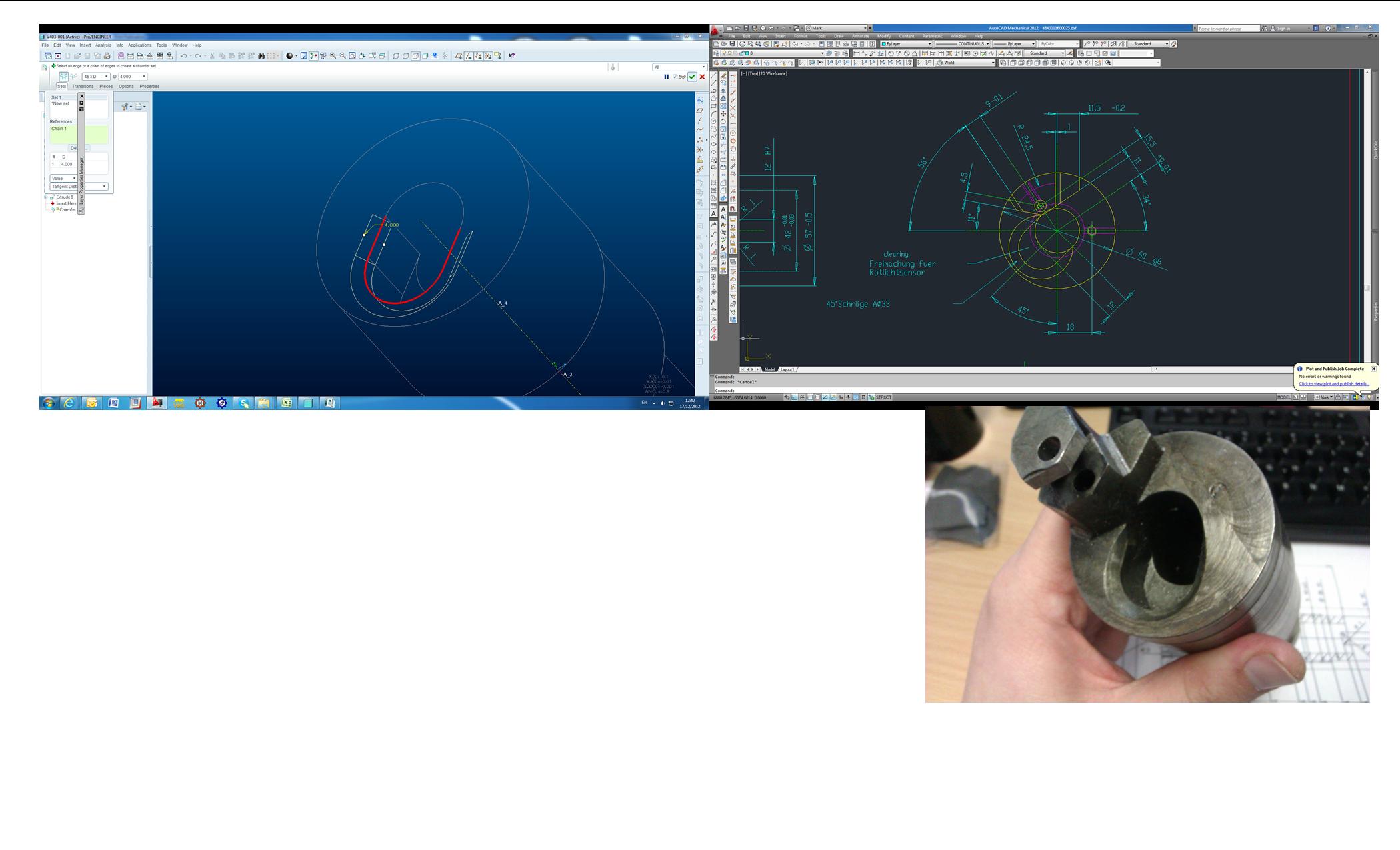
I having problem creating this feature I have attached some pictures to help illustrate what I am trying to achieve.


I have started with a Chamfer tool with the following settings:


45xD

Set Chain 1 – Standard selected 3 sides,


I have also tried Rule based and selecting Partial loop but the model fails to generate when I exiting the sketch.


Hope you can help with some pointers please as I am new to proE coming from a SW background. Thanks in advance for your help.Publication1.jpg
Best answer by ptc-4644461

Hi All,

Thanks for you help Fixed.fixed.jpg

6 replies

13-Aquamarine
December 17, 2012

Hi Mark,

Looks like a candidate for a Sweep to me (in WF4 it would be a Variable Section Sweep with the option "Constant Section" selected... not sure what that's become in Creo).

Sketch your cutter path, then create a Sweep and select the path, then sketch the section within the Sweep - it should just be a triangle.

HTH!

17-Peridot
December 17, 2012

Yep, this is a great place to use sweep. It will let you control your intended tool path as well.

If you insist on using the chamfer, however, you will need to make the recess to the shape of the tool-path and then add the through hole after the chamfer.

15-Moonstone
December 18, 2012

hi,

below i have added two images, if that is what you are looking for then you have to use the swept blend option and two guide curves. the cross section is triangular.

chamfer_swept_blend.jpgchamfer_swept_blend_2.jpg

ptc-46444611-VisitorAuthorAnswer
1-Visitor
December 18, 2012

Hi All,

Thanks for you help Fixed.fixed.jpg

Dale_Rosema
23-Emerald III
23-Emerald III
December 18, 2012

Go ahead and mark the answer as correct. Great to hear it!

15-Moonstone
December 19, 2012

in my last post i had shown two jpegs shwoing the swept blend option to put the cut.

well in pro/engineer also u can use only the chamfer option to get that particular cut. see the image below.chamfer.JPG

in chamfer select the detail option before selecting the edge and then select only the circular edge..you would get the desired result.

Patriot_1776
22-Sapphire II
January 2, 2013

Actually, looking at the geometry, and imagining how it would most likely be cut, I'd say a simple revolved cut would be the most accurate and easiest, using the axis of the cylinder on the end there. Most likely (cheapest) the machinest went in there with a simple chamfer tool and plunged to the correct depth, or interpolated a circle. I don't think there's a need for a sweep etc.

17-Peridot
January 2, 2013

Looking at the original input (lower right image), there is an obvious elongation of the chamfer path. I think the discussion morphed into a lesser "compromised" solution. As a matter of fact, the chamfer appears to blend tangent to the center "through" hole.

I hate seeing this when the modeling tool is more than adequate to do the job correctly.

http://communities.ptc.com/servlet/JiveServlet/showImage/2-193539-42608/Publication1.jpg

Patriot_1776
22-Sapphire II
January 4, 2013

Well, when I open the attached picture, they look compressed left-to-right. What looks like a circle in the small view gets highly elliptical when you open the pic. You can tell by the fact that even the cylindrical portion in the guy's hands looks elliptical, even the other views look elliptical. Without the part in hand this is one of those things that's hard to pin down.