Dale_Rosema
23-Emerald III
23-Emerald III
April 2, 2013
Question

Balloons

  • April 2, 2013
  • 2 replies
  • 4227 views

Hopefully this is an easy one.

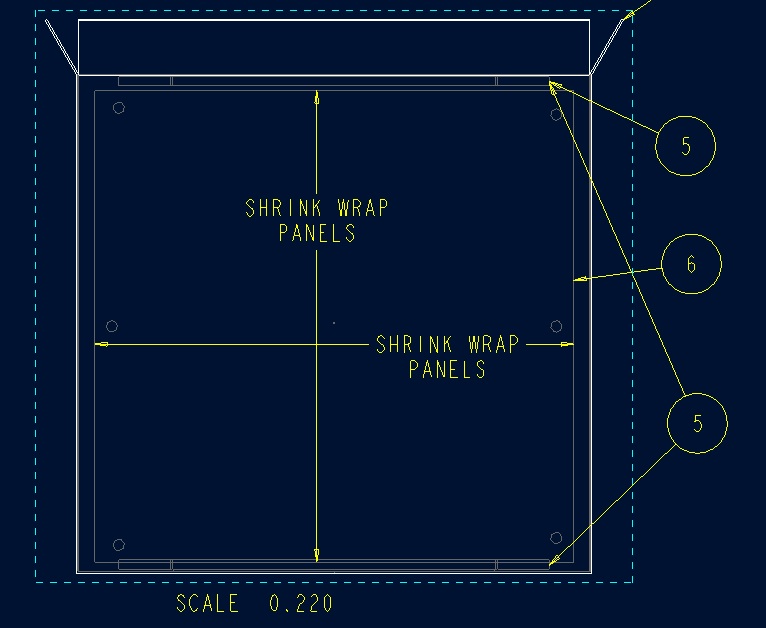
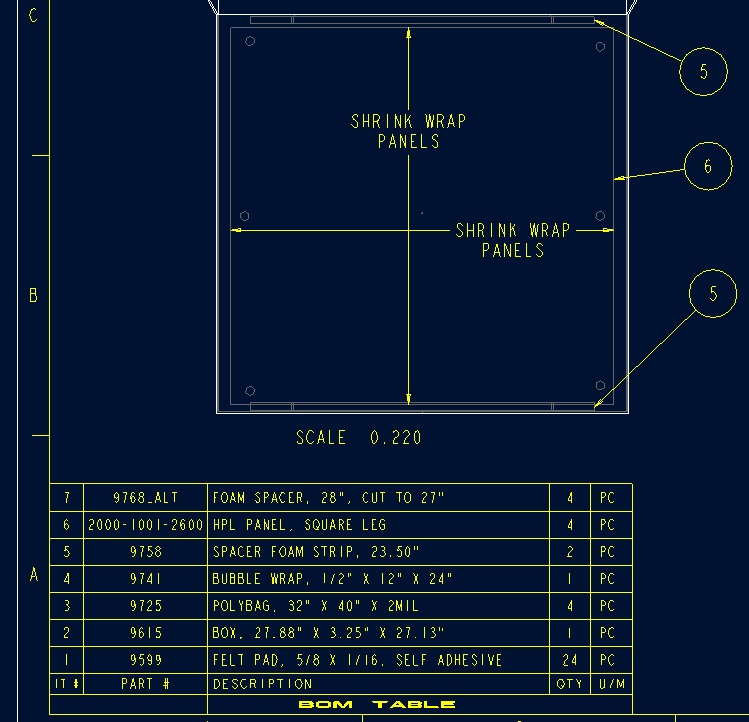
I have been requested to have one balloon point to multiple items (of the same type). I have found a way to create a second balloon (see first picture below), but I fudged the lower balloon #5 with two arrows (see second picture). Is there an easy way to do this?

Thanks, Dale
balloons.jpg

balloons_2.jpg


This thread is inactive and closed by the PTC Community Management Team. If you would like to provide a reply and re-open this thread, please notify the moderator and reference the thread. You may also use "Start a topic" button to ask a new question. Please be sure to include what version of the PTC product you are using so another community member knowledgeable about your version may be able to assist.

2 replies

17-Peridot
April 2, 2013

Edit the attachement and hold the CTRL key for a second selection.

Dale_Rosema
23-Emerald III
23-Emerald III
April 2, 2013

Creo 2.0?

One of the arrows for the lower was fudged, and the bottom arrow just moved to the top when I held the Ctrl-key down. In WF5.0/Creo this was the results:

balloons_3.jpg

Dale_Rosema
23-Emerald III
23-Emerald III
April 2, 2013

The add refrence tab is also grey out.

1-Visitor
April 2, 2013

I don't think this can be done, or at least not with the default balloons.

Not really sure if it's possible to build the balloon symbol to have multiple attachments.

17-Peridot
April 2, 2013

It might be different depending on how balloons are added. But generically, it is an attached note.

Here is the Creo 2.0 interface. Note that with all entity selection, the CTRL key is held down.

Video Link : 3870

Dale_Rosema
23-Emerald III
23-Emerald III
April 3, 2013

I think that balloons generated from the BOM table might work differently.