
12-Amethyst
June 5, 2023
Solved

Change default family name Instances or fastest way

  • June 5, 2023
  • 2 replies
  • 1048 views

Hi,

Is there any way to change the default family naming instances?

like I need 001,002,003,004 etc for new instances.

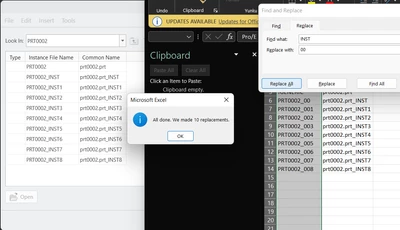
I tried with open with excel replace all. 
 

RG_10671499_0-1685944138418.png

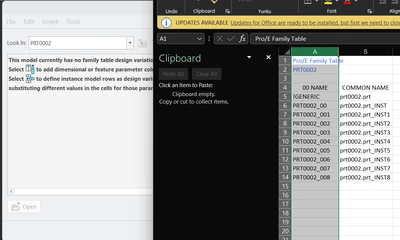
But the moment I save this tmp excel file the family table disappears. 
RG_10671499_1-1685944312559.png

Also tried with Mapkeys to carefully delete INST1 and write 001 that also not working. I have 100+ parts require family table instances. Any common idea to rename the instances?


Best answer by MartinHanak

Hi,

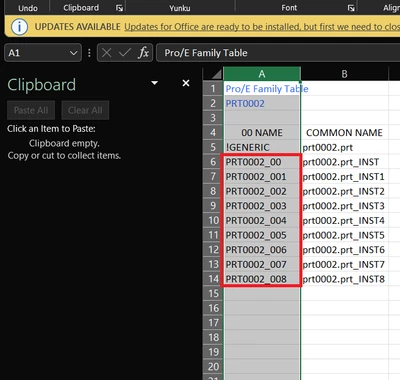
in Excel you have to select the right range ... see red rectangle in following picture

MartinHanak_0-1685949553549.png


2 replies

24-Ruby III
June 5, 2023

Hi,

in Excel you have to select the right range ... see red rectangle in following picture

MartinHanak_0-1685949553549.png


12-Amethyst
June 6, 2023

Oops., The problem is there is one more INST in the header which is also replaced as 00. Leaving that will not destroy the family table. Thanks.

23-Emerald III
June 5, 2023

You can only change the names on newly created instances if using Windchill. Once they have been saved, you have to rename them in Windchill and then update the parameters by verifying the family table again.