cancel
Showing results for 
Search instead for 
Did you mean: 
cancel
Showing results for 
Search instead for 
Did you mean: 

Community Tip - Did you get called away in the middle of writing a post? Don't worry you can find your unfinished post later in the Drafts section of your profile page. X

Translate the entire conversation x

Create a surface using multiple curves

RJ_FR
12-Amethyst

Create a surface using multiple curves

Hello,

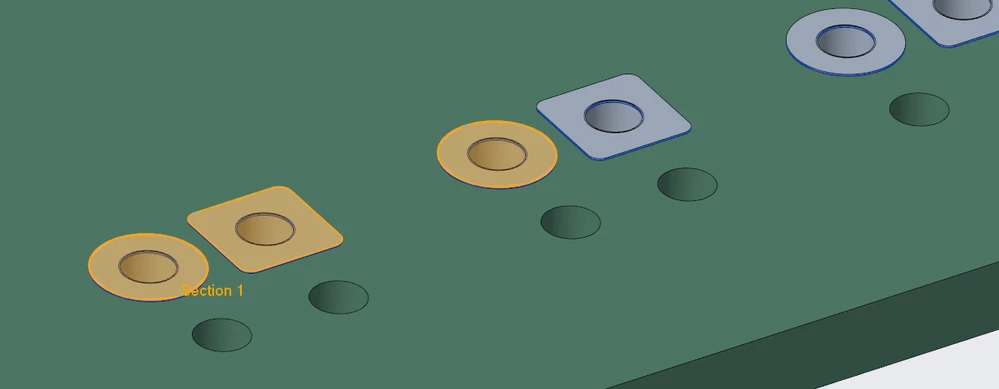
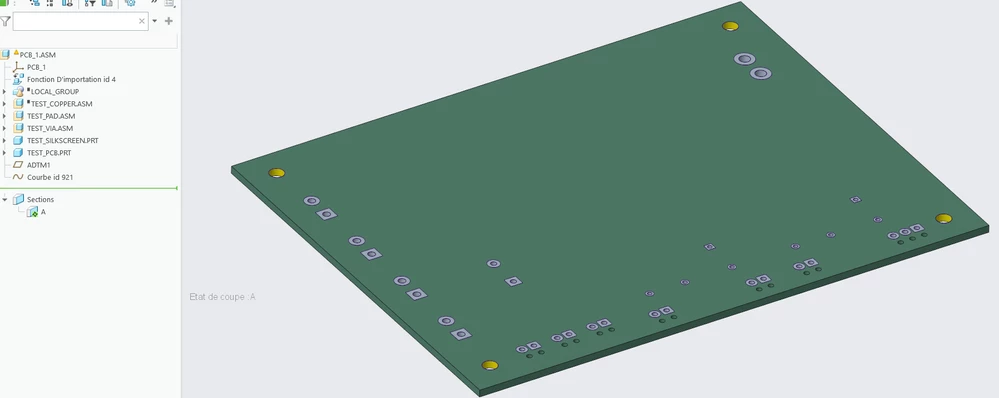
I have an electronic board on which I'm trying to create a surface across all the pads. I can with the projection tool into the sketch but this is very tedious.
2025-12-11 08_48_38-PCB_1 (Actif) - Creo Parametric.png


2025-12-11 08_51_01-PCB_1 (Actif) - Creo Parametric.png

I did it on 3 pads to give you an idea, but the surface should be present on all the grey pads. This surface will be use in creo machining for programming a laser machine in order to clean the pads.


I try to create a section then a curve from it but I can't fill in the curve...
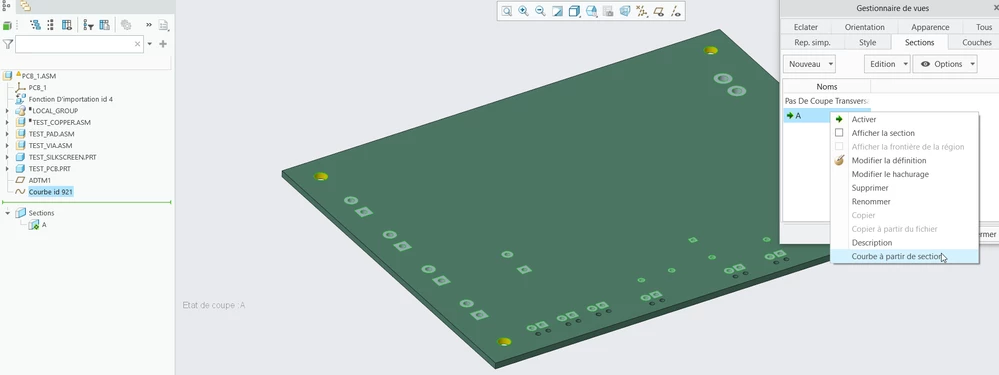
2025-12-11 08_49_09-PCB_1 (Actif) - Creo Parametric.png

Do you have any ideas ?


Thanks in advance
 

ACCEPTED SOLUTION

Accepted Solutions
MartinHanak
24-Ruby III
(To:RJ_FR)

Hi,

assumption: all pads have some height dimension ... let's say 1 mm

Steps to follow:

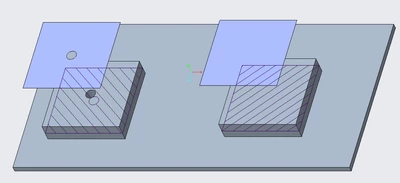
1.] in assembly create planar x-section X1 parallel with top face of green desk with distance 0.5 mm

2.] create Curve from Cross Section and select X1 ... you will get single curve containing outlines of all pads

3.] create Fill surface in some plane parallel with top face of green desk

4.] select single line from curve defined in 2.

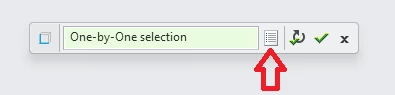
5.] edit chain properties of selection

MartinHanak_0-1765447097549.png

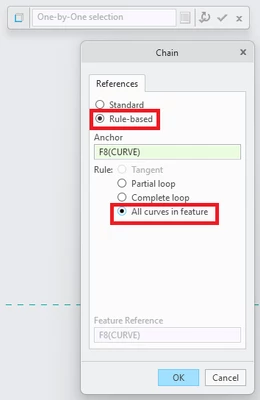
6.] select all curves using following setting

MartinHanak_1-1765447164876.png

7.] finish the feature

MartinHanak_2-1765447219008.png


Martin Hanák

View solution in original post

2 REPLIES 2
MartinHanak
24-Ruby III
(To:RJ_FR)

Hi,

assumption: all pads have some height dimension ... let's say 1 mm

Steps to follow:

1.] in assembly create planar x-section X1 parallel with top face of green desk with distance 0.5 mm

2.] create Curve from Cross Section and select X1 ... you will get single curve containing outlines of all pads

3.] create Fill surface in some plane parallel with top face of green desk

4.] select single line from curve defined in 2.

5.] edit chain properties of selection

MartinHanak_0-1765447097549.png

6.] select all curves using following setting

MartinHanak_1-1765447164876.png

7.] finish the feature

MartinHanak_2-1765447219008.png


Martin Hanák
RJ_FR
12-Amethyst
(To:MartinHanak)

Great, it works ! Thanks a lot !

Announcements
NEW Creo+ Topics: Real-time Collaboration

Top Tags