


Dale_Rosema
23-Emerald III
23-Emerald III
August 16, 2013
Solved

Datum Point or Plane from sketch

  • August 16, 2013
  • 1 reply
  • 1468 views

I currently have a couple of construction circles on a sketch and I would like to make the intersection of two contruction circles a datum point. Is this possible? It seems to not recognize this point.
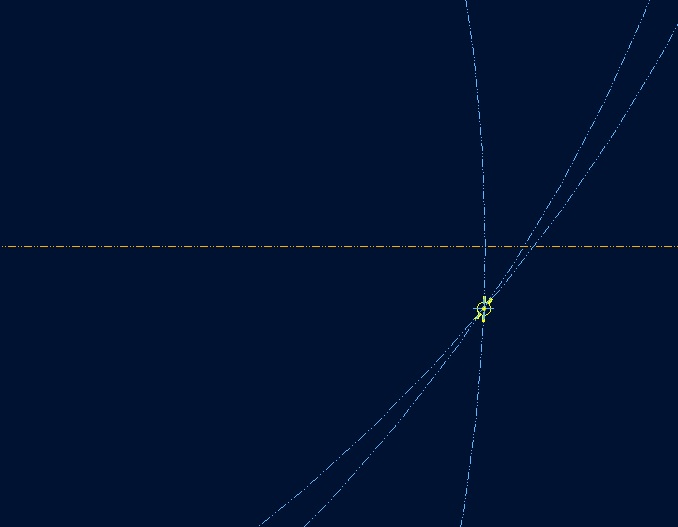
datum_point.jpg


This thread is inactive and closed by the PTC Community Management Team. If you would like to provide a reply and re-open this thread, please notify the moderator and reference the thread. You may also use "Start a topic" button to ask a new question. Please be sure to include what version of the PTC product you are using so another community member knowledgeable about your version may be able to assist.
Best answer by Dale_Rosema

After I exited the sketch, I was able to create a datum axis from the portion of the curve I made in the sketch from the center point shown.

1 reply

Dale_Rosema
23-Emerald III
Dale_Rosema23-Emerald IIIAuthorAnswer
23-Emerald III
August 16, 2013

After I exited the sketch, I was able to create a datum axis from the portion of the curve I made in the sketch from the center point shown.

17-Peridot
August 16, 2013

You are still on WF5, right?

In Creo, you can add a datum point in a sketch. If it remains a sketch, that point will be available as a reference feature for later use. If the sketch is a section, and extruded, the point will become an axis. Similarly, if you add a datum style centerline in the sketch, you also get a datum axis as a reference.

I find this to be a very useful feature... Except I would like the point to remain a point on extrusions. Simple enough to add one, but its current behavior or somewhat useless.