Question
Detail view - add a datum plane to a clipped dimension?
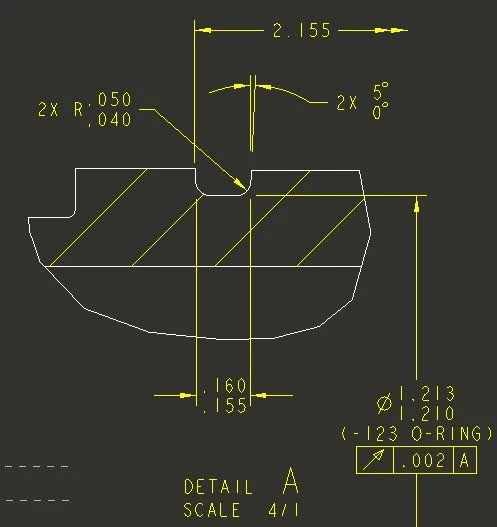
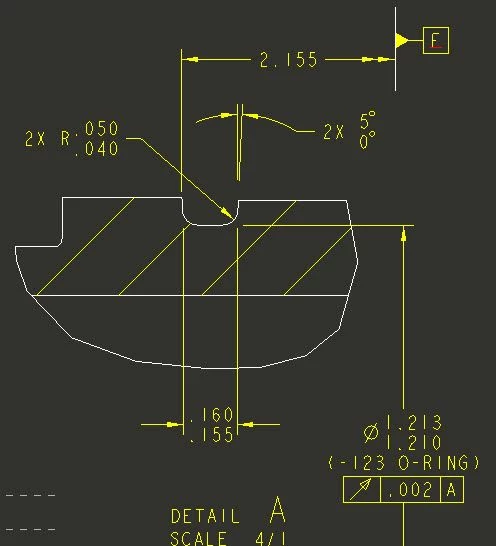
Creo 4 Drawing - Is there a way to add a datum and plane to a clipped dimension shown on a detailed view without using a draft entity line to show the plane?
The first picture is what I have. The second picture is kind of what I want except the white line is a draft entity just related to the view. Is there a better way to do this to indicate the 2.155 dimension origin is datum E?
Follow up question. My datum E in this view was created via the datum feature symbol, notice the red line below my datum E. This indicates that it is a duplicate tag, which obviously it is because the original datum E is shown on the main view. Do I just accept the error (red underline) and move on, or is there a way to avoid this error?
Cheers
Airfix