4-Participant
February 21, 2023
Solved

Doesn't chamfered cone shape unbend support yet?

  • February 21, 2023
  • 2 replies
  • 5473 views

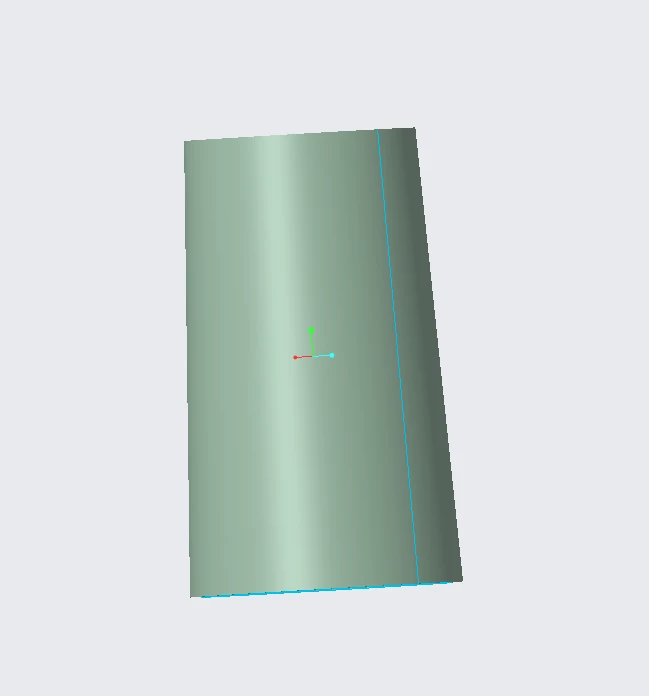
1. make a cone

1.png

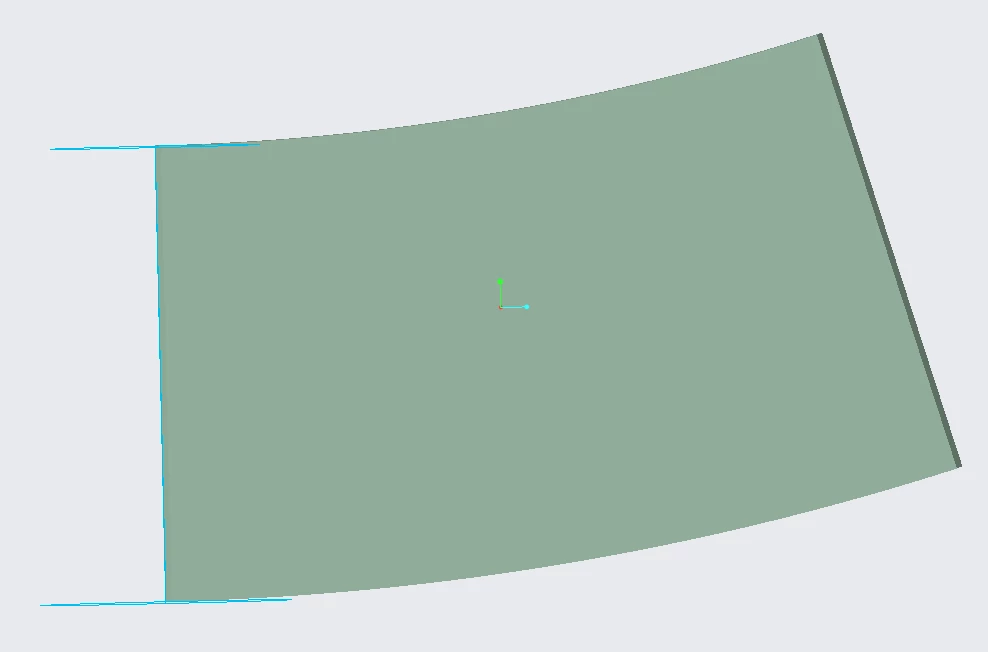
2. sketched rip and chamfer

2.png

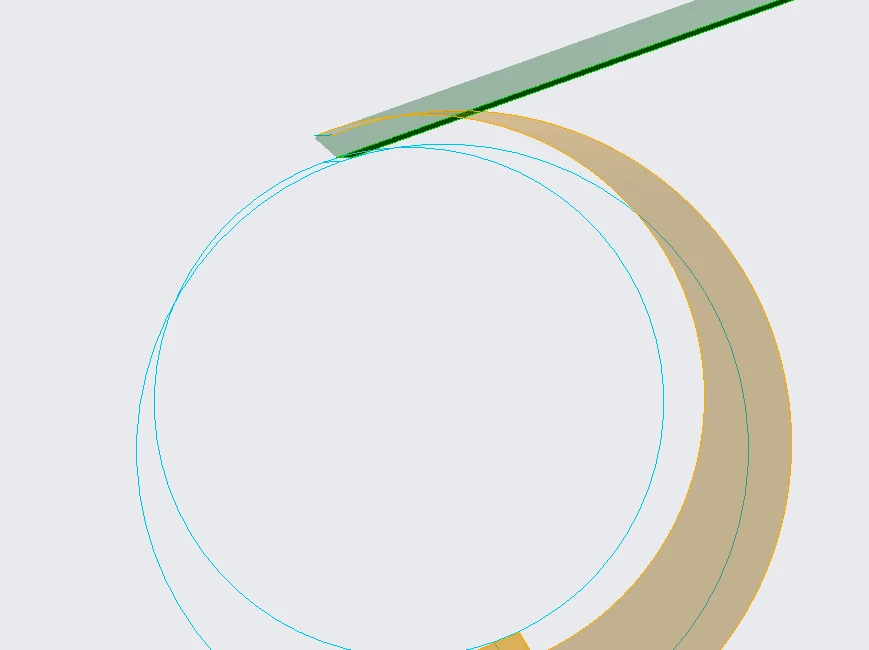
3. failed bend back

3.png


As a result, I want to bend the chamfered sheet metal to make a cone. Is there any other way other than this?

Best answer by MartinHanak

Hi,

I added two cylinders to your model (diameter=916 and diameter=1100) ... see  following picture.
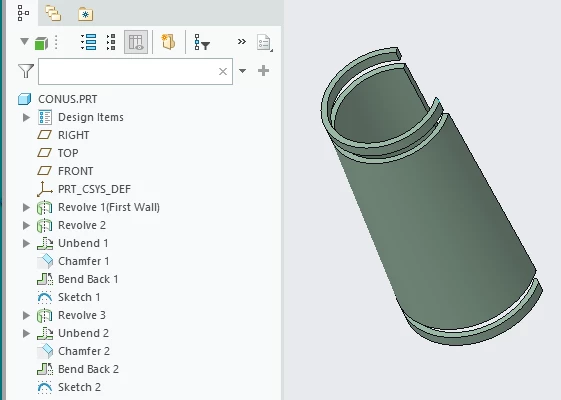
MartinHanak_0-1677244980718.png

For both cylinders I did following steps:

  • unbend
  • chamfer 50 degrees
  • bend back
  • sketch using bent chamfer edge

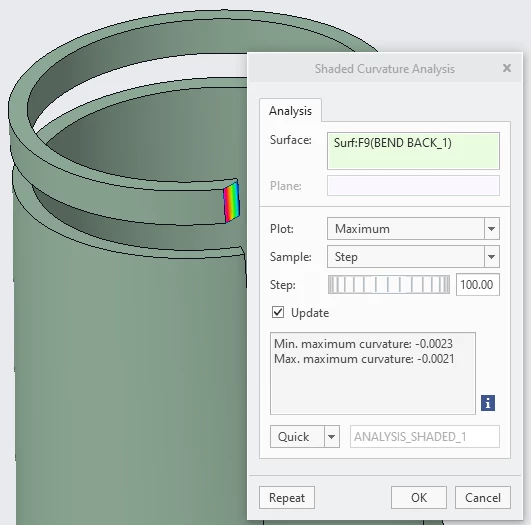
Finding no.1

When chamfer surface is bent back then it changes from planar surface to curved surface.

This is why you cannot bend a bent cone back - Creo does not know how to deform chamfer surface.
MartinHanak_5-1677246028306.png


Finding no.2

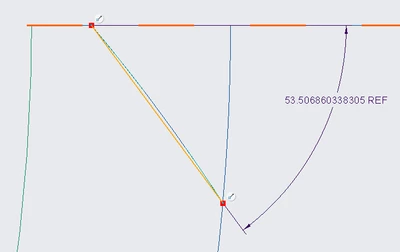
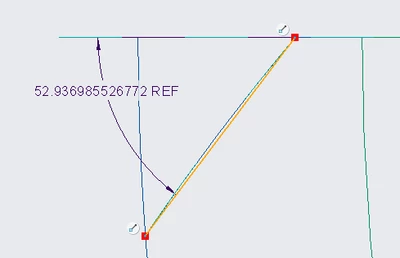
If you create sketch going through chamfer edge after bend back operation, you will get your angle.

At the top (diameter=916) it is 53.5 degrees.
MartinHanak_2-1677245656672.png

At the bottom (diameter=1100) it is 52.9 degrees
MartinHanak_3-1677245735901.png

So you know that the angle varies between two above values. >>> and this is the answer you are looking for (I hope).


2 replies

24-Ruby III
February 22, 2023

Hi,

please upload your model packed in zip file.

kdirth
21-Topaz I
21-Topaz I
February 22, 2023

The bend back feature needs the original anchor surface, or at least a portion of it, to work.


Also, you don't need to unbend in order to chamfer the edge.

There is always more to learn.
hyarth4-ParticipantAuthor
4-Participant
February 22, 2023

Specifically, I would like to know the angle change that occurs when bending again after chamfering in the unfolded state.

23-Emerald III
February 23, 2023

If you are talking about deformation due to manufacturing process, Creo is not doing that for you. Creo will calculate the "stretch" in the part from flat to form based on the given "y" or "k" value in the settings (it is your responsibility to set the correct value based on the manufacturing method and materials used). 

All Creo Parametric will do for you is calculate bend allowance. See machinery handbook or google bend allowance. It is NOT doing anything other than solving a relatively simple calcuation based on value given.


If you need more than that, you will need other analysis tools.


StephenW_0-1677152550655.png


24-Ruby III
February 23, 2023

Hi,

bend.prt.1 was created in Educational Creo 9.0 version, therefore I cannot open it in Commercial Creo 9.0 version.


Please use pictures and text to provide more detailed description of your model. This enable me to recreate the model on my PC.

hyarth4-ParticipantAuthor
4-Participant
February 23, 2023

- sketch1's diameter is 1100, sketch2's diameter is 916, height is 2000, then I was blended.

- then I creat DTM3 to rip


01.png02.png03.png04.png05.png06.png

hyarth4-ParticipantAuthor
4-Participant
February 23, 2023

cone's thickness was 50

24-Ruby III
February 23, 2023

Hi,

I am sorry I am not able to give you any advice. I can only confirm that chamfer created after unbend will make it impossible to bend geometry back.

The question remains why you want to use the given procedure.

hyarth4-ParticipantAuthor
4-Participant
February 23, 2023

When we bend metal sheets in factory, we cut metal sheet before bending. so I want to know the angle change  that occurs when bend with chamfering. If you know other procedure to solve this question, you can ignore my procedure.

hyarth4-ParticipantAuthor
4-Participant
February 23, 2023

For exaple, when champered 30degree metal sheet bended, angle changed lager or smaller like 27degree or 33degree.

24-Ruby III
February 23, 2023

Hi,

please attach a picture explaining the difference.

Note: In your previously published picture chamfers did not consume end faces of unbent sheet, therefore the sheet size with/without chamfers is the same.

hyarth4-ParticipantAuthor
4-Participant
February 23, 2023

For example simply bending the cylinder, First, I made a cylinder with a thickness of 56 by spinning, then I made it into a flat plate by unbending.

1.png


Then, I chamfered it so that the angles were 55 degrees and 35 degrees for welding.

2.png


Third, if you bend it and remake it into a cylinder to measure the angle, the difference in angle will occur as follows. I want to do it at cone.

3.png4.png5.png


Here's another example

6.png7.png