10-Marble
January 17, 2024
Solved

Features not Showing in Family Table Instance in CREO 7.0 - No Error Message

  • January 17, 2024
  • 1 reply
  • 1736 views

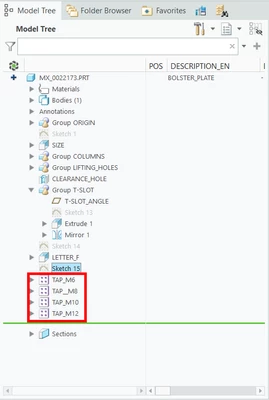
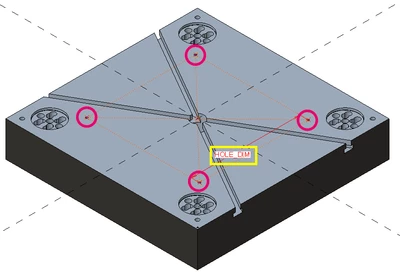
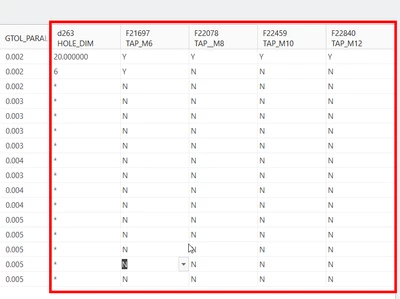
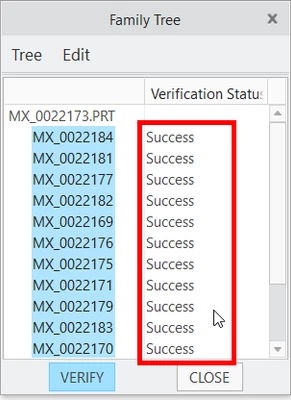
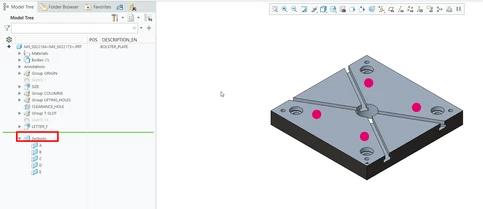
I have this Generic part (Fig. 1.1) for my Family Table. As you can see in Fig. 1.2, they're obviously in the Model Tree. Their columns show in the Family Table (Fig. 1.3) and when I verify (Fig. 1.4) they're successful.


But even if everything shows that the features should show in the instances, they're still not showing (Fig. 1.5). It doesn't look like they were suppressed, more like the were never added to the model.


I've tried to update the models in my workspace, and also upload them with tiny changes but nothing happens. I even tried not adding the features to the Family Table to see if they showed all of the patterns but no.


Has anybody experienced this before? Am I missing something? Can this be solved by resetting Creo?

I'm using Creo 7.0.10.0 but we're migrating to Creo 9 in a couple of days, could that be the issue?


Thanks in advance!
 

MSALAS_0-1705530709493.png

Fig. 1.1 - Generic Plate


MSALAS_1-1705530724243.png

Fig. 1.2 - Model Tree showing the patterns
 

MSALAS_2-1705530734550.png

Fig. 1.3 - Family Table showing the Columns of the Patterns and Dimension
 

MSALAS_3-1705530742076.png

Fig. 1.4 - Family Tree shows the Verification Status: Success
 

MSALAS_4-1705530751593.png

Fig. 1.5 - Features not showing in instances.


Best answer by MSALAS

The TAP patterns were in fact children of Sketch_15, I guess it was due to the transition from Creo 7 to Creo 9 or something corrupt in the model because after the transition it still didn't work right.


What I had to do was change the instances to unique models, deleting the Family Table completely, then go model by model adding the dowel holes.

1 reply

24-Ruby III
January 18, 2024

Hi,

I guess your TAP patterns are children of Sketch_15 feature. This features is suppressed in MX_0022148 instance and because of this all TAP patterns are suppressed, too.


If it is possible, pack your model into zip file and upload this zip file.


MSALAS10-MarbleAuthorAnswer
10-Marble
January 26, 2024

The TAP patterns were in fact children of Sketch_15, I guess it was due to the transition from Creo 7 to Creo 9 or something corrupt in the model because after the transition it still didn't work right.


What I had to do was change the instances to unique models, deleting the Family Table completely, then go model by model adding the dowel holes.