
1-Visitor
April 27, 2012
Solved

Hole pattern - symmetric about center hole in two linear directions
  • April 27, 2012
  • 2 replies
  • 12603 views

2.png

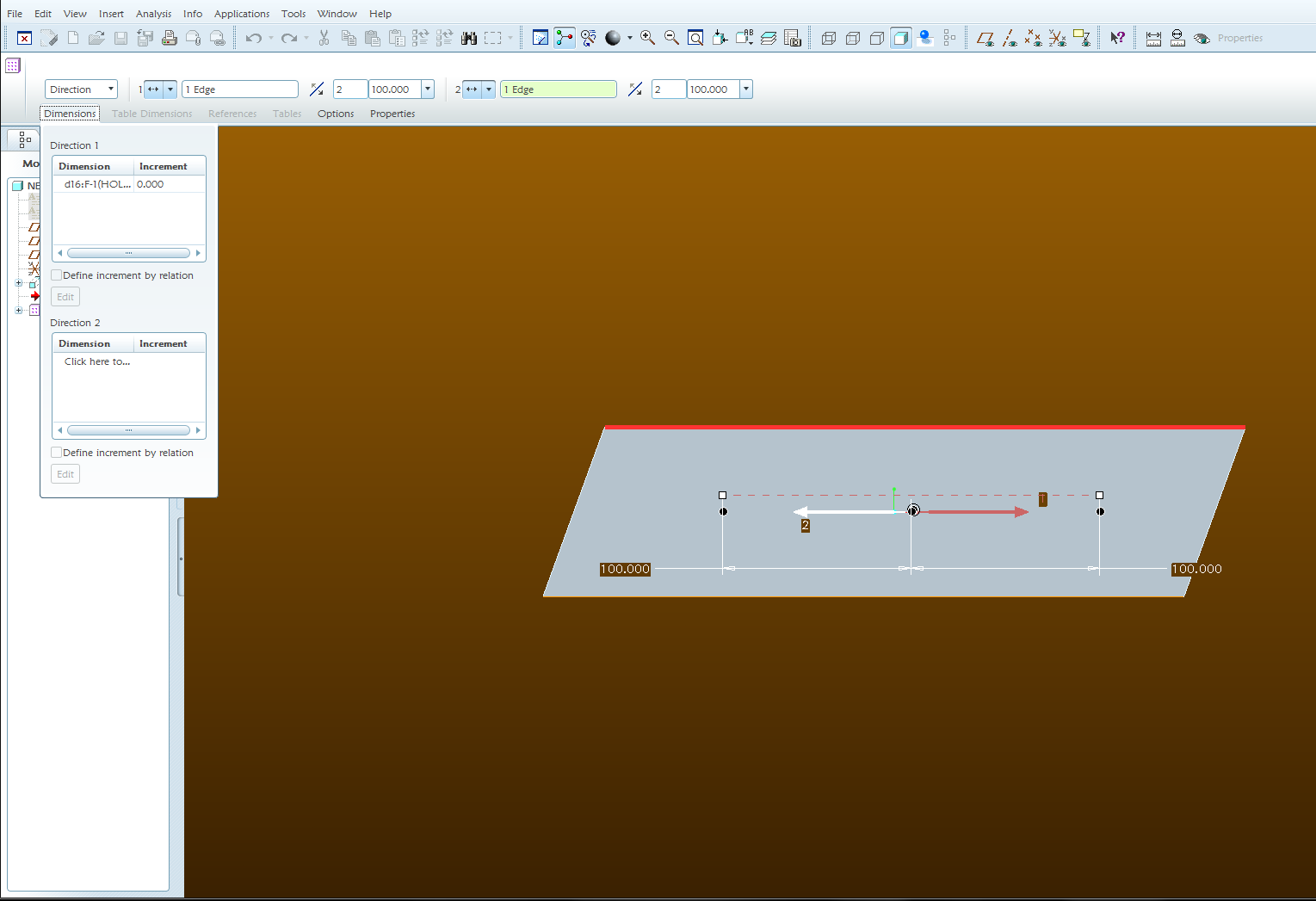
Ok...I thought I could do this, but I keep getting two holes in the center.

I've created the center hole and am trying to pattern one to the right, horiz, 100mm, and one to the left, the same distance, in the same command. I can pick the two directions and offset, but keep getting a duplicate hole in the center. Number of members in both directions must be two or I get an error.

I would think this can be done without getting a duplicate hole in the middle, but maybe not? If someone could shed some advise I'd greatly appreciate it!

Best answer by DalbeerSinghSoh

http://communities.ptc.com/videos/2876

2 replies

1-Visitor
April 27, 2012

There are a few things you can do with this. The first for the method you are using is to select the duplicate black dot at the center to remove it from the pattern. The only one that can't be removed is the pattern leader which has a circle around it. Other things you could do although they may not necessarily be what you want are a pattern table, diameter pattern, radial pattern, and pattern by point.

KrisR1-VisitorAuthor
1-Visitor
April 27, 2012

Well, since it's the pattern leader in two directions, I can't select the black dot.

1-Visitor
April 27, 2012

There is only one pattern leader which is the one you select to make the pattern. You should be able to select the second one. Another note is that for a direction pattern you are not required to have a dimension specified in the dimension tab. It can make it easier for you to de-select the instance that is overlaid on the pattern leader though.

New Picture.jpgNew Picture (1).jpgNew Picture (2).jpg

Here are so images on what happens with a dimension specified:

New Picture (3).jpgNew Picture (4).jpg

Change the increment back to 0 when finished.

1-Visitor
April 29, 2012
KrisR1-VisitorAuthor
1-Visitor
April 30, 2012

This worked well - thanks!