

How can I define my marquee to be more specfic in warp tool
I use Creo 7.0.2 on Win10.
Here's what i encounter:
I want my body to be 1.5 times high by stretching in warp tool, but the result didn't match. it turns out to be 2.1xxx times. and I found out that the boundary of the marquee is not lying on the surface of my body exactly but having a offset value.
Size:150x43x1.5mm File_name: tmp_warp.prt
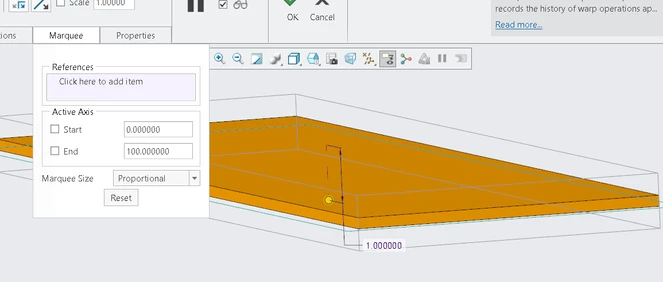
So when I stretching the result won't meet what I expected.
*This body forms by removing certain features.(The original one is the shape defined by my customer, and therefore I can't show you guys.)
However when I create a new part and draw the same shape but big hieght, the marquee correctly lies on the boundary of the body.
Size:150x43x30m File_name: tmp_warp_2.prt
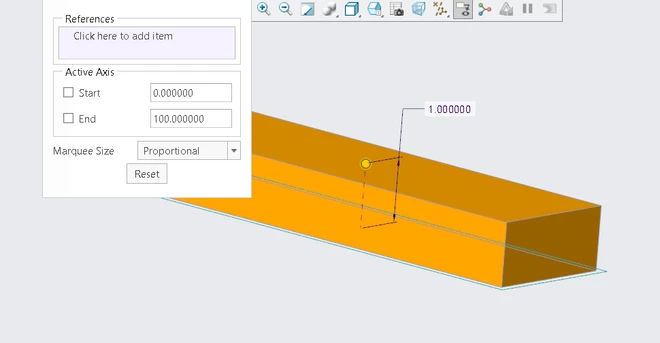
The question is for the case I encounter, I don't even know the offset value of the marquee, so i can't adjust by modifying the value in the box.
Is there any possible ways to snap the marquee on the surface I want or know the offset value so I can adjust it.