
1-Visitor
August 23, 2021
Question

How can I make a round look like this?

  • August 23, 2021
  • 2 replies
  • 1674 views

This part that I'm working on it's looking like this: 
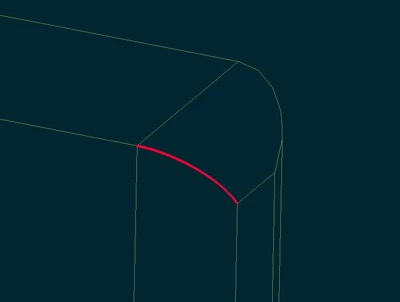
RA_9909671_0-1629723313775.png

But I don't want that sharped edge, so I tried to round it using "chain", to make it look like this:
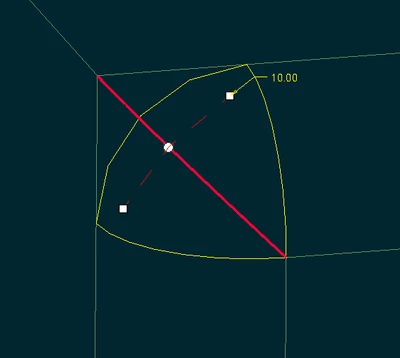
RA_9909671_0-1629723538240.png

But CREO does not accept this format. This message appears:

RA_9909671_1-1629723801504.png

Is there any way I can make that round, without wrapping the entire line, just that edge?

2 replies

kdirth
21-Topaz I
21-Topaz I
August 23, 2021

A couple of steps to get there.  First under Pieces tab, select Piece1 and drag the drag handle back to the vertex at the edge of the other rounds.


kdirth_0-1629724389457.png

Second, select transition mode, select transition, change transition to Stop at Reference, and select vertex.

kdirth_1-1629724767974.png


There is always more to learn.
1-Visitor
August 25, 2021

Thank you for the tip!

Patriot_1776
22-Sapphire II
August 25, 2021

Why not just radius that edge first?  Do you really WANT that little triangular-ish flat left there?