8-Gravel
November 13, 2025
Solved

How can I make cable harnesses take less memory?

  • November 13, 2025
  • 1 reply
  • 449 views

I'm trying to understand what I can do to make cable harness take up less memory.
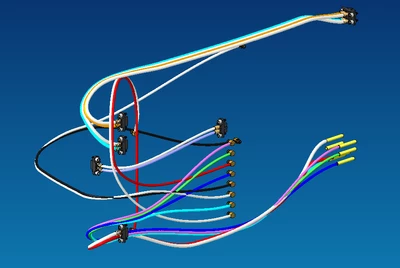
See screenshots below.  I have about 12 cables made of 16 wires in a relatively simple assembly and the file size for the cable assembly and harness total 430mB (215mB each).  This is so large it takes minutes to save and regenerate.  All of the cable locations referenced to datums in the assembly and not some higher level assembly.  Each cable has maybe 2-3 plane or datum point-based locations based on assembly references.

To me this should be taking up 10mB max.  What could it possibly be doing with all this memory?
We're on windows 11, creo 8.0.0.0.
GB_10534440_1-1763053411448.png


Screenshot 2025-11-13 105555.png


GB_10534440_0-1763053700280.png

GB_10534440_1-1763053744401.png


Best answer by MartinHanak

Hi,

following information is just my guess.

Maybe setting of config.pro options is the root of the problem.

SAVE_MODEL_DISPLAY WIREFRAME -or- SHADING_LOD
LODS_ENABLED NO -or- YES
LODS_VALUE value

1 reply

24-Ruby III
November 14, 2025

Hi,

following information is just my guess.

Maybe setting of config.pro options is the root of the problem.

SAVE_MODEL_DISPLAY WIREFRAME -or- SHADING_LOD
LODS_ENABLED NO -or- YES
LODS_VALUE value

8-Gravel
November 14, 2025

Oh my god that worked.  I changed save_model_display to wireframe and the file size is nothing now.

It's a miracle.   THANK YOU!


Why the heck would CREO even offer something that 1000x'd your file size?!


GB_10534440_0-1763130371574.png


GB_10534440_1-1763130423208.png