14-Alexandrite
February 20, 2023
Solved

How can I make my curve from style tool grab the contour of my solid geometry?

  • February 20, 2023
  • 2 replies
  • 1079 views

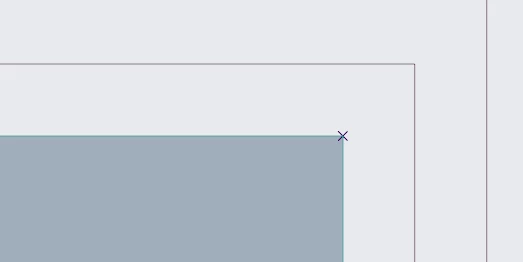
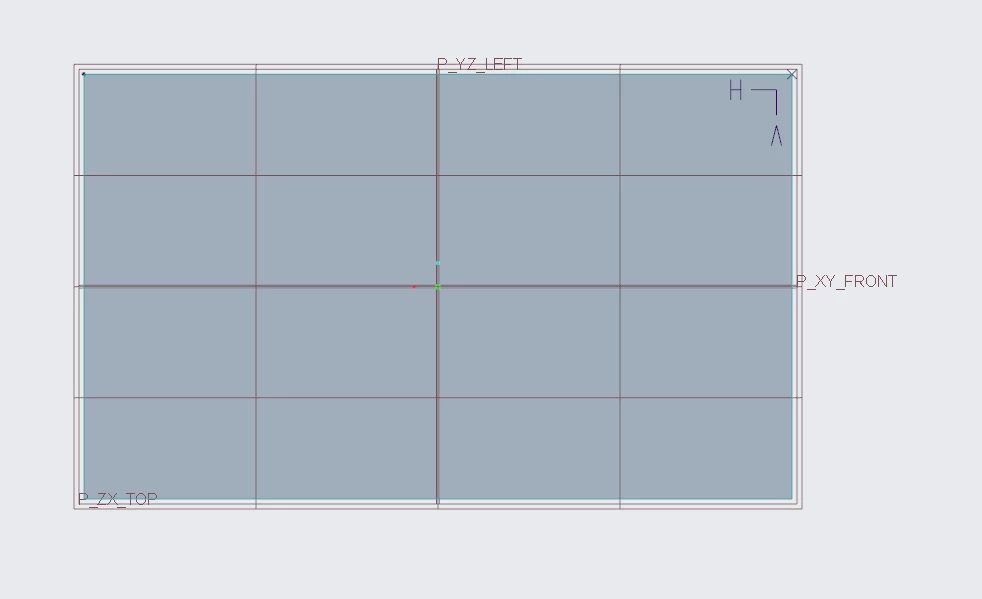
I am new to the office and I just started learning about the style tool. I try to press shift so that the curve grabs the contour line of my solid geometry, but sometimes it works and I get a cross, but sometimes it seems not to work and I only get a small circle. Does somebody maybe know why sometimes it manages to grab the contour line of the solid geometry, and sometimes it does not? I attached pictures of a block which I am working on as an example, where on the right side, it worked, and I get a cross, whereas on the left side, it did not work and I only get a little blue dot. I also noticed that sometimes the references appear in the background in an orange color, and then you can use them, but sometimes they do not, and I do not know what this behaviour depends on. Does somebody maybe have experience with this? Thanks a lot for a response!Gesamter_Block.PNGLinks_nicht_eingerastet.PNGRechts_eingerastet.PNG


Best answer by AB_10071442

Maybe it is a bug, when I close the curve and open it again, then I can grab the contour line.

2 replies

AB_1007144214-AlexandriteAuthorAnswer
14-Alexandrite
February 20, 2023

Maybe it is a bug, when I close the curve and open it again, then I can grab the contour line.

kdirth
21-Topaz I
21-Topaz I
February 20, 2023

A Style curve has 4 connections each with its own possible connection options.  When creating a curve, you have one shot for each connection during creation and must complete the curve then edit the curve to change the connections.  During creation, the indication of what connection you are creating is not clear unless you hold RMB and move around to find the connection you want.  A dot is in space (no connection), a square is on the surface, a circle is on a curve, and an X is on a point or curve end.

kdirth_1-1676906162569.png


kdirth_0-1676906127345.png

There is always more to learn.