
15-Moonstone
February 2, 2022
Solved

How to prevent a balloon from running away?
  • February 2, 2022
  • 3 replies
  • 2882 views

JS_9824412_0-1643808726774.png

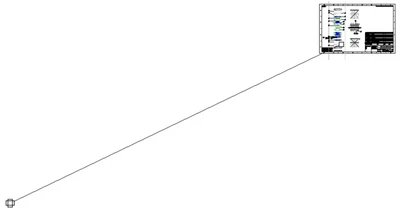
When I move a balloon around, it runs away. I was to move it onto a snap line, however, the balloon fled so far away. I am not sure what it was worried about. There must have some constraints in its mind driving the balloon always run away. How to prevent this time-consuming "catch&flee" cycles?

Best answer by JS_9824412

Just now I found an acceptable solution: 1) toggle off "Snap to Guides"; 2) move the deserter back to its position.

3 replies

23-Emerald III
February 2, 2022

Occasionally I get this issue also, it's pretty rare but infuriating when it happens. It's as if the move point is at some arbitrary location way off the balloon. And every time you move the balloon, it seems the move point gets farther away.

I don't remember how I get around it. Seems like I delete the balloon and re-add it.

15-Moonstone
February 2, 2022

Yes, this is one quick-fix solution that I normally use. However, after I have made Split Balloons, I try to avoid this quick-fix. Thanks.

15-Moonstone
February 2, 2022

JS_9824412_0-1643809690564.png

It ran to the north now ...

15-Moonstone
February 2, 2022

JS_9824412_1-1643809866578.png

Have to wait for back up now. Tired of chasing.

21-Topaz I
February 2, 2022

Hello @JS_9824412 


For sure "data specific", and not "generic" behavior.  Without accessing data to investigate this further therefore, it's difficult to give guidance.


I see 2 possible root causes:

  • Drawing Model (the asm) somehow corrupted. If so:
    • Recreating a new drawing in a similar way will reproduce the issue (this may be a good test to confirm that root cause is in the 3D Model, and not in the drawingà
    • Maybe check Model Size of the given assembly to check if you eventually see an abnormal high value (compared to model geometry of components assembled inside)
  • Drawing View Corrupted
    • I see more chances to be so
    • If so:
      • update_drawing all in Drawing Setup file may help?
      • Recreating a new View and Creating Balloon on this new View will help (choose for this > Create Balloons - By Comp & View menu)?


If nothing helps above, Is it possible to simplify a lot the assembly, ensure issue persists, and backup a simplified version of the drawing here (to avoid sharing confidential data)? If yes, we may try to have a look, and if not resolving this in the contect of impacted data, maybe trying to provide a workaround.


Regards,


Serge

23-Emerald III
February 2, 2022

We had this issue, along with views moving, caused by a shrinkwrap in the assembly that had been modified after the drawing was created. the modified shrinkwrap was a different size and this 'moved' the view centers on the drawing which caused them and balloons to move.