
1-Visitor
February 9, 2016
Question

Installation stuck on "installing license server..."

  • February 9, 2016
  • 2 replies
  • 7734 views

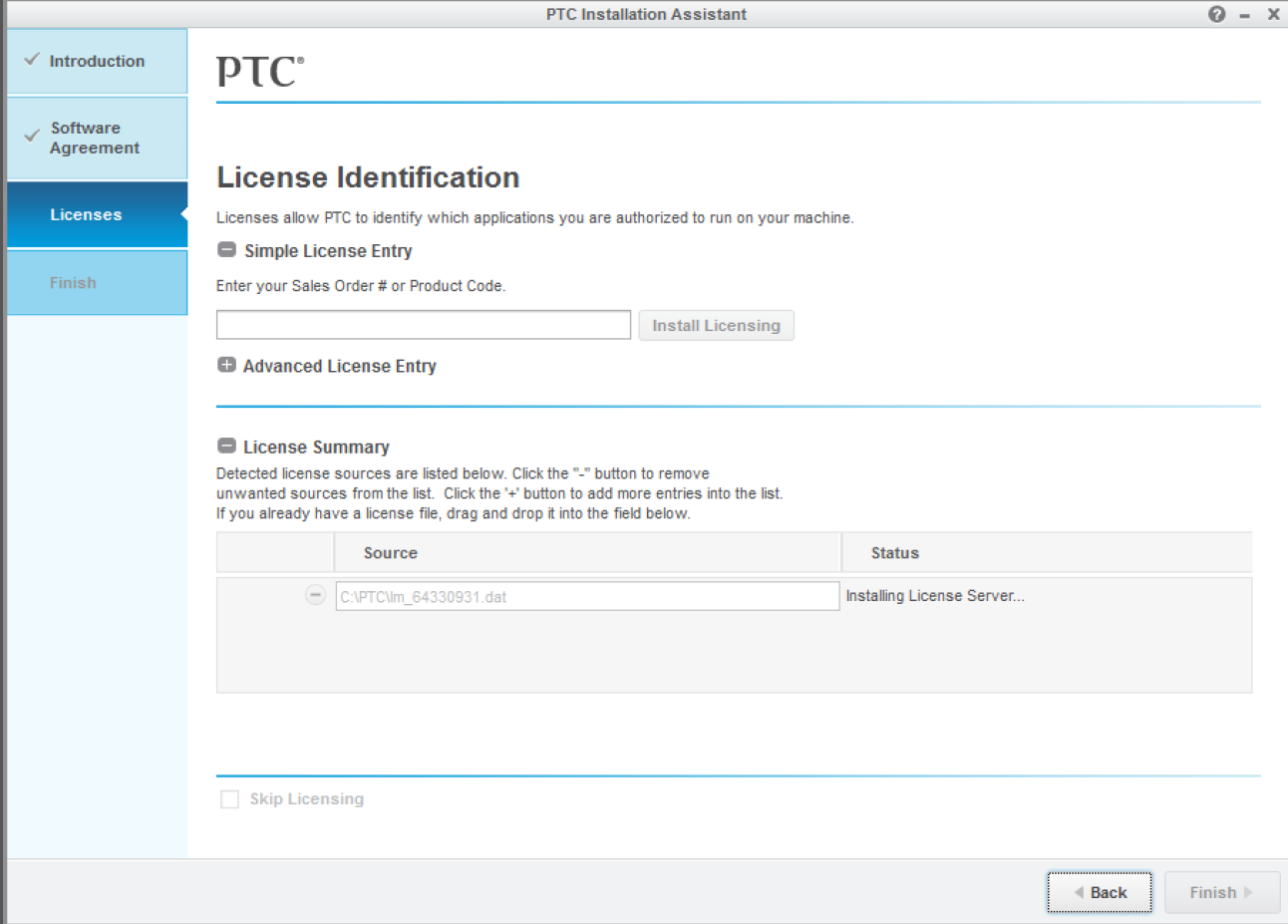
I have been trying to install an evaluation license for Creo View MCAD and the installation keeps getting stuck on "Installing License Server..." even though I restart the installation or wait it out. I just can't get past this step (see pic below).
Capture.PNG

Any ideas how to get past this?

This topic has been closed for replies.

2 replies

24-Ruby III
February 10, 2016

Hi,

  • is eval license floating, i.e. does license file contain SERVER and DAEMON lines ?

  • is HOST-ID form license file equal to MAC address of your network card ?

MH

24-Ruby III
February 10, 2016

You can also download and test FLEXnet installers.

See https://support.ptc.com/appserver/cs/view/solution.jsp?n=CS70350 and Hardware Notes – FlexNet License Server - PTC.com

If you have problems with FLEXnet 11 then you can install FLEXnet 10.8.

MH

1-Visitor
September 25, 2018

Hi, I have the same problem: I was just granted a license through my company but when I tried using the installer I got stuck at the same point. I'm running windows 10.4 and the creo version is 3.0 M110

Mahesh_Sharma
22-Sapphire I
September 26, 2018

If it is not working, you may use alternate options:

1. Uninstall the license manager and install from scratch using new license. 


OR:

1. Stop service for license manager from Windows services

2. Open existing license.dat from installation location of license manager in text editor and copy lines starting with SERVER and DAEMON.

3. Open new license file (text file from PTC) and overwrite existing server and daemon lines with copied one save the file and rename as license.dat.

4. Rename existing license.dat in installation location to something else (e.g. license.dat_old)

5. Copy the newly saved license file (license.dat) in installation location.

6. Restart Windows server for license manager. 


Assuming new license file is for same host id as of old one. If required contact company IT. 


1-Visitor
September 26, 2018

Thanks for the response!

I got it working last night by followed Martin's advice and downloaded the license server manually. This allowed me to make a license that I could see in the Creo 3.0 downloader.  However, when I selected this license it still wasn't giving me permission to download direct and parametric. Finally, I deleted and re-downloaded the download package and it installed it properly.