
11-Garnet
April 14, 2024
Solved

Merge only selected edge of surface/convert inner quilt edge to outer

  • April 14, 2024
  • 1 reply
  • 1705 views

For reasons of convenience I would like to have a closed surface where one of the edges is open in Creo Parametric. A simple example could be a surface of revolution that is swept 360 degrees but has a open edge where the surfaces meet. Below is a artificially created image, where the sweep angle is close to but not exactly 360 degrees.
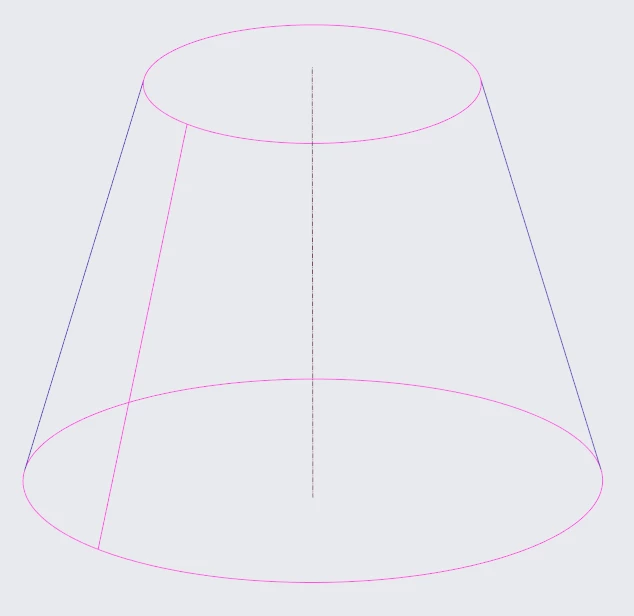
 

Revolved surface with open edge (but not quite closed)Revolved surface with open edge (but not quite closed)


So i am wondering is there:


  1. A way to split a self enclosed surface at one and only one edge?
  2. A way to merge only said edge and not all edges?
  3. Convert inner edge to outer edge?

This would be handy at times.
Best answer by tbraxton

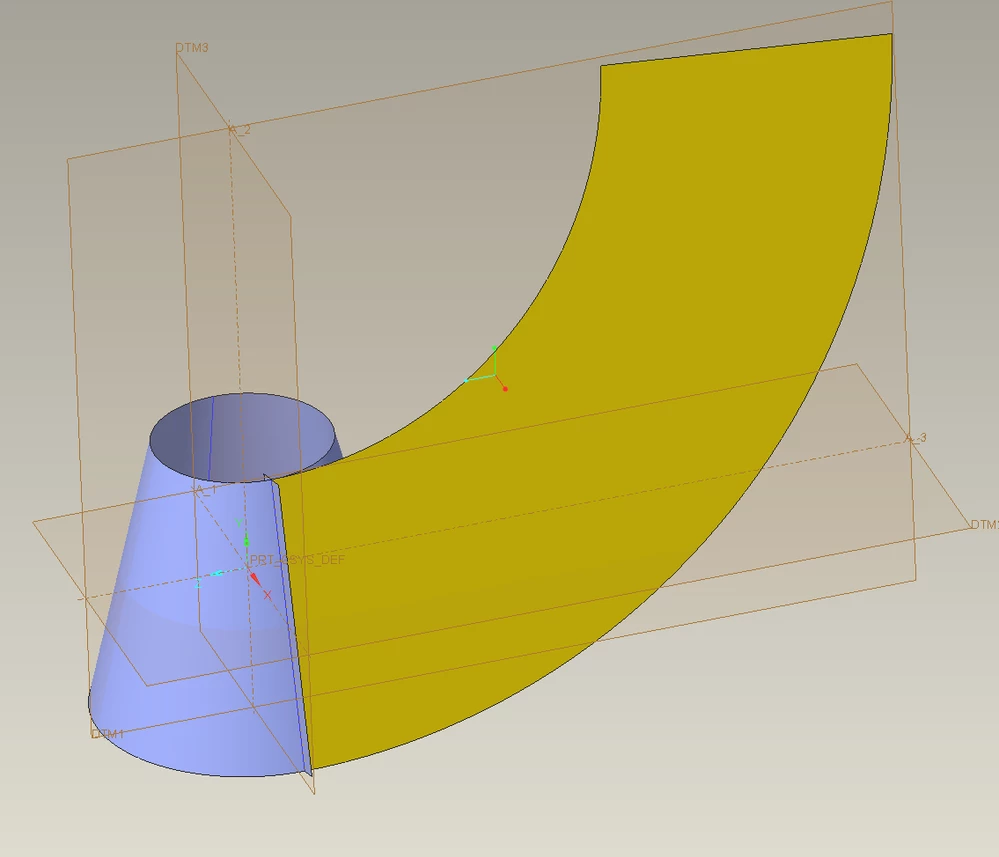
Is this what you need? The cone is split and then flattened (yellow). Creo 9 model enclosed for reference.


tbraxton_0-1713197322569.png


1 reply

tbraxton
22-Sapphire II
22-Sapphire II
April 15, 2024

Divide surface which is available in Creo 9+ as a core modelling feature. Depending on what you are attempting to do subsequent to this it may provide a solution.


About Divide Surface (ptc.com)


Example Creo 9 part enclosed.

tbraxton_0-1713141962969.png


24-Ruby III
April 15, 2024

Just note ...

Resulting quilt is still divided into 2 pieces.

MartinHanak_0-1713165485945.png   MartinHanak_1-1713165539832.png