1-Visitor
January 14, 2013
Question

Problems in the area graphically.

  • January 14, 2013
  • 2 replies
  • 1649 views

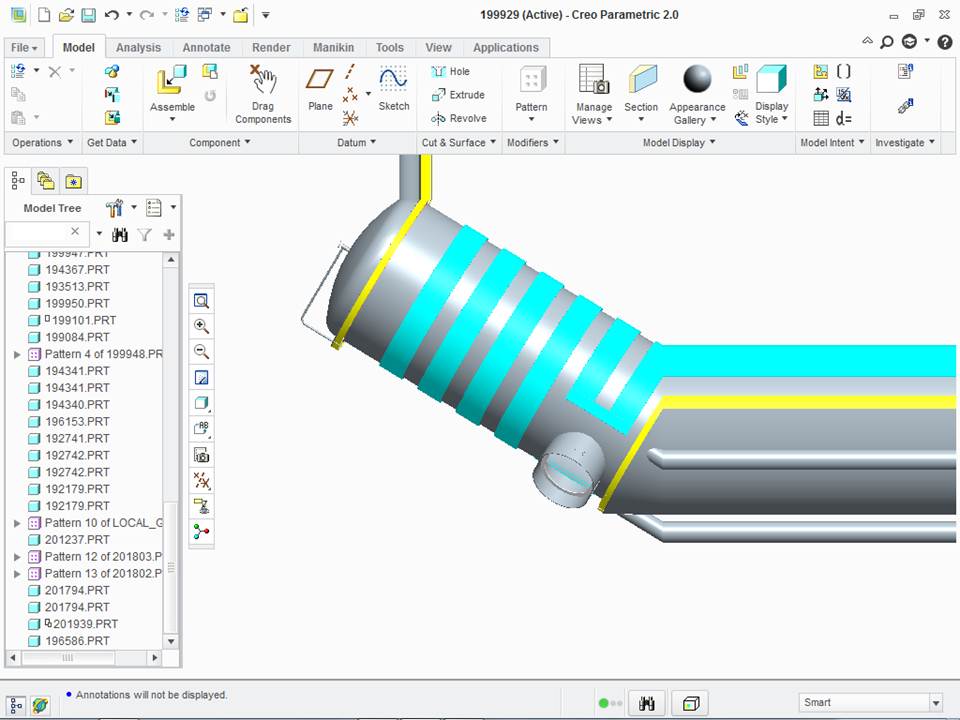
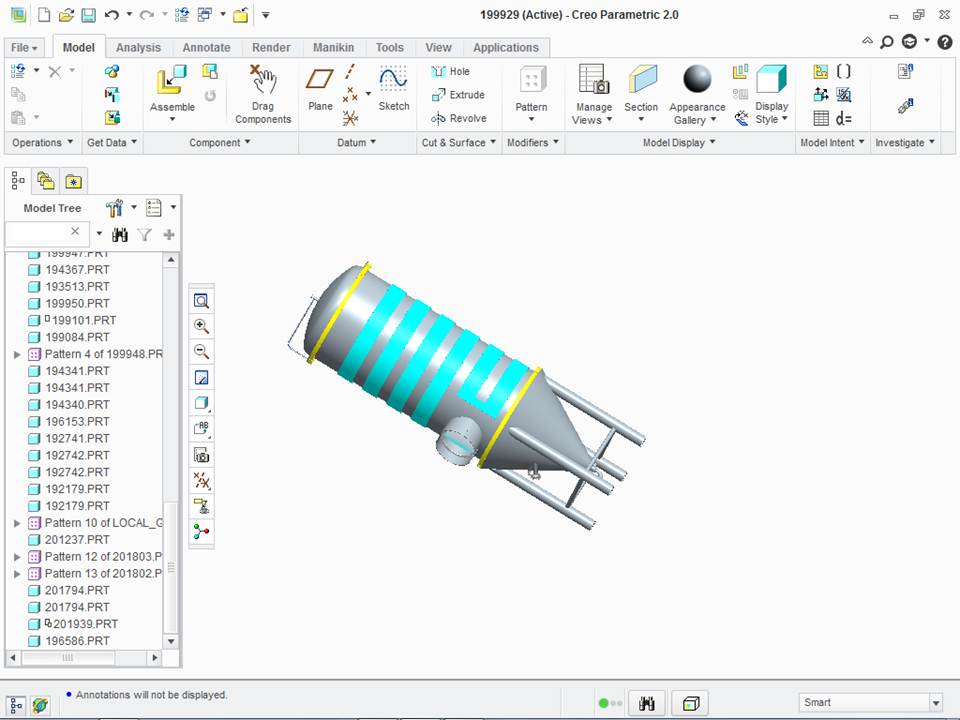
Hello I wonder if anyone ever had this kind of problem with the graphical area because when I open a project or design whatever he always does in the area grafica extremities. image following to facilitate understanding the problem.


grateful .....Slide1.JPGSlide2.JPG

This thread is inactive and closed by the PTC Community Management Team. If you would like to provide a reply and re-open this thread, please notify the moderator and reference the thread. You may also use "Start a topic" button to ask a new question. Please be sure to include what version of the PTC product you are using so another community member knowledgeable about your version may be able to assist.

2 replies

17-Peridot
January 14, 2013

Now that would be annoying!

Try changing the graphics to something other than "opengl" in config.pro.

Most people recommended is win32_gdi. "graphics win32_gdi".

This is most often blamed on graphics drivers or accelerators. You can play with the graphics card settings also. Creo/WF/Pro/E have always been sensitive to graphics drivers and hardware.

If nothing works, contact customer support. Actually, it is always good to log a case so they can have a look at it.

24-Ruby III
January 15, 2013

André,

I have seen the same efect, when I installed Creo 1.0 on my old PC a long time ago. Because my PC contained old graphic card (its manufacturer did not update drivers), I had to replace old graphic card with new one.

Try to find and install up-to-date graphic card drivers for your current graphic card. If they do not exist, you have to buy new graphic card.

Martin Hanak

1-Visitor
January 16, 2013

Thanks guys, it worked only in exchange for confg.pro win32_gdi, I am grateful for that.

One more question in creo when you hover the mouse on the piece she makes a selection in green have to disable it in confg.pro too?

grateful ......

17-Peridot
January 16, 2013

Happy this worked, André.

There are two colors green. High light (light green), and what you are seeing, pre-high light (darker green). This is normal behavior. If you change the filter at the bottom-right of the screen to a different type of feature, it will not pre-high light the geometry. This action is very dependent on your currently active ribbon command also.