


Solved
Revision block text not shown but exists
I have a drawing where I've added additional rows to the revision block (1 per revision) and filled out the information. I save the drawing and check it in but the text doesn't show up. If I add this drawing to a new workspace, the text I added isn't visible but if I click on each cell in the table row the text is in fact there. All I have to do is click it and select OK for it to become visible again but then on check in it becomes invisible. As a result, the published drawing doesn't show this information.
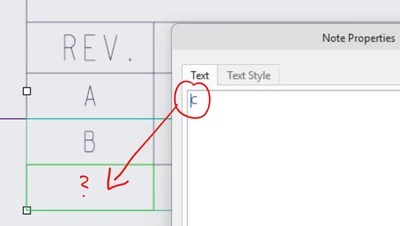
This is the only drawing like this... I verified that all the properties are the same as the row that is visible (row for rev A).
Making the text show up on my drawing and checking it doesn't seem to persist.