
1-Visitor
January 4, 2016
Question

Tolerancing dimension in a drawing

  • January 4, 2016
  • 2 replies
  • 3597 views

I need to tolerance a dimension in a drawing but the box to change from Nominal to something else is grayed out.  How do I do this?  Also how do I add center lines, dimension countersink max diameter (need to pick the outer points.
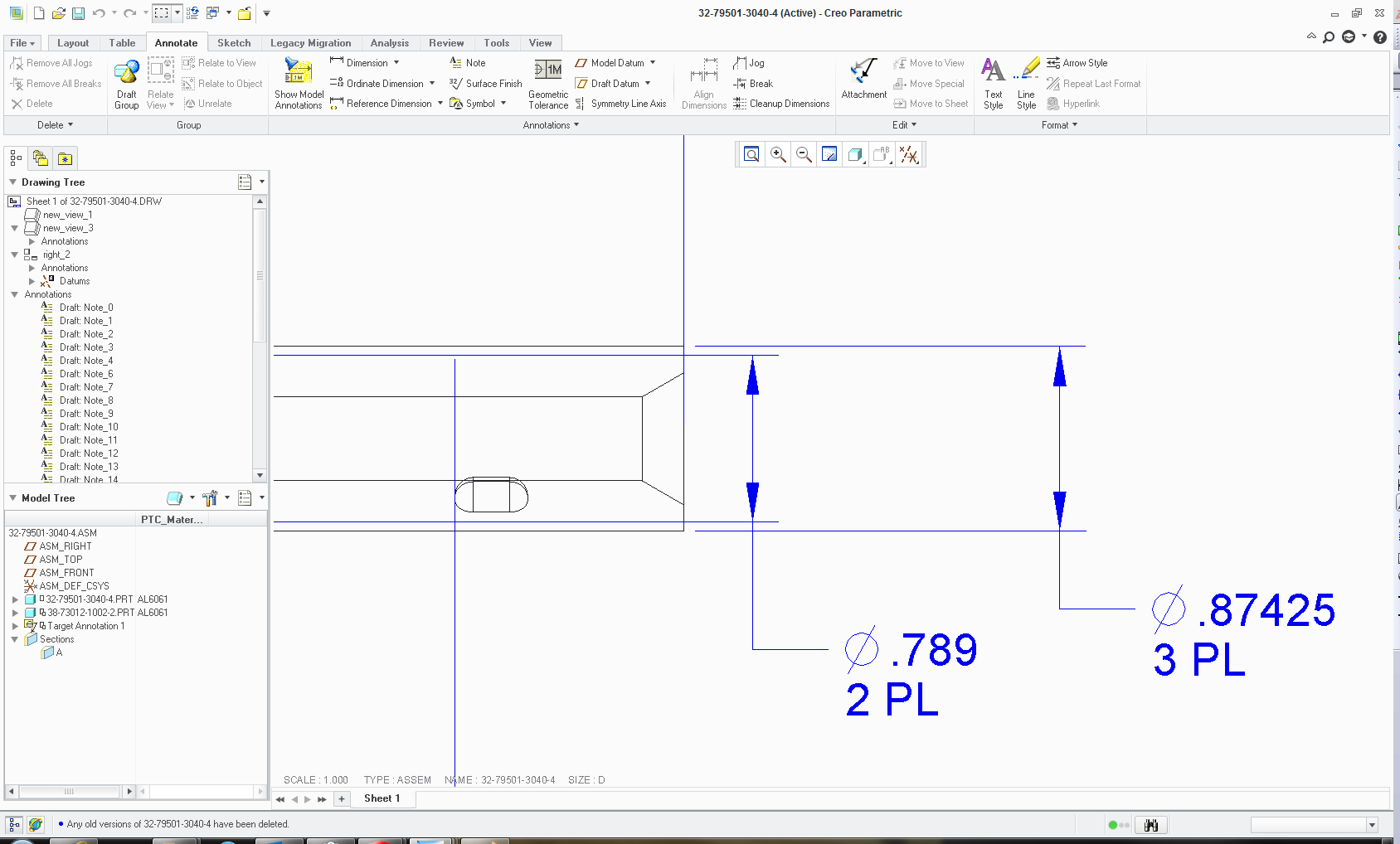
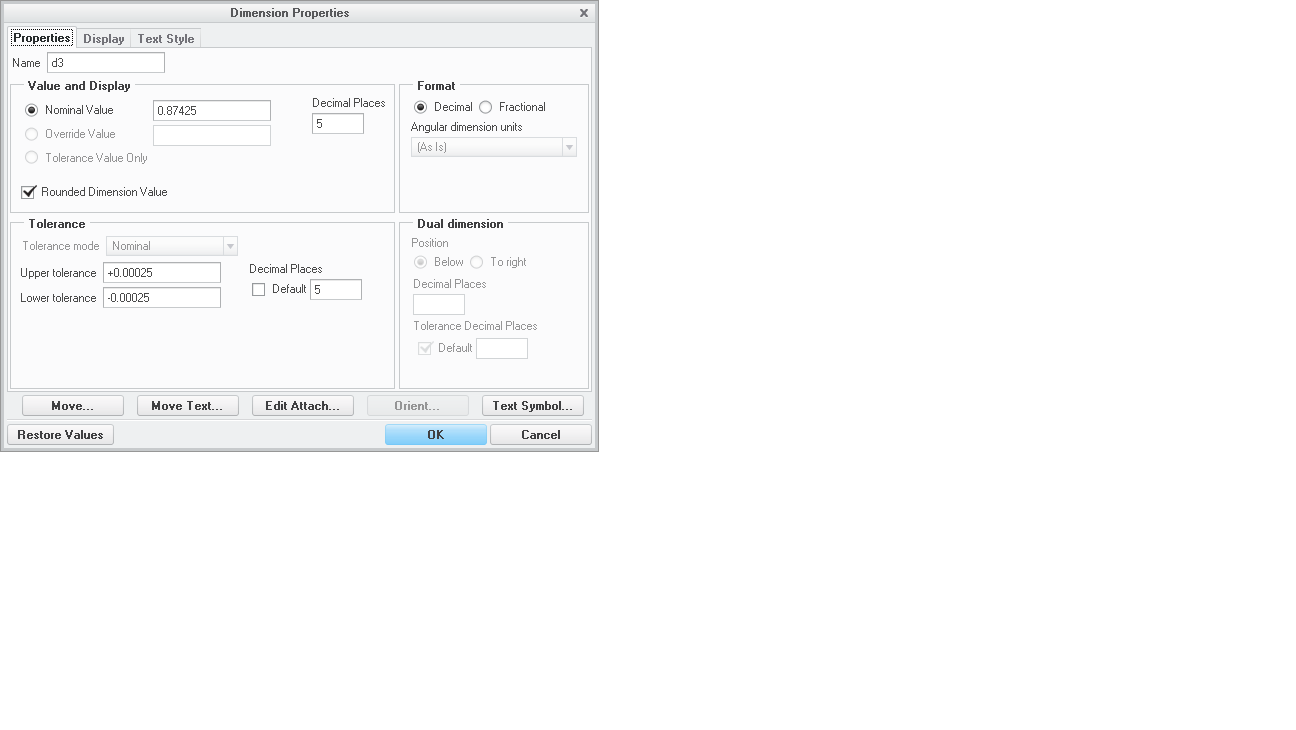
Drawing tolerance.pngDrawing tolerance.png


This thread is inactive and closed by the PTC Community Management Team. If you would like to provide a reply and re-open this thread, please notify the moderator and reference the thread. You may also use "Start a topic" button to ask a new question. Please be sure to include what version of the PTC product you are using so another community member knowledgeable about your version may be able to assist.

2 replies

23-Emerald III
January 4, 2016

For tolerance, check 2 places:

1. config.pro (file - options - configuration editor) tol_display YES

2. drawing setup (file - prepare - drawing options) tol_display YES

dbolden1-VisitorAuthor
1-Visitor
January 4, 2016

Perfect.  The drawing setup worked.  I will make sure I have this set to YES in my config.pro.

Thanks


23-Emerald III
January 4, 2016

When you change the drawing setup in a drawing, it is only for the drawing that you have open. If you want tolerances turned on all the time, you'll need to either update your drawing template if you use them or your drawing setup .dtl file.

23-Emerald III
January 4, 2016

For centerlines:

Annotations tab, Show Model Annotations, then select the datums tab in that dialog then either select the view or the feature where you want to show the centerline.

For the c-sink, if your feature has the dimension you want, you can also show that dimension or if you want, you can create the dimension by selecting the outer points, not sure if that is what you are really asking though.

dbolden1-VisitorAuthor
1-Visitor
January 4, 2016

These both worked great.  For some reason the countersink dimension wasn't showing when I tried the show annotation's.  It is now.

thanks again.  I use Creo once every few months and it's killing me.