

Where is the Explode > Reset?
I opened this Topic a little while ago, and accepted what seemed to be a solution, but it is only a band-aid, not a full solution. It does not always work. Since that topic is "Solved" I am opening this as a follow up.
The previous topic is: "Where is the Explode > Reset Component Position Function?" located at https://community.ptc.com/t5/3D-Part-Assembly-Design/Where-is-the-Explode-gt-Reset-Component-Position-Function/m-p/1017403
The Toggle Explode is misleading as I mentioned in a response on the other thread. Now, here is an example where the Toggle does not place components back to the original location like the "Explode > Reset" did. This is as close as I can get. If I Toggle explode on any of these, it sends them out into space.
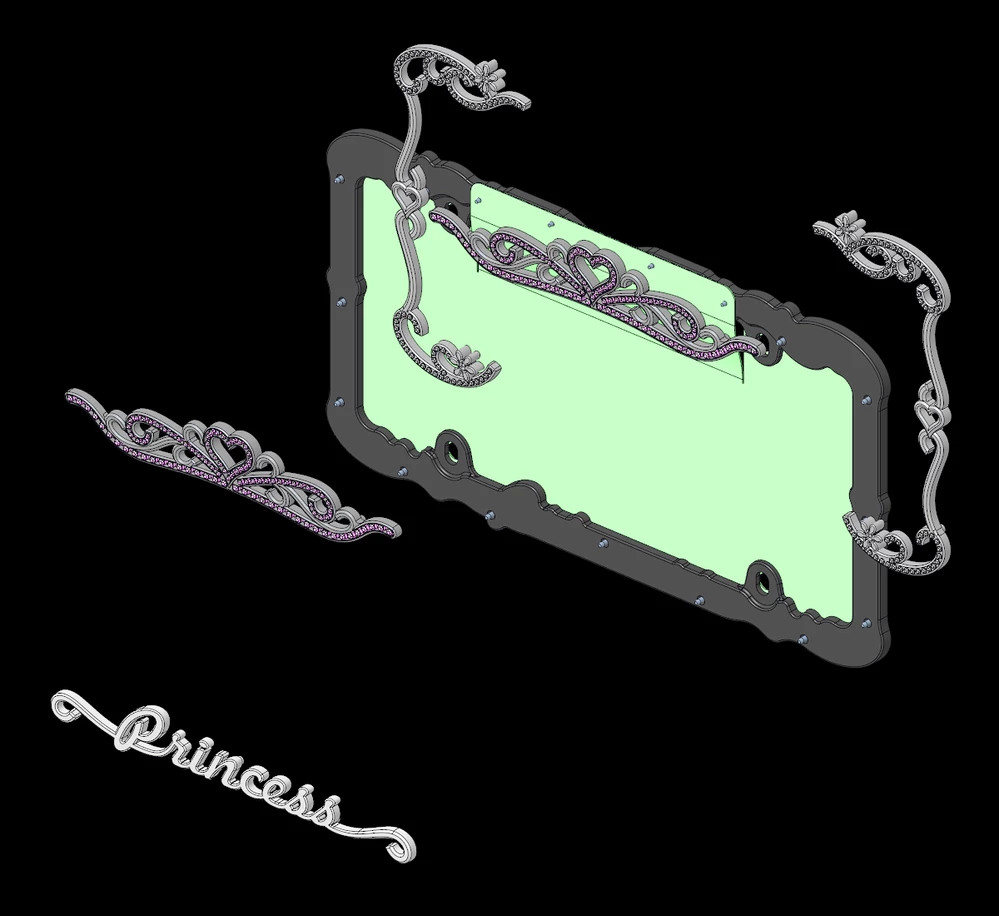
Where is the Explode > Reset Position function?
In case you don't know, there was an excellent function for working with explode states called "Reset" which would put the component back to the original place in space, relative to the assembly or subassembly it was in. If you were manipulating a position, then decided you did not like how things were looking, you simply reset the position - like an undo for all the moves of that particular component or subassembly.
The above model is an example where the "Toggle" fails to achieve what the "Reset" did. I say "DID" and "WAS" because it appears (from the previous thread and from PTC tech support) the functionality has been removed. It is possible that PTC has hidden it so well that we can't find it. I am hoping that one of you smarter people can show me where it is. Creo 9.0.9.0
Additionally, I don't see how to work with the "Explode State" to see what Creo thinks is exploded or not. With multiple levels of assemblies and subassemblies it is ridiculous to try to figure it out. Again, that used to be a simple function in an interactive table making it easy to know exactly what was happening in the model. Where did that function go?
Please tell me where the "Explode > Reset Position" functionality went. Thank you.