
Solved
Windchill smartlock and regeneration in Creo
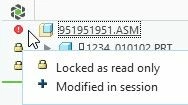
Why objects which is regenerated in creo changes it's state from

to
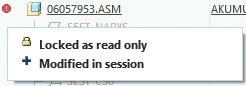
after regeneration.
Object is read only why has it been chagned during regeneration?

Why objects which is regenerated in creo changes it's state from
to
after regeneration.
Object is read only why has it been chagned during regeneration?
Open and regenerate the assembly
Execute the Tools > Compare Assembly command
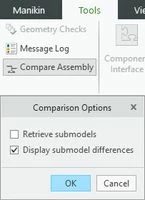
Select the same assembly from the workspace.
Creo will show you what has changed after regeneration, and you will be able to locate the problem
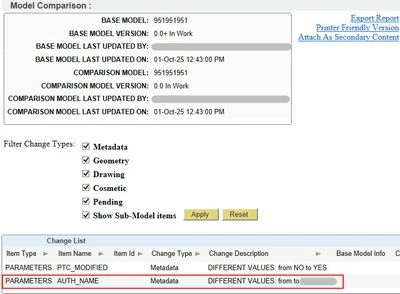
In my example, the AUTH_NAME parameter gets its value from PTC_WM_MODIFIED_BY through an equation
According to PTC training materials
Locking a CAD document in the workspace sets a read-only status on the content stored in the local
workspace cache.
It may be desirable to make an object read-only for any of the following reasons:
• To reduce the number of times that the Conflicts dialog box is presented for objects that are
not intended to be modified.
• To provide better visibility into changes made implicitly by the CAD application. For example, you
are alerted to unplanned or unexpected changes that are required during regeneration.
• To prevent the object from being accidently modified.
This indicates that the model is not completely locked in the Creo session.
"Works to product specification"
Enter your E-mail address. We'll send you an e-mail with instructions to reset your password.