1-Visitor
February 16, 2015
Solved

adding thread dimensions

  • February 16, 2015
  • 2 replies
  • 9676 views

i want to make drawing on creo 2 showing the dimension of pitch, pitch diameter and other like the attached picture . thanks


This thread is inactive and closed by the PTC Community Management Team. If you would like to provide a reply and re-open this thread, please notify the moderator and reference the thread. You may also use "Start a topic" button to ask a new question. Please be sure to include what version of the PTC product you are using so another community member knowledgeable about your version may be able to assist.
Best answer by TomD.inPDX

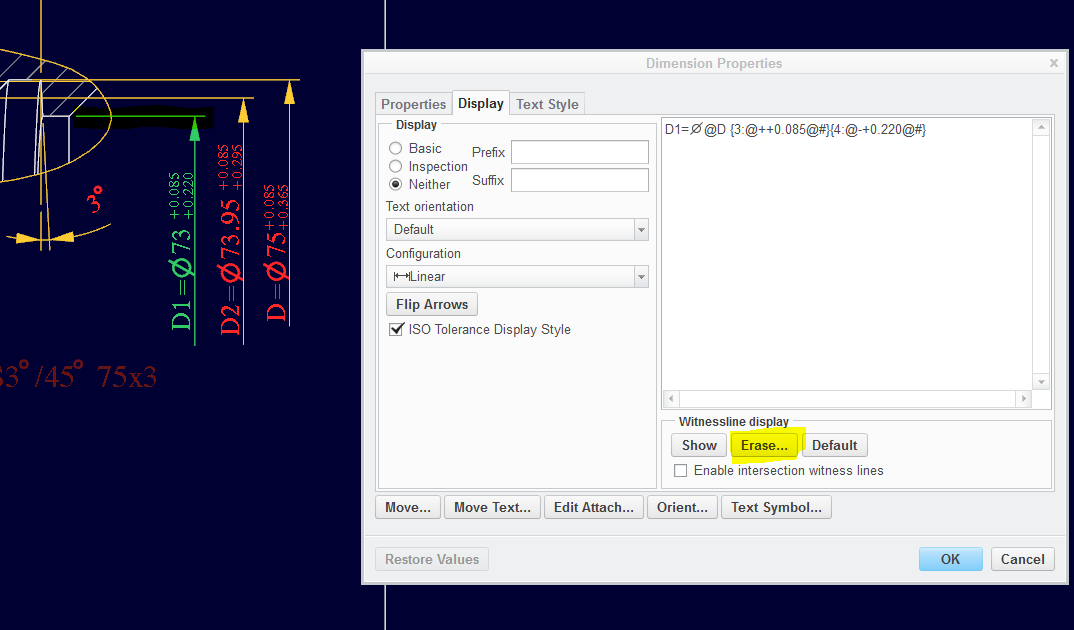
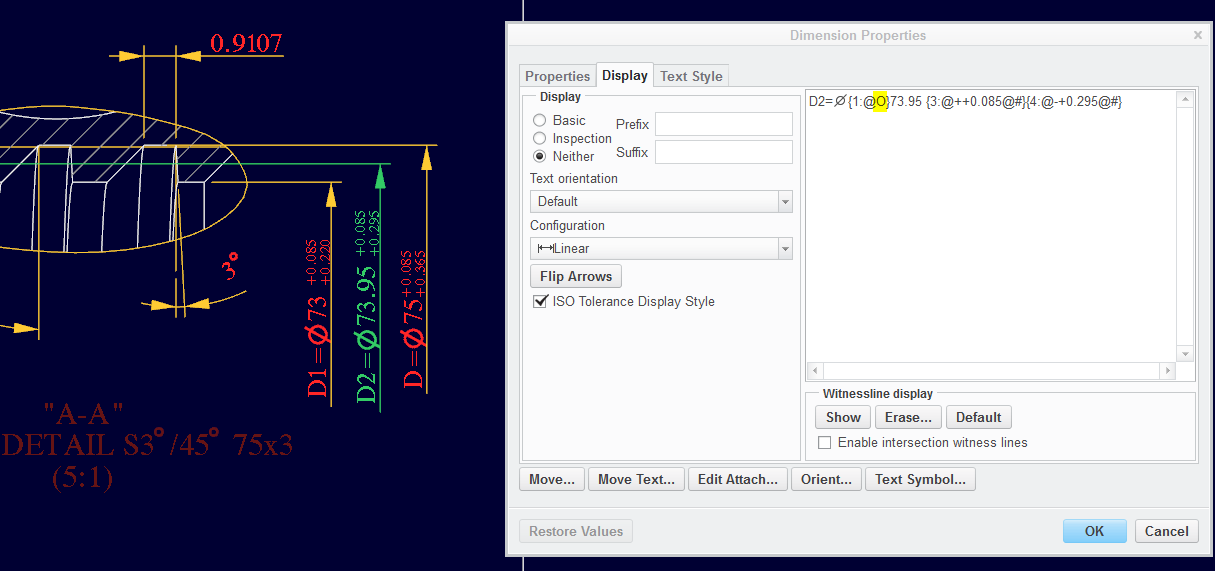
Someone came up with the number and it is not part of the hole feature:

pitch_dia_overwrite.PNG

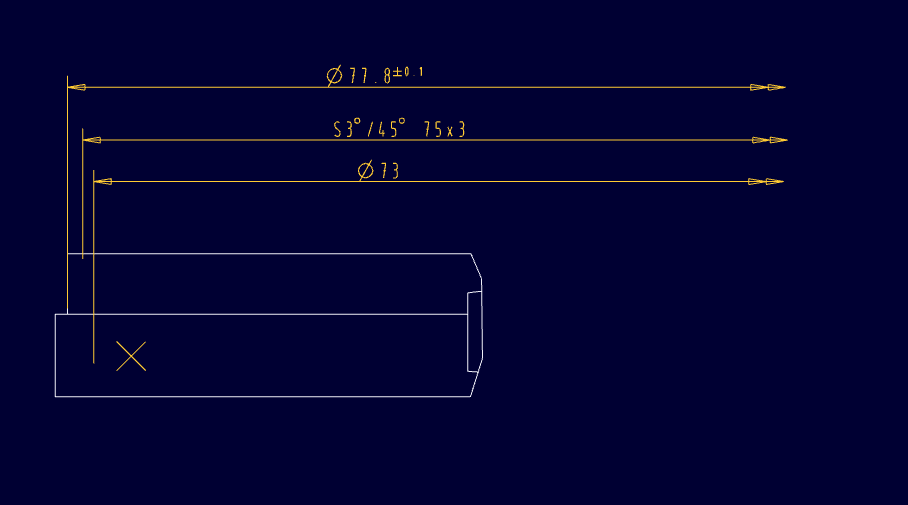
If you are asking how to erase the arrow... Erase the opposite extension line. You can drag the leader line to where you want.

single_dim_arrow.PNG

Proper definition of these dimensions use double arrows. But this file is from an older version of Pro|E.

The double arrows are not supported on this particular file.

Creating a new drawing support the double arrow:

double_arrow.PNG

Hope that helps.

2 replies

deia_20081-VisitorAuthor
1-Visitor
February 16, 2015

all dimensions of thread can be display just the pitch , and pitch diameter , please need a help

17-Peridot
February 16, 2015

See if there is anything in this document that helps:

Yet another Thread thread - UTS Implementation

You can create a similar sketch as what I am doing the attachments and add the additional information you want.

I do model threads from time to time and it is fairly straight forward using this method. I keep the sketches in my sketch palette and once the thread is created, I relate other features back to the data from the sketch.

deia_20081-VisitorAuthor
1-Visitor
February 16, 2015

thanks Mr TomD.inPDX but my problem not for creating thread for 3d model , my problem how to display annotations of the pitch and the pitch diameter in drawing ( 2D )

thanks again

waiting your help


* i attached drawing and the required annotations marked with a red color


deia_20081-VisitorAuthor
1-Visitor
February 17, 2015

thanks again

the attached file(*.drw) show what i want to do , there is easy way but i cant not remember

17-Peridot
February 17, 2015

The attachment is missing the part file and will not open.

deia_20081-VisitorAuthor
1-Visitor
February 17, 2015

i hope that work