creo 8 making a pdf and dxf of a sheet metal part
- August 13, 2024
- 1 reply
- 1427 views
I am trying to find the easiest way to make a pdf and dxf of a sheet metal part in creo 8. The current way I achieve this is by having a part and drawing with the same name and then a separate drawing with partname-dxf. This dxf drawing is not copied when a new part is generated when save a copy is used. Is there a way to have this extra drawing copied as well. The pdf is needed by our break press operator to show bend locations. The dxf we make is of the part in saved flat view with hidden lines removed for a machine to cut out that can only read dxf files.
I have been thinking of ways to add this dxf drawing to the drawing that that shares the part name, however this comes with problems of its own.
1. The drawing format we use has number of sheets in the corner, so by adding the dxf drawing increases the number of sheets. I was able to set the total to a parameter in the drawing but then it has to be set manually if the drawing pages increases. is there a way to change the parameter to be &total_sheets-1.
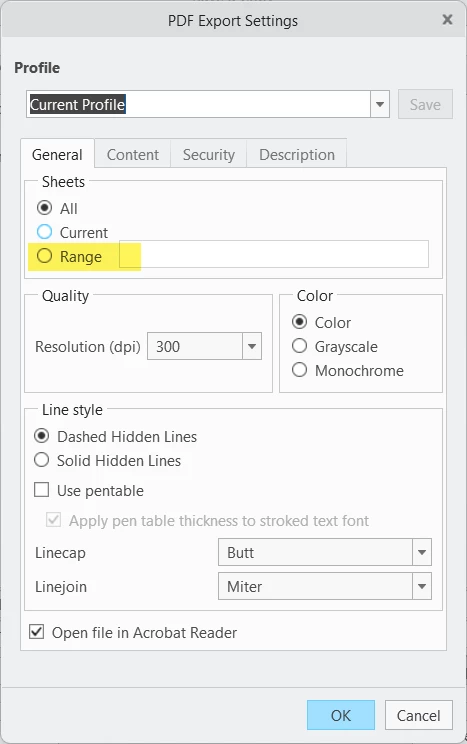
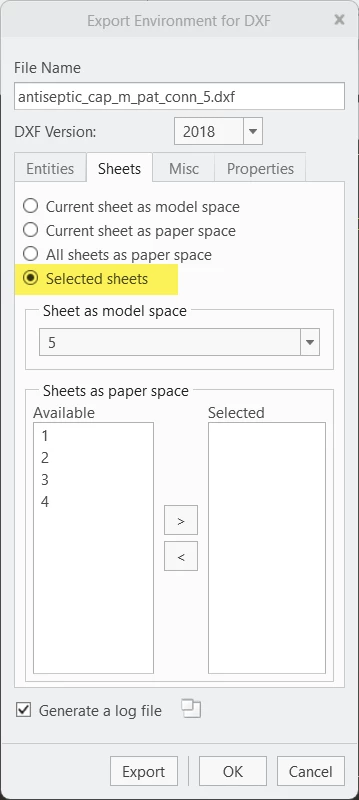
2. When exporting the drawings is there a way to export page 1 as a pdf and page 2 as a dxf?
3. We are trying to make a batch program that can export all drawings of an assembly at once. is there a way to only export the pdfs which would typically be the first page of the drawing?
I am open to other options but these so far have been the only ways I can think of to achieve my task of 3d sheet metal part with a pdf drawing and flat view dxf. I have made map keys to make the -dxf drawings faster but if there was a way to copy hem with part being made would help a lot.