
1-Visitor
July 31, 2014
Question

Part Cross-Section in Sketch

  • July 31, 2014
  • 2 replies
  • 4027 views

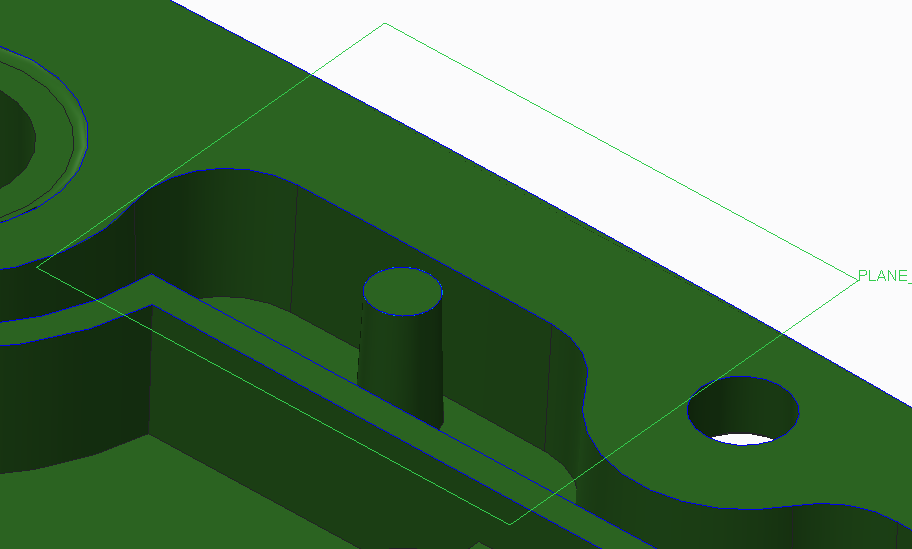
I have not figured out a way to get a cross-section of a part's geometry onto a sketch so that I can then use it to create subsequent features. Hopefully the attached screenshots help to illustrate what I want to do.


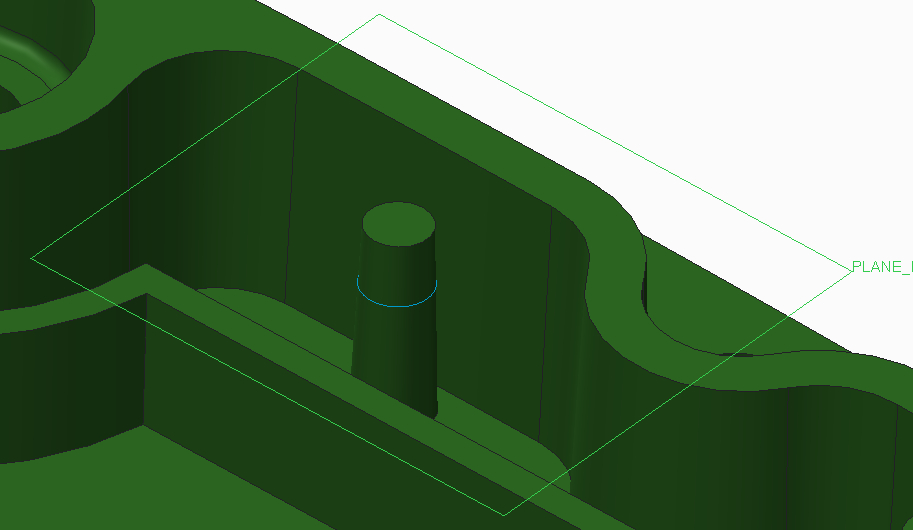
My goal is to get the blue sketch line shown around the truncated cone in the first image driven from the model geometry. I have artificially created it for these images. The plane shown is a datum plane offset from the plane that is used to set the top of the cone.
 

CROSS-SECTION-1.PNG


This is the VIEW cross-section shown on the plane. This is the the circle that I want to sketch and have driven by the conical feature. If the diameter of the cone changes, or the position of the cone moves, I want the driven sketch to update accordingly.
 

CROSS-SECTION-2.PNG

2 replies

17-Peridot
July 31, 2014

You want to "create curve from cross-section" from the datum submenu. Once you have that curve, you can project that into your sketch using the project feature in sketcher.

1-Visitor
August 1, 2014

Copy paste surfaces and intersect it with the plane.

17-Peridot
August 1, 2014

Good point. Since you can only do this as a reference in the sketch, you could offset the surface by zero and intersect that surface with any plane.

1-Visitor
August 1, 2014

This method seems to be the most straight-forward of those presented. I think it'll get me what I need. Thanks.

Sure would be nice if there was a tool available directly in Sketch mode, though, that didn't require the intermediary step(s).