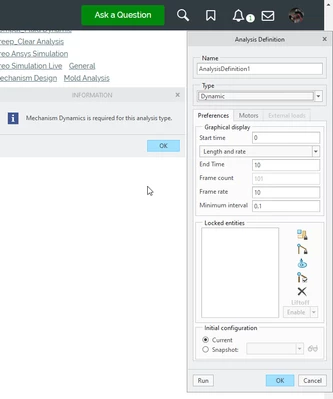
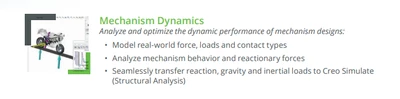
Also, you can look here to see the various Creo packages and their brochures to see if it comes with mechanism dynamics, in which case you do not need to check out a floating option. Design Advanced Professional and higher license "Tiers" have this capability.
Often implementations use a license server with floating licenses to many users. Even if you have some licenses at the higher "Tiers" your administrator may not have setup your machine to allow a choice between these "Tiers" of licenses, and it is just kind of chance which one you get.
1. The clients can be setup to allow users to choose the Tier and/or they can prioritize which license is taken first if available. Here when Creo is launched I give the choice between Tier1, Tier2, etc. Also I have a python -tkinter app that they can use to display who is using what licenses, how many are available and they can checkout or reserve a license for when it comes free from someone else.
2. The license server can allow, restrict, or reserve licenses to certain individuals or groups of individuals. For example our Creo licenses are not global, so when an engineer from Asia pacific is on one of our azure virtual machines he is blocked from the North America licenses on the license server. He can only launch successfully with his Asia Pacific license.
I know this seems like too much information, but I think this covers the full scope of why you may not have the mechanism dynamics capability, or may see inconsistent abilities.
https://www.ptc.com/en/products/creo/packages"
https://www.ptc.com/-/media/Files/PDFs/CAD/Creo/Creo-10-Design-Advanced-Professional-Packages-Brochure.pdf
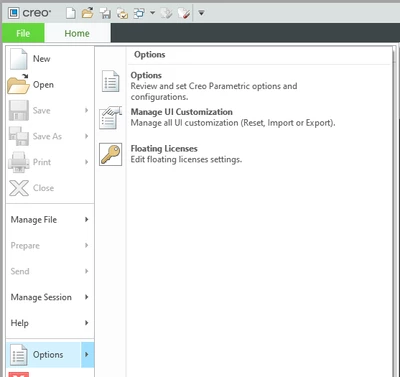
If you have floating options you can check them out as shown below. Mechanism Dynamics can be purchased as a separate floating option, which might be slightly cheaper than buying a Tier3 level license or higher Tier. However there are other capabilities besides this that are added with the Tier3 that for us makes it a better value than floating options. Oh, also your administrator can tie a floating option to your license when you launch creo so you do not need to manually attach the license, however then it can only be released when you exit Creo, rather than check-in or out on demand from this menu.