10-Marble
October 5, 2018
Solved

Poor meshing results - Tesselation in Flow Analysis

  • October 5, 2018
  • 1 reply
  • 8503 views

I am getting very poor meshing results. Some regions are plenty of spurious holes where no mesh is defined, and I end up with many subfeatures. I believe this issue is a consequence of using a coarse tessellation, but I find no way of changing it.


In fact, the help does not mention the difference between "Simulation" and "Regular" tessellation. I have found that regular tessellation does not produce interfaces between contact regions and is, therefore, useless for heat transfer problems. While the regular tessellation allows changes in "chord heights" and "angle controls", the simulation tessellation does not. It gives a rather coarse result that I need to refine.


Please, help. 
 

Best answer by AAI

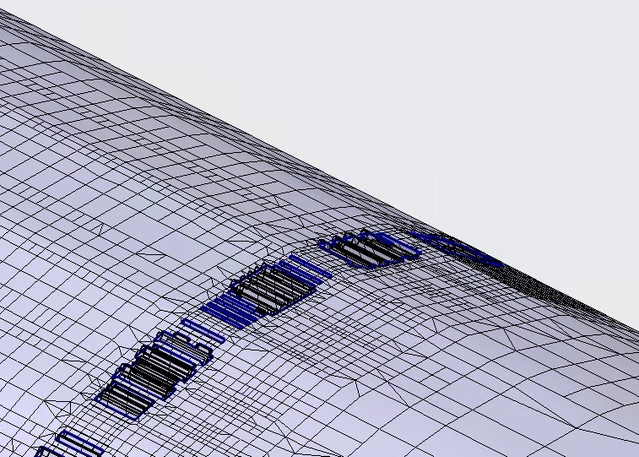
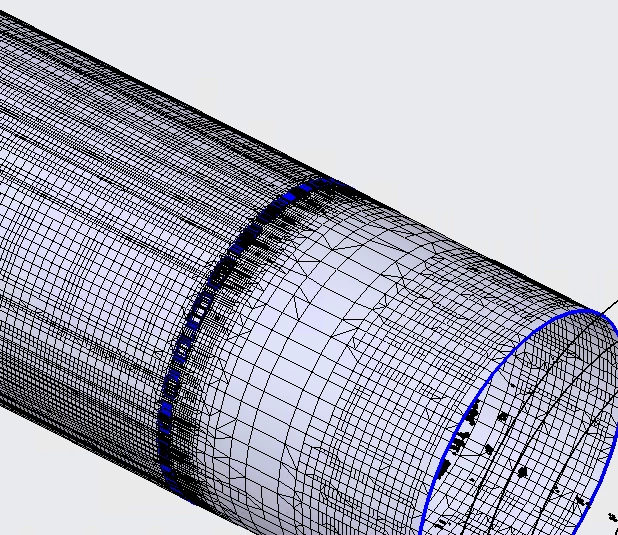
Thanks. Here is a couple of pictures where you can see the spurious holes as well as the result of the coarse tessellation. Although my surface is cylindrical, the tessellation has produced a polyhedrical surface that is apparent especially on the second picture. 

image.png

 image.png 

The process I am trying to simulate consists of a chamber filled with argon, a heating element that increases the temperature of the gas, a fan that forces the convection of the argon, and a load to be heated. I am using the turbulent  flow with heat exchange. I am looking for the temperature of the load for a given power on the heating element, and also for the temperature on the boundaries of the chamber, where I have set a convective condition for heat dissipation. 


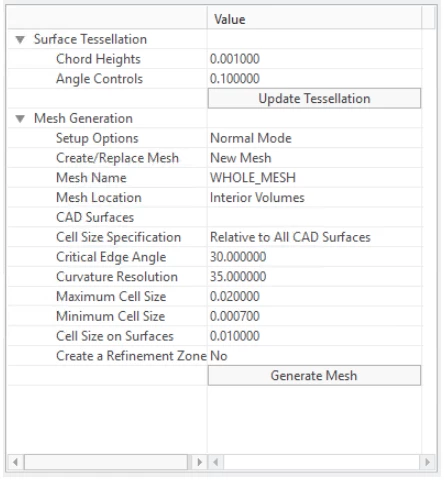
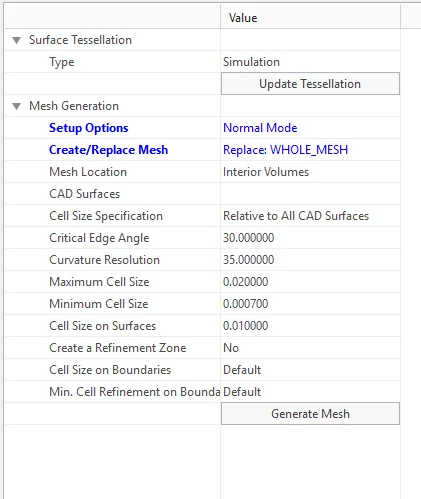
One thing I mentioned above is that tessellation cannot be changed. There is a difference between what the help shows and what actually appears on the menu where the options "Chord Heights" and "Angle

Controls" are not available.

Actual menu in Flow AnalysisActual menu in Flow AnalysisAs shown on the helpAs shown on the help

Regards,

AAI


1 reply

17-Peridot
October 5, 2018

Could you share with us some pic?
Which kind of analysis/results are you getting for?
Bye

AAI10-MarbleAuthorAnswer
10-Marble
October 5, 2018

Thanks. Here is a couple of pictures where you can see the spurious holes as well as the result of the coarse tessellation. Although my surface is cylindrical, the tessellation has produced a polyhedrical surface that is apparent especially on the second picture. 

image.png

 image.png 

The process I am trying to simulate consists of a chamber filled with argon, a heating element that increases the temperature of the gas, a fan that forces the convection of the argon, and a load to be heated. I am using the turbulent  flow with heat exchange. I am looking for the temperature of the load for a given power on the heating element, and also for the temperature on the boundaries of the chamber, where I have set a convective condition for heat dissipation. 


One thing I mentioned above is that tessellation cannot be changed. There is a difference between what the help shows and what actually appears on the menu where the options "Chord Heights" and "Angle

Controls" are not available.

Actual menu in Flow AnalysisActual menu in Flow AnalysisAs shown on the helpAs shown on the help

Regards,

AAI


13-Aquamarine
October 15, 2018

Hello AAI,


There is a way to change simulation tessellation resolution.  You can define a global environment variable 

CFD_MESH_CONTROL_PERCENT


By default it is 4, please try 0.5. It is a percentage of overall model size. The smaller the finer.  But you need to restart creo parametric to take the changes. We will expose this as a parameter of tessellation in the future version.


For conjugate heat transfer, you can not switch to regular tessellation as you mentioned that there is no interface created between bodies. To reduce the subfeatures, you can also decrease the min cell size. Please email us if you got further questions we really want to help you. Thanks.


Capture.PNG