
1-Visitor
July 25, 2017
Question

Editing graphics that are in Windchill

  • July 25, 2017
  • 1 reply
  • 2482 views

I'm having trouble editing graphics that that are referenced in a DITA topic:

  • If I'm editing a topic that is saved locally, double-clicking a graphic opens it in my laptop's default program as expected.
  • However, if I view (or check out and edit) a topic that is in Windchill, I get the following warning:
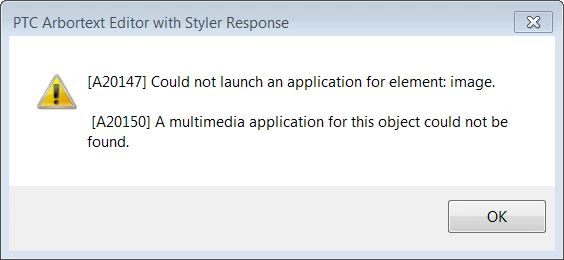
      image warning.png

Is there something I need to set up on the server side, in my DTD, or in a local environment variable?

1 reply

15-Moonstone
August 22, 2017

If you have a DITA topic that references a Creo/Illustrate graphic which is stored in Windchill, then you can double-click in Editor to launch Creo/Illustrate.  Note that this can be a .c3di source or a .pvz.  If it is a .pvz, then Editor will locate the associated source in Windchill and open it in Creo/Illustrate.


This was added in 7.0 M030.


We have not yet added this support for other graphic types.

5-Regular Member
April 25, 2018

We are also having this issue.  Is PTC going to add the function back for other Image Editors?  Like Adobe Illustrator?