
1-Visitor
December 4, 2014
Solved

How to break the row when the table across pages?

  • December 4, 2014
  • 1 reply
  • 4081 views

Dear all,

I'm a noviciate for styler, I meet a question, how to break the row when the table across pages?

I think maybe it's a simple question, because we can set it in word easily. But I can not achieve it in Arbortext, I was a little frustrated about it, could you give me any tips please? Thank you very much!

For example:

I want the following, the row can be breaked when the table across pages.
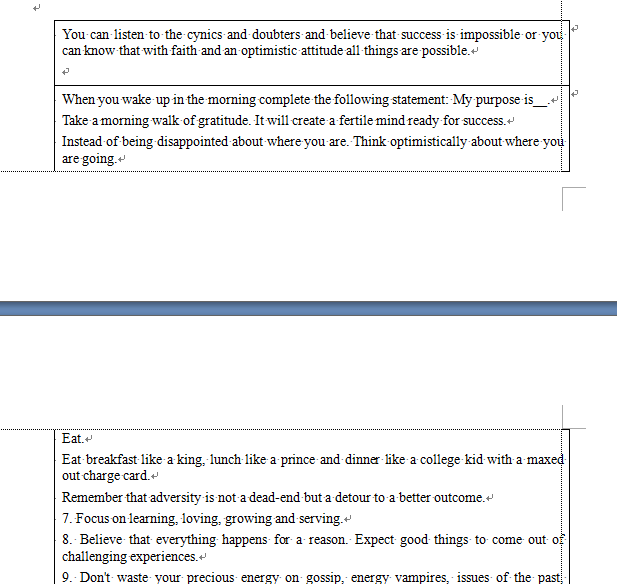
1204_Snap7.png

But the reality is the follwing, how to break the row when the table across pages?
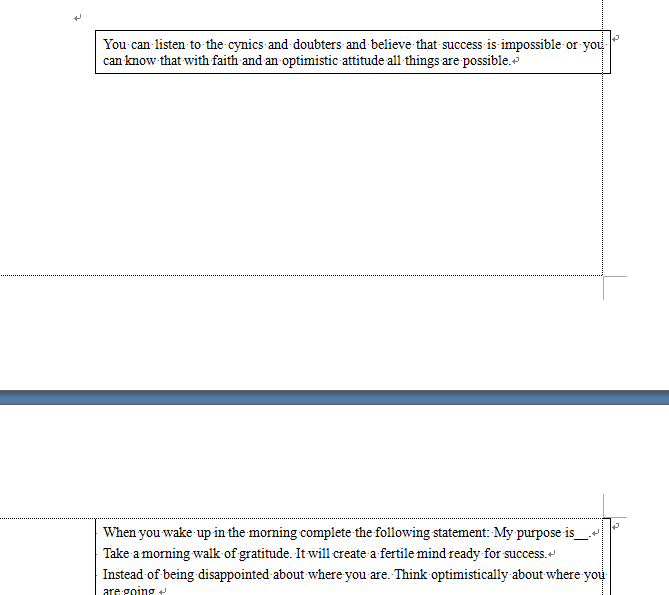
1204_Snap8.png

We can set it in word, but how to in Arbortext Styler?

DITA, PDF, Arbortext Editor 6.0 with styler.

Your assistance will be highly appreciated in this regard.

Thanking you

Best answer by TimPhelps

Do you have the Arbortext variable deepcontentsplitting set to "on"?

In Styler on the Breaks tab for the element wrapping the content under the Keeps, what values do you have for Widows and Orphans? Setting the value determines the minimum number of lines that must be kept at the bottom of the page, widows, and the minimum number of lines that maybe start a page for that element, orphans.

There are also touchup pis that can be added that force a page break or a column break, see Format > Touchup in Arbortext Editor.

One can find documentation about this in Arbortext Editor's Help Center.

Search for widows, orphans and page break.

1 reply

TimPhelps12-AmethystAnswer
12-Amethyst
December 4, 2014

Do you have the Arbortext variable deepcontentsplitting set to "on"?

In Styler on the Breaks tab for the element wrapping the content under the Keeps, what values do you have for Widows and Orphans? Setting the value determines the minimum number of lines that must be kept at the bottom of the page, widows, and the minimum number of lines that maybe start a page for that element, orphans.

There are also touchup pis that can be added that force a page break or a column break, see Format > Touchup in Arbortext Editor.

One can find documentation about this in Arbortext Editor's Help Center.

Search for widows, orphans and page break.

lxie11-VisitorAuthor
1-Visitor
December 5, 2014

Hi Tim,

It's so cool and so magical

I can achieve it follow your way! By change the Breaks tab, but also need add the Format > Touchup, is it right?

And I only achieve it in FOSI engine, can we set it in APP engine? Or must use FOSI engine

When I chage the APP to FOSI, I find some difference for the style

The APP config is the following, but can't achieve it, the APP engine not support the deepcontentsplitting.

Is there any other way for APP engine to achieve it ?

12-05+Snap1.png

Thanks again

16-Pearl
December 9, 2014

The "deepcontentsplitting" option is only recognised by the FOSI engine. The APP engine has far more advanced table controls but I'm not sure if these are exposed through the Styler UI.

In APP the traditional PI <?tbovflow=2> will allow in-row breaks, whereas <?tbovflow=1> is the standard mode which disallows breaks within a row. The Javascript FOM equivalent is to set the fTable.overflow attribute, eg. myTable.overflow = fTable.OVERFLOW_BREAK_ROW. This would probably need to be applied as a edited source to your Styler stylesheet.