

How to properly export CGM's from Isodraw
Hi
I keep encountering a problem with CGM exports from Isodraw.
I need to keep the positive cross hatchings when exporting to CGM, but sometimes it shows up black (See bottom picture)
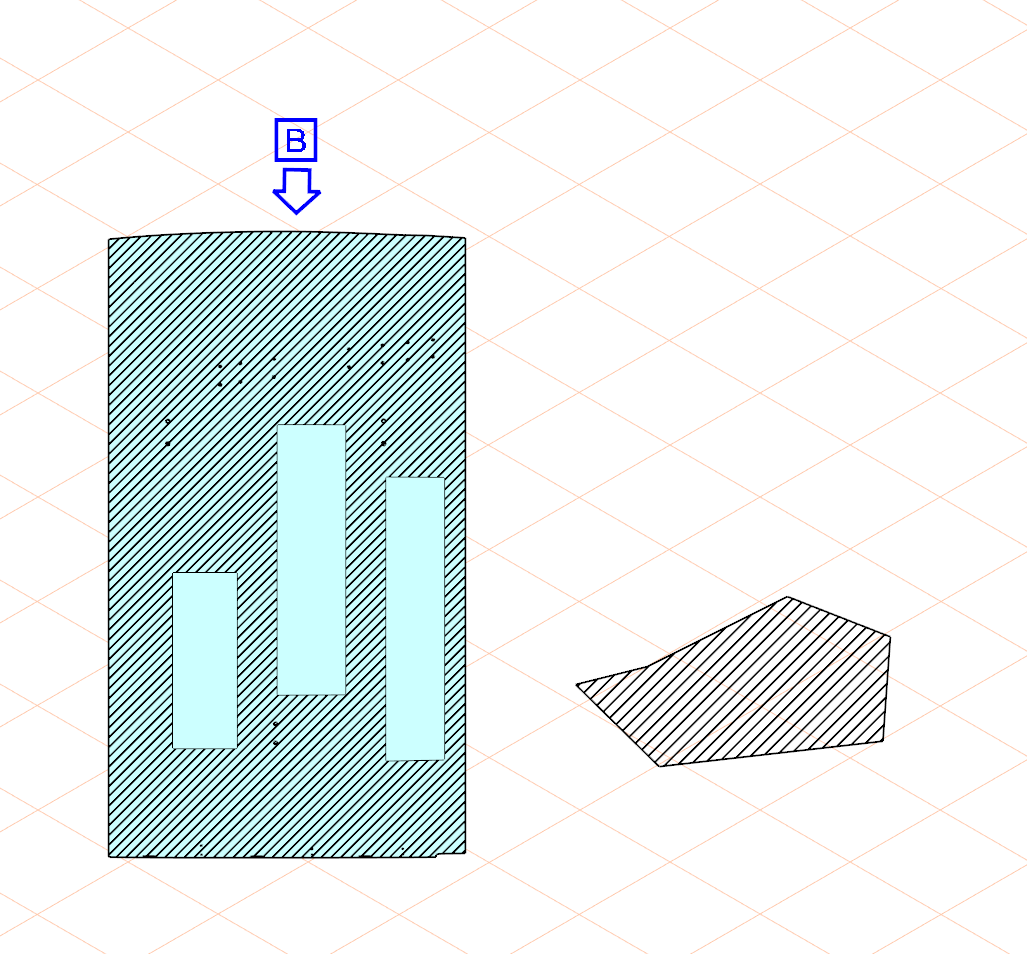
Figure 1: View in Isodraw. (Original IDR file)
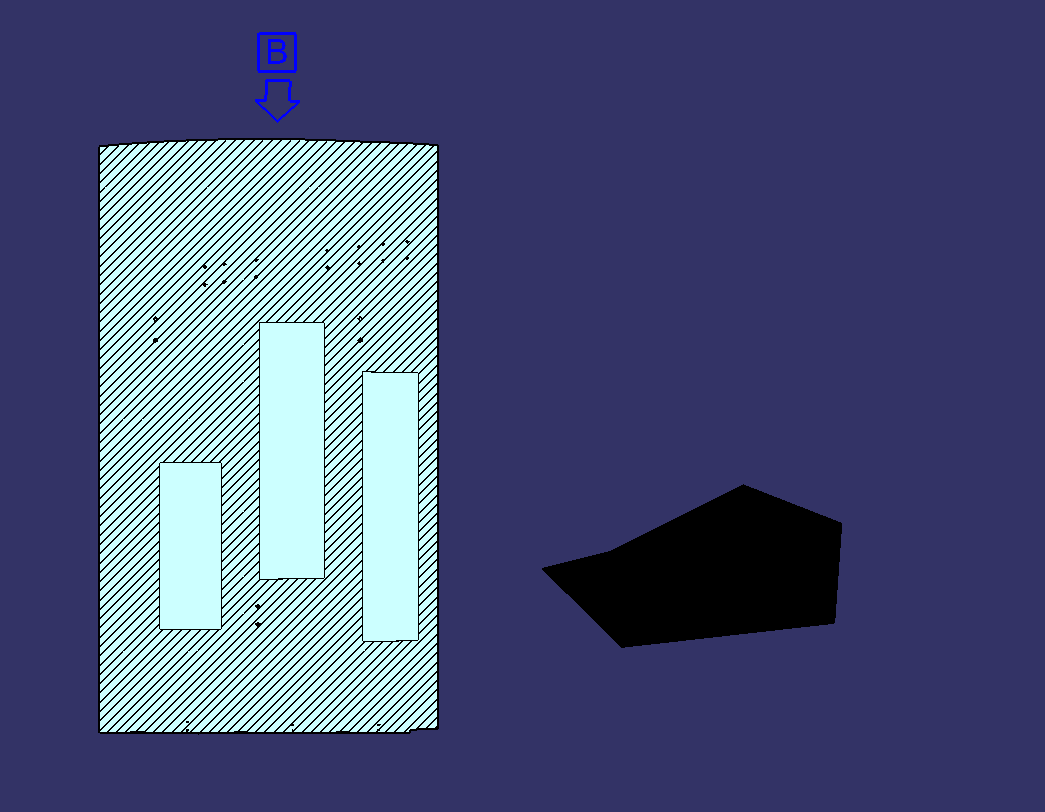
Figure 2: View in CATIA after CGM export.
Why does the left figure show up hatched but the right shape comes out all black?
After reopening the cgm in IsoDraw, it looks like the hatching had been corverted to a bunch of lines on the left, but the right (black shape) was not.
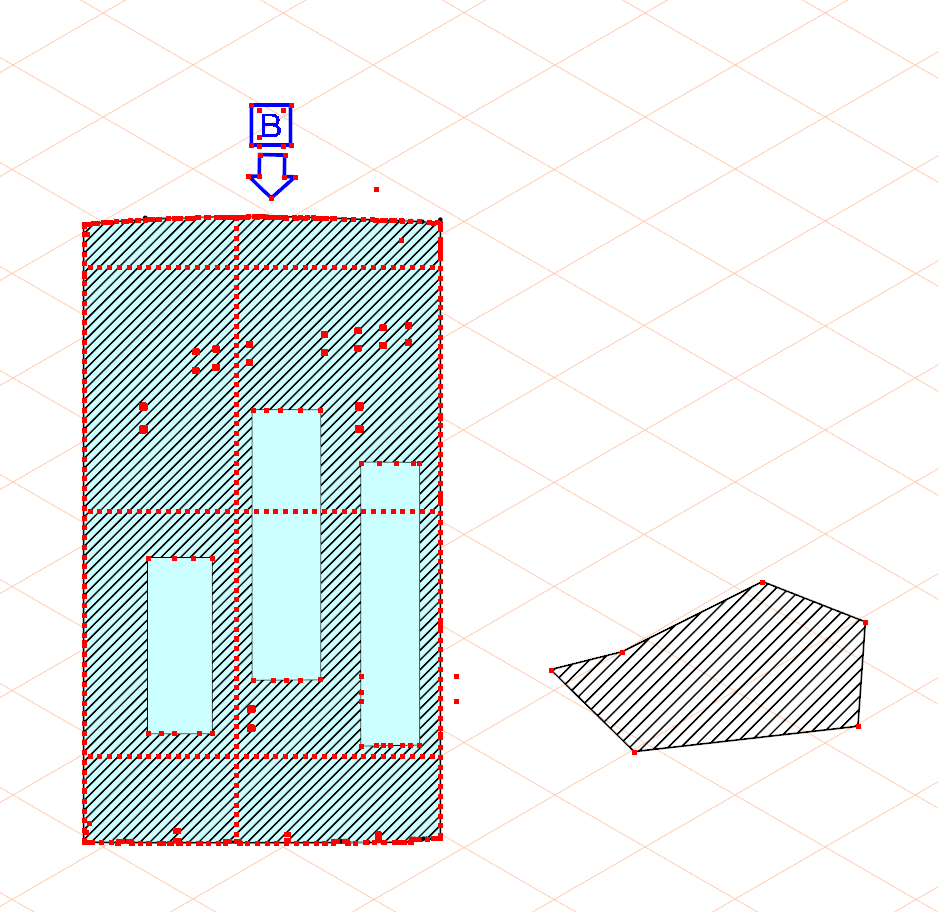
Figure 3: View in Isodraw after cgm export.
How do I make them both like the left side?
Nothing I've tried to the right figure changes the outcome so far: (Coverting to polyline, converting to elements, adding handles, etc)
Any guidance is appreciated!
Teddy