I started features like this as an assembly. Assembly constraints will force the shape to conform according to your constraints. Just male a triangle surface as a part and start assembling it. Eventually you get that figure. If it must be solid, you would have to know the radius to the points so you would make the 3-sided cone with the depression you see and assembly those.
You can go further and start making them based on points and fills but you will have a massive amounts of reference planes. I did go in and eventually make many of the sacred geometries in part mode with complex sketches. You can download them here is you have Creo 2.0 full version: Combined Views - a quick overview
My take: two simulated mechanism assemblies, both animated in six different orientations, which gives 12 assemblies. Save as video and stitch together. (Perhaps with creo animation you can change view states during animating, but probably not).
Interesting challenge, bj. It is a stellated Icosahedron with retracted points.
This is the "cubic' equivalent: 6 paired triangles and 8 "corners".
Yes, you can assembly this and if you add a mechanism feature that will form the stellations dynamically, it would be nice. Unfortunately, mechanism animations for not regenerate values during processing. Since the faces will change size, simple animations will not follow the geometry changes required. Not in Creo Parametric, anyway.

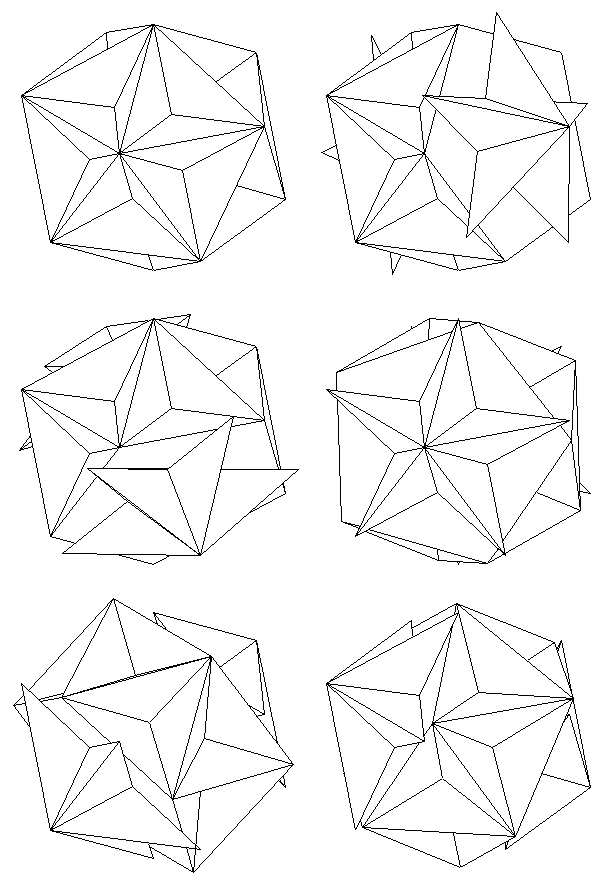
 Any help? Click it.