11-Garnet
August 28, 2014
Solved

How can I set color of sketcher in creo 2.0

  • August 28, 2014
  • 4 replies
  • 8175 views

I want to set black background color in sketcher,but I set gray background color in 3D

I can't split their color when I set background color from File-->option-->system color -->background color,hey change together

How can I split their color ?

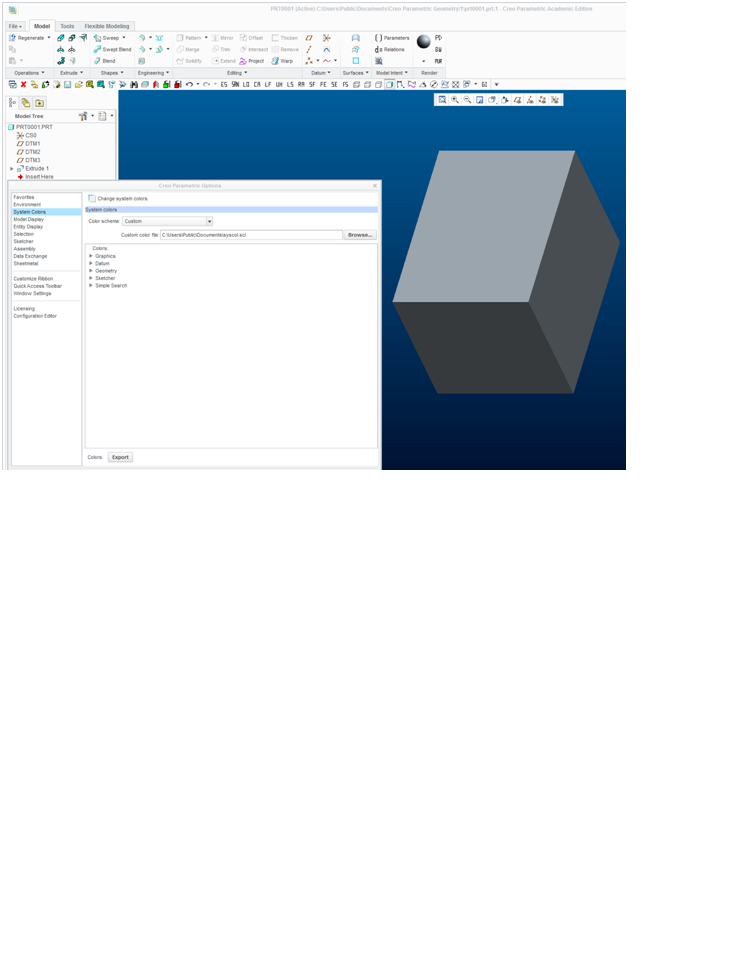
3D background color is gray (like picture A)

A.jpgA

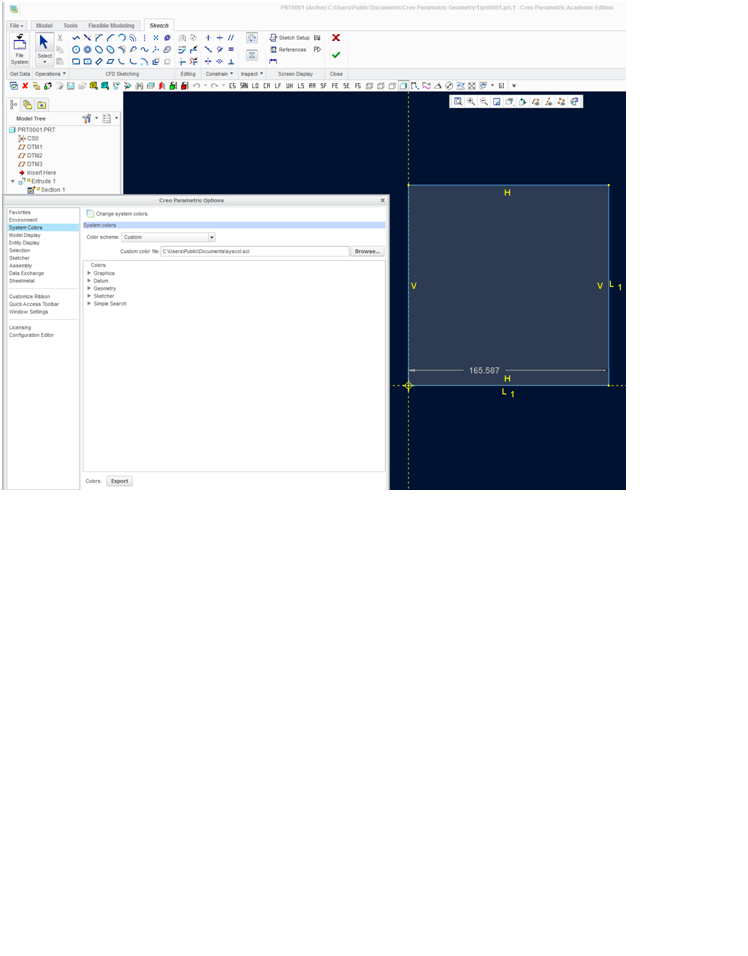
2D Sketch background color is black (like picture B)

B.jpgB

How can I make them show different color?

Thank you
    Best answer by DRFaust

    Hello,

    I hope this is correct and works for you. For my installation of Creo Parametric 2.0 I took a copy of my syscol.scl file from my version of WildFire 5.0 that I was running and put in the location Creo 2.0 is pulling it's syscol.scl file from and all my set colors worked perfectly. I also attached a copy of my syscol.scl file if you want to try it. Notice my color scheme in the config is set to custom.

    Good luck...

    one.pngtwo.png

    4 replies

    13-Aquamarine
    August 28, 2014

    I don't have a Creo in front of me (right now), but it should work like in Wildfire.

    Have you tried the config.pro option

    sketcher_blended_background no

    (as I remember correctly

    you have to set the gradients color for part and assembly mode

    and in addtion you can set a non gradient color (in your case black)

    but there is a downside - you can't set the sketcher and the drawing mode backgound independently)

    There are several youtube videos out there, regarding the background color, e.g.

    https://www.youtube.com/watch?v=gqERbvgjv84

    hth

    yhuang-211-GarnetAuthor
    11-Garnet
    August 31, 2014

    Thank you for your replying. Maybe I need to set BLENDED_BACKGROUND yes in syscol.scl

    DRFaust12-AmethystAnswer
    12-Amethyst
    August 31, 2014

    Hello,

    I hope this is correct and works for you. For my installation of Creo Parametric 2.0 I took a copy of my syscol.scl file from my version of WildFire 5.0 that I was running and put in the location Creo 2.0 is pulling it's syscol.scl file from and all my set colors worked perfectly. I also attached a copy of my syscol.scl file if you want to try it. Notice my color scheme in the config is set to custom.

    Good luck...

    one.pngtwo.png

    yhuang-211-GarnetAuthor
    11-Garnet
    August 31, 2014

    Thank you for your replying I will study your syscol.scl. Maybe keyman is BLENDED_BACKGROUND yes .

    12-Amethyst
    August 31, 2014

    I also remember setting my config file to the following where the prementioned syscol.scl file was located.:

    three.png

    As a fnal note, when I installed my Creo Parametric 3.0 I referenced the same syscol.scl file and it loaded the same system colors as 2.0.

    Have a great weekend...