10-Marble
October 5, 2017
Solved

Intelligent fasteners and repeat regions

  • October 5, 2017
  • 2 replies
  • 7962 views

We use a hardware library in Windchill with Creo 3. It works, but I started playing with the Intelligent Fastener tool and really like it. It's much faster/easier than using hardware libraries.

Therefore, I'm trying to get our BOM to work with it.

Here's my stupid part:
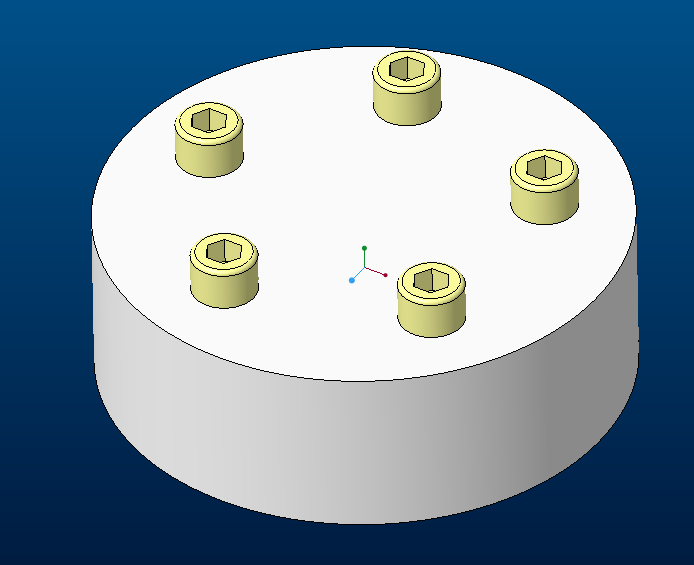

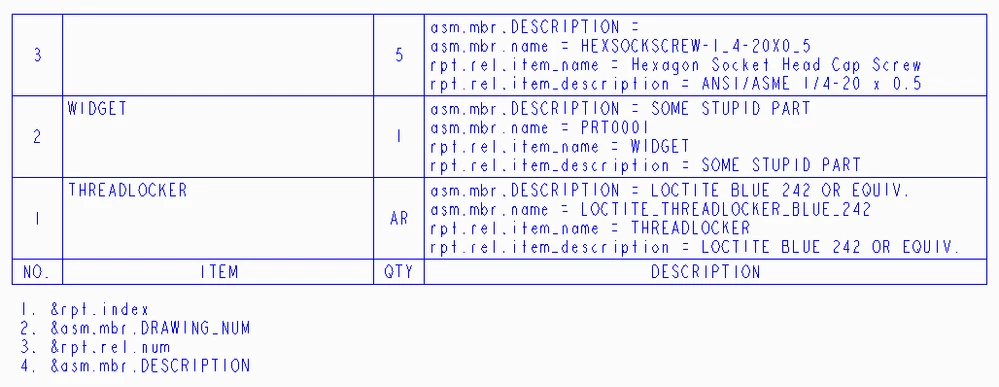
And here's my current BOM:


With the current relations:


Here are the screw parameters:
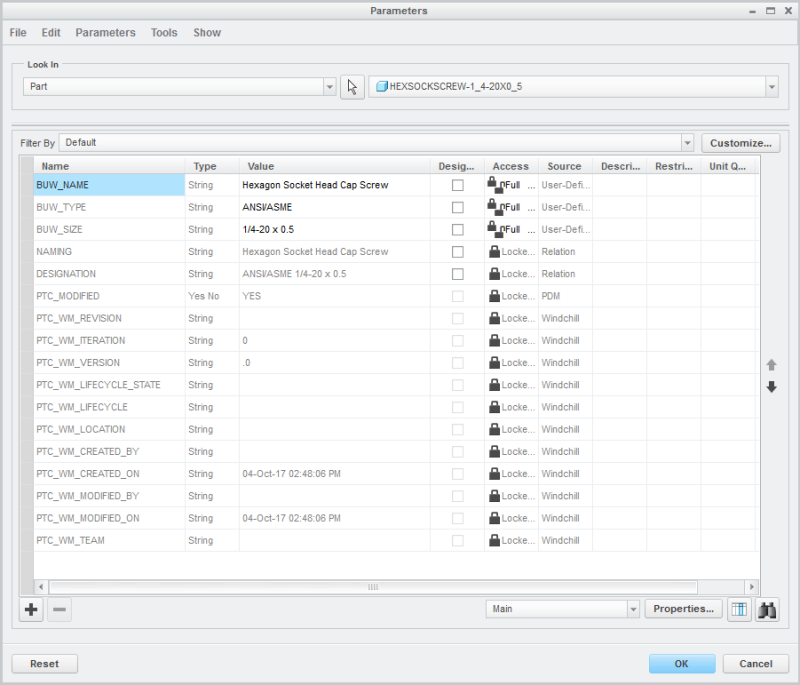

So I wrote this relation in an attempt to select either the screw parameters (naming, designation) for item and description or our standard model parameters (drawing_num, description), and then to tie that to the repeat region using the new parameters (item_name, item_description). The new repeat region parameters are (asm.mbr.item_name, asm.mbr.item_description). Ignore the first block, that's to list bulk items with an "AR" for quantity.
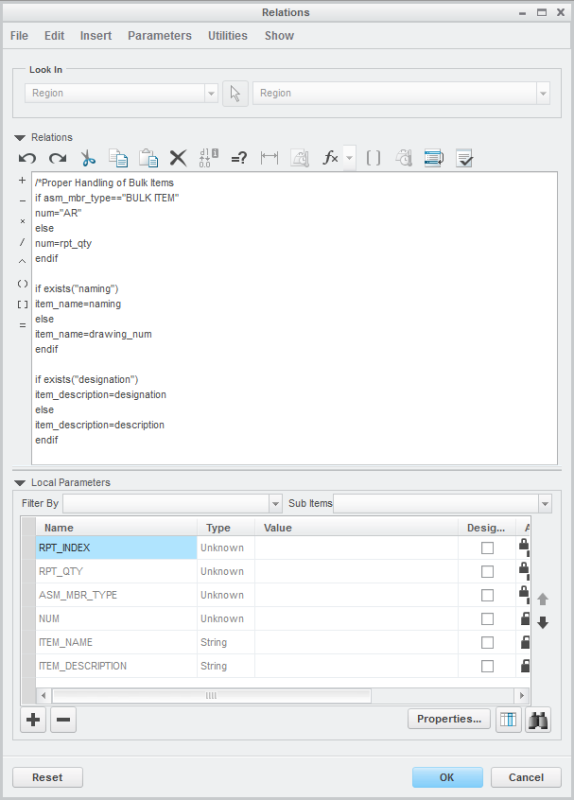

But I get an empty BOM with this relation. Using "naming" and "designation" for my repeat regions, I can get the screws to show up, but not my created hardware:




So. Any idea what I'm doing wrong? I've spent several hours trying different combinations but can't seem to get it to work.


Also, is there a way to make all text uppercase? I don't see a "toupper()" function, like some programming languages have. My guess is you'd have to write additional relations for this capability.

Wondering if I should just give up and stick with our hardware libraries...
Best answer by MartinHanak

Hi,


I am sending modified drawing. It contains following repeat reqion.

repert_region_modified.png

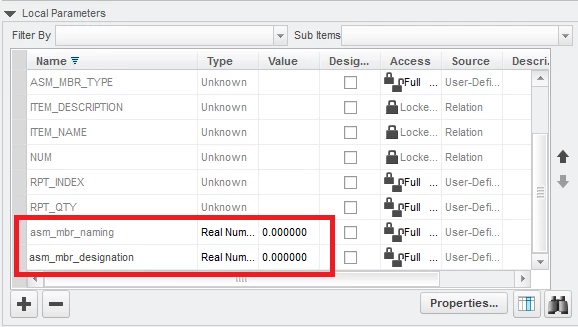
The most important change was made in Local Parameters section of Relations dialog box. I added two parameters - see red rectangle.

added_params01.png

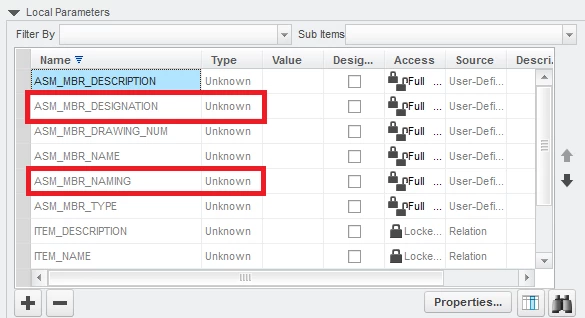
I clicked OK button and the Relations command again. Now new parameters were displayed as shown below.

added_params02.png

So ... basic rule, which must be fulfiled is ... every parameter mentioned in relations must be present in Local Parameters section. Unfortunatelly parameters, which are not displayed in repeat region cells must be added manually.

2 replies

1-Visitor
October 5, 2017

Your repeat region should use "item_description" not "description" and it will be rpt.rel.item_description in the region.


I don't recall useful string manipulation functions being available. PTC supplies just below the bare minimum.

10-Marble
October 5, 2017

Here is my repeat region:


And the result:

24-Ruby III
October 8, 2017

Hi,


I am sending modified drawing. It contains following repeat reqion.

repert_region_modified.png

The most important change was made in Local Parameters section of Relations dialog box. I added two parameters - see red rectangle.

added_params01.png

I clicked OK button and the Relations command again. Now new parameters were displayed as shown below.

added_params02.png

So ... basic rule, which must be fulfiled is ... every parameter mentioned in relations must be present in Local Parameters section. Unfortunatelly parameters, which are not displayed in repeat region cells must be added manually.

24-Ruby III
October 6, 2017

Hi,


repeat region relations are not correct. You cannot use if exists("naming") !


You have to:

  1. add ASM_MBR_NAMING parameter in Local Parameters area in Relations dialog box
  2. use if exists("ASM_MBR_NAMING") command


23-Emerald III
October 6, 2017

use asm.mbr.Item_name and asm.mbr.item_description in your repeat region.

10-Marble
October 6, 2017

That is what I'm currently using. It works for the parts I've created, but not for the hardware.