1-Visitor
July 15, 2012
Solved

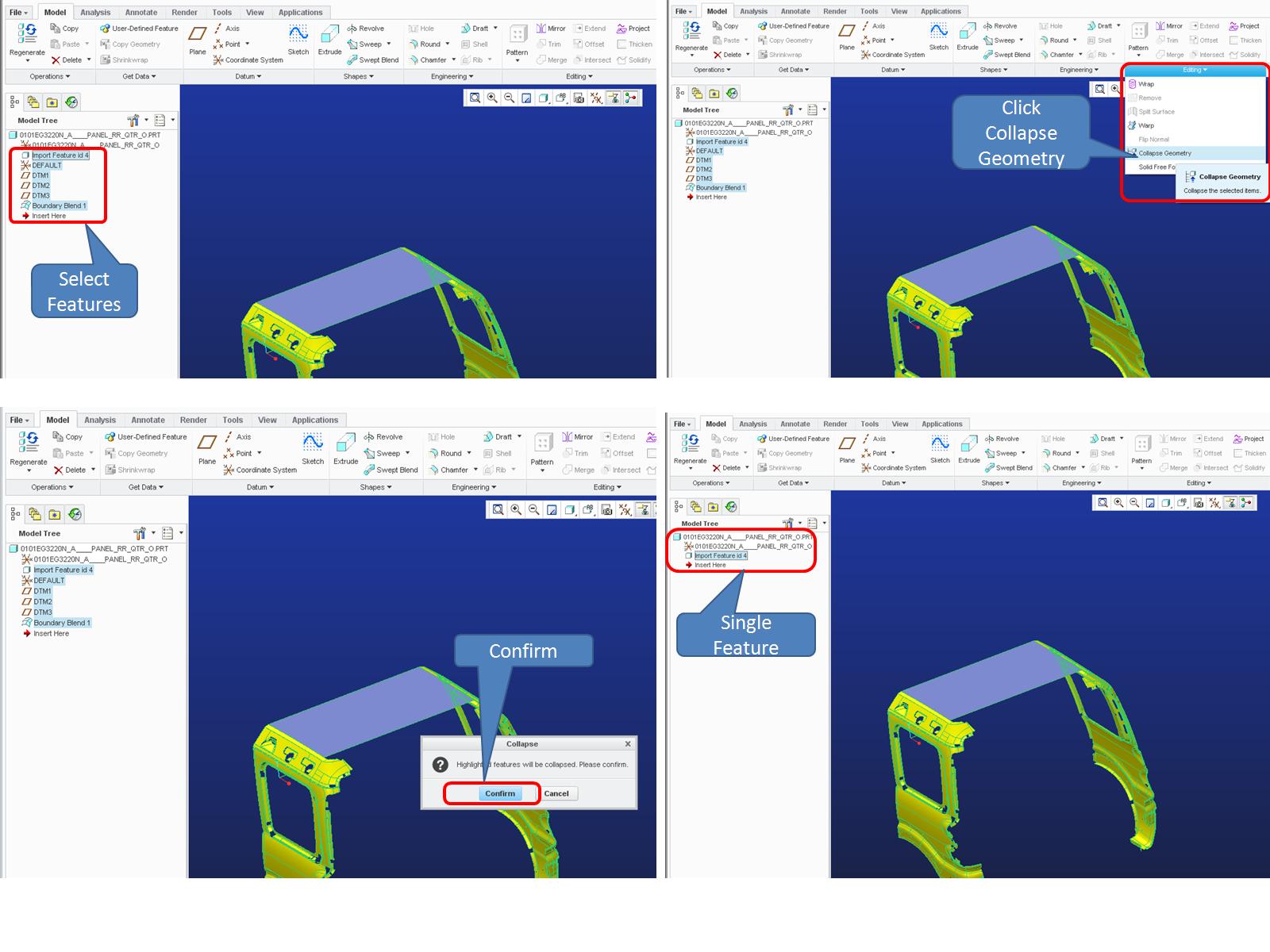
Where is the command of "Collapse Geometry" in Creo 1.0?

  • July 15, 2012
  • 1 reply
  • 4218 views

In Proe 4.0, enter the "Independent geometry", there is a command "Geometry==>Collapse Geometry", but in Creo 1.0, I can't find it,

Can anyone kindly help me?

    Best answer by KshetrabasiMaha

    Hi

    For those who have never used this option;

    See the following example to know some of its its utilities

    Regards

    K.Mahanta
    125.JPG

    1 reply

    1-Visitor
    July 15, 2012

    I haven't it really used it but I think you want to be in the Import Data Doctor (IDD) environement of the Independent Geometry feature definition. By default it enters the Scan Tools environment.

    HAOWANG1-VisitorAuthor
    1-Visitor
    July 16, 2012

    I can find "Collapse Geometry" in Proe 4.0 menu, but I can't find it in Creo 1.0. This command is useful for me, following picture for reference.

    The Import Data Doctor (IDD) is used for repair import data.

    2012-07-16_100543.jpg

    1-Visitor
    July 16, 2012

    Hi

    For those who have never used this option;

    See the following example to know some of its its utilities

    Regards

    K.Mahanta

    125.JPG