1-Visitor
November 16, 2015
Solved

change item location in table

  • November 16, 2015
  • 2 replies
  • 2422 views

how can i change item location in table? i would like to change the item 2 to item 3,and change item 3 to 2

thanks

pls reference the blow table .
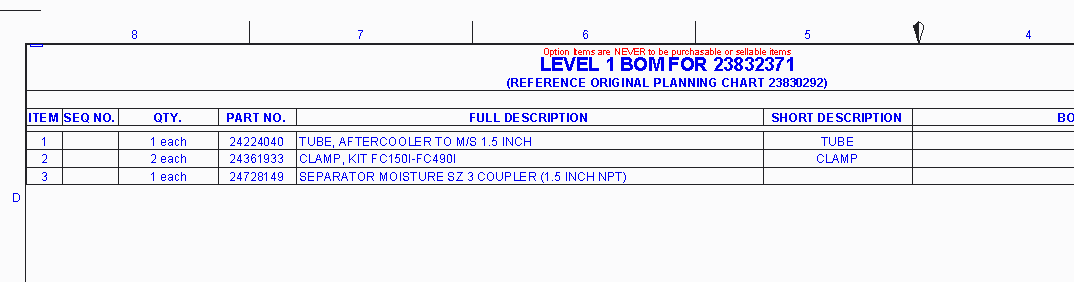
Capture.PNG

    Best answer by ldrutel

    If this is a repetition table, You can Fix item

    1) Select Repetition table tab

    2) Select Fix item and select your repetition table

    Now you can fix each item you want to do

    2 replies

    ldrutel1-VisitorAnswer
    1-Visitor
    November 16, 2015

    If this is a repetition table, You can Fix item

    1) Select Repetition table tab

    2) Select Fix item and select your repetition table

    Now you can fix each item you want to do

    ychen-41-VisitorAuthor
    1-Visitor
    November 17, 2015


    thanks the first !

    let me try .......

    ychen-41-VisitorAuthor
    1-Visitor
    November 17, 2015

    thanks laurent

    I have changed the item location use your solution!

    Captur1e.PNG

    select the repeat table,the system says:Can not fix index due to symbol asm.mbr.cparam

    Capture12.PNG

    SEQ NO.properties &asm.mbr.cparam.seq_no.  so i need modify this SEQ NO properties(delete "&" temporary)

    after change the SEQ NO . i can select the repeat table fix the item .
