1-Visitor
February 10, 2015
Solved

licence request failed for feature

  • February 10, 2015
  • 1 reply
  • 14925 views

hi,

this message comes up so i cant use creo.
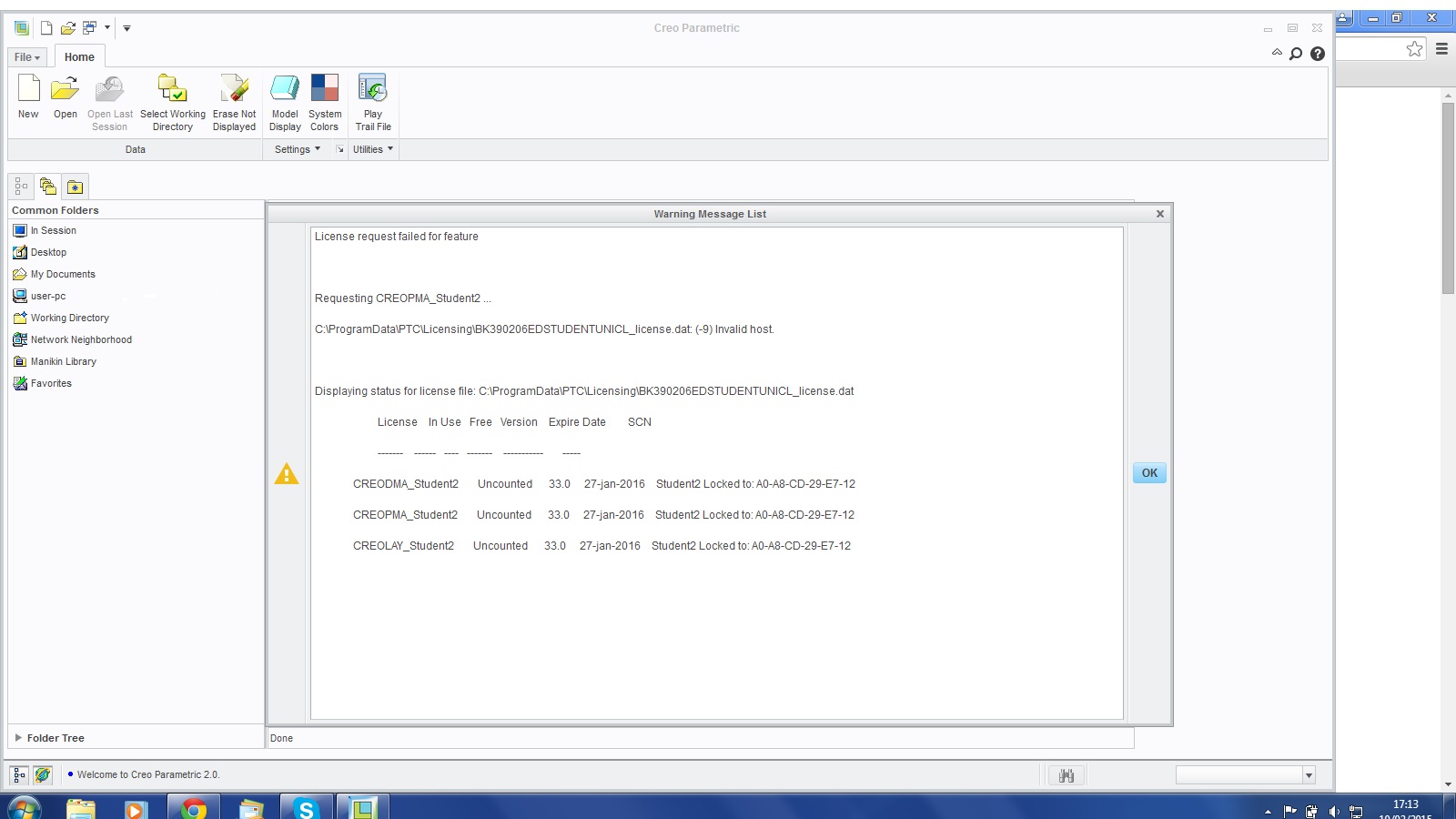
ptcprob.jpg

not really sure what to do

thanks

Best answer by ptc-5059020

i have fixed the problem by enabling my wifi, but i cannot use it when wifi is disabled

1 reply

24-Ruby III
February 10, 2015

Ben,

your license file (the path to the file is mentioned on your picture) contains a code related to network card MAC address A0-A8-CD-29-E7-12. It looks like Creo cannot locate such network card.

Open Command prompt window and enter ipconfig /all command. Then check the command output - try to find Physical Address A0-A8-CD-29-E7-12. The output can contain more than one Physical Address. Show me all of them.

Martin Hanak

1-Visitor
February 10, 2015

i cannot find A0-A8-CD-29-E7-12, there were 4 physical addresses; ethernet adaptor EC-F4-BB-36-D8-63, tunnel adaptor 00-00-00-00-00-00-00-E0 and two more the same. could it be because i am using cable instead of wifi?

thanks

ben

24-Ruby III
February 11, 2015

Ben,

I think you run into Windows Disable Media Sense feature. By default Windows turns unused network cards off. To disable this default behaviour, you can use the following procedure (I use it in Windows 7).

See also http://social.answers.microsoft.com/forums/en-us/w7desktop/thread/18277955-3F2C-4328-BD87-D3567579B645

To disable Media Sense, please perform the following steps:

1) Click on the Start button.

2) Type cmd in the search bar.

3) Right click on the cmd.exe and select Run as Administrator.

4) Run the following commands one by one:

netsh interface ipv4 set global dhcpmediasense=disabled

netsh interface ipv6 set global dhcpmediasense=disabled

5) After finishing the commands above, please run the following commands to check the results:

netsh interface ipv4 show global

netsh interface ipv6 show global

Please check if the entry “DHCP Media Sense” shows disabled or not. If it is disabled, it means the operations are successful.

Restart PC and check ipconfig /all output again.

Martin Hanak
