

Product Focus from the PTC Technical Specialists E-Newsletter September 2010 Edition
You can download the complete newsletter by clicking here.
PTC Product Focus: Pro/TOOLKIT: the Primary Customization and Automation Tool for Pro/ENGINEER
| PTC Product Focus |
Pro/TOOLKIT: the Primary Customization and Automation Tool for Pro/ENGINEER |
|---|
With the Pro/ENGINEER Toolkit API, companies can extend, automate, and customize a wide range of functionality from design through manufacturing. Pro/TOOLKIT allows:
- Automating modeling for derived or single-use models driven by geometric or parametric constraints
- Monitoring the state of user's interactive session to enforce company rules or offer design advice
- Integrating external applications requiring access to Pro/ENGINEER data or operations
- Extending the Pro/ENGINEER User Interface with custom processes seamlessly embedded into the interface
- Automating tedious or difficult Pro/ENGINEER operations with applications designed to save design time and prevent mistakes
- Creating processes to run automatically without user interface on demand or at designated times
Characteristics
- C library programming interface to Pro/ENGINEER
- Over 2500 functions
- 2 modes of communication
- Bi-directional data transfer between applications and Pro/ENGINEER
User requirements
- C programming skills, knowledge of pointers and data structures
- Development license to develop applications; applications may be unlocked and distributed within the enterprise without the Pro/TOOLKIT development license
Pro/TOOLKIT supports two types of applications:
- Synchronous
- Applications invoked from commands within a running session of Pro/ENGINEER
- Mode of communication may be:
- DLL - fastest method
- spawn (multiprocess) - slower, but offers more flexible link options
- DLL - fastest method
- Applications invoked from commands within a running session of Pro/ENGINEER
- Asynchronous
- Applications running outside of Pro/ENGINEER that start or connect to one or more Pro/ENGINEER sessions
- Communication is multiprocess
- Applications running outside of Pro/ENGINEER that start or connect to one or more Pro/ENGINEER sessions
Architecture
DLL applications are loaded directly into the Pro/ENGINEER process space and IPC applications run as a separate process with inter-process communications passing parameters between the applications.
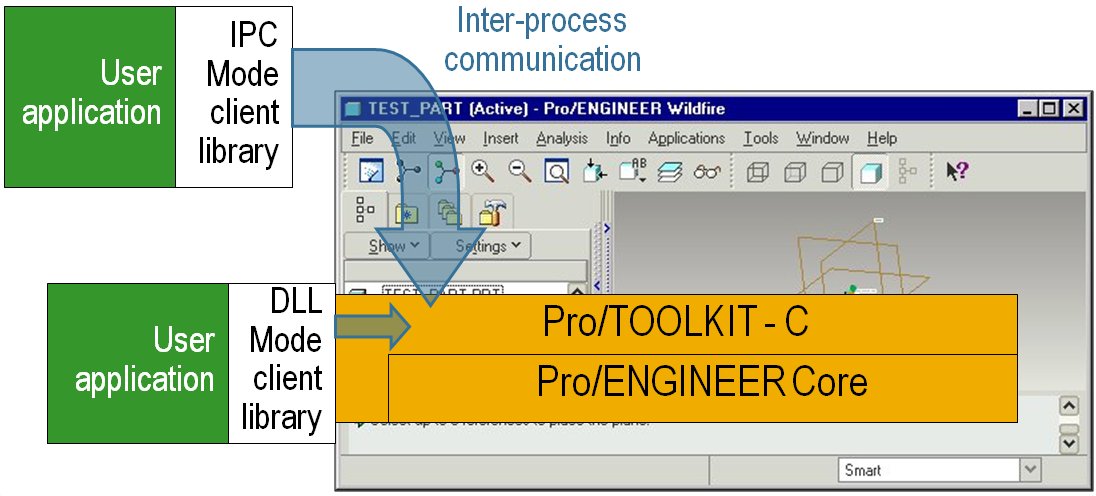
Pro/TOOLKIT application code can be invoked by
- Pro/ENGINEER startup
- launched immediately upon registration of the Pro/TOOLKIT application
- launched immediately upon registration of the Pro/TOOLKIT application
- User interface driven
- invoked by user choosing application-created menu buttons and user interface components
- invoked by user choosing application-created menu buttons and user interface components
- Event driven
- invoked when certain events happen within Pro/ENGINEER
- invoked when certain events happen within Pro/ENGINEER
- Task driven
- invoked by function calls from other external foreign applications
- invoked by function calls from other external foreign applications
Examples
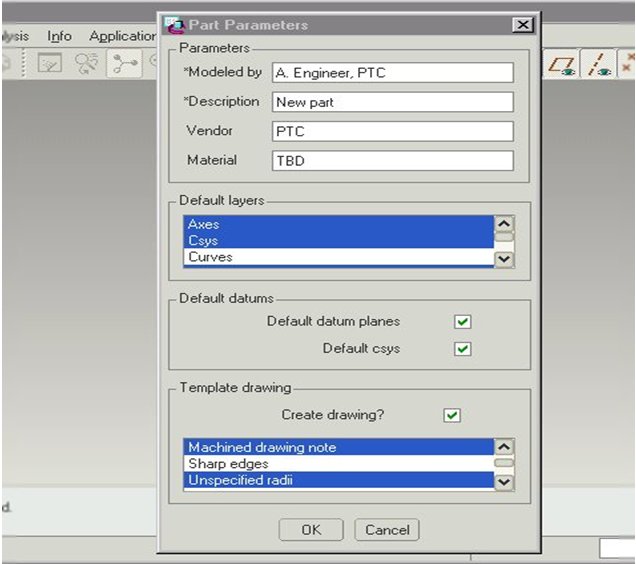
1. Custom Pro/TOOLKIT user interface to automate repetitive or critical tasks
- model creation from templates
- geometry creation
- drawing creation
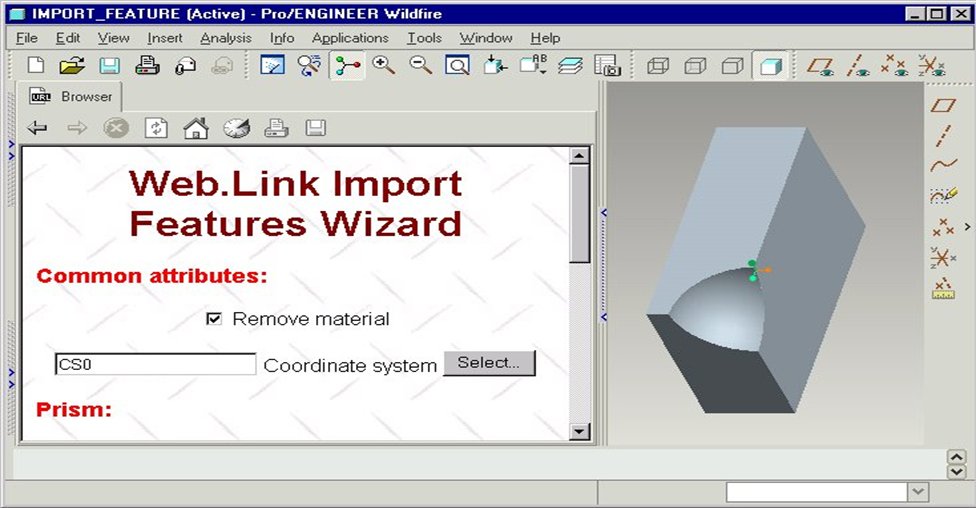
2. Pro/TOOLKIT back-end to an interactive Pro/Web.Link web page in the embedded browser
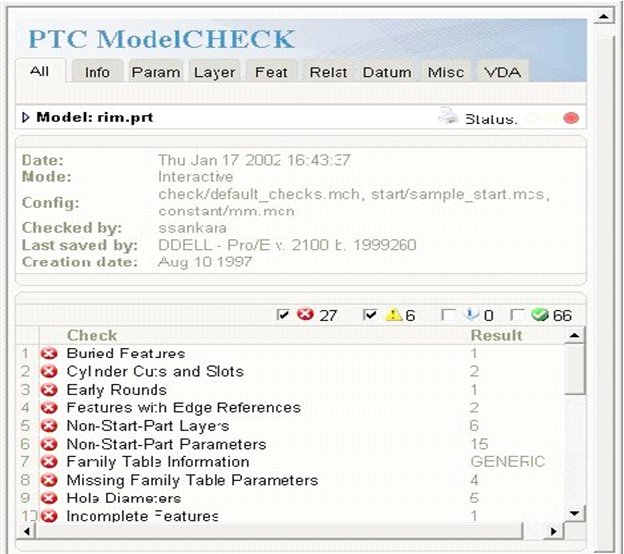
3. PTC’s ModelCHECK:
- Leveraging Pro/TOOLKIT functions to:
- Enforce standards
- Verify models
- Assist repairs
- Validate user modeling
- Enforce standards
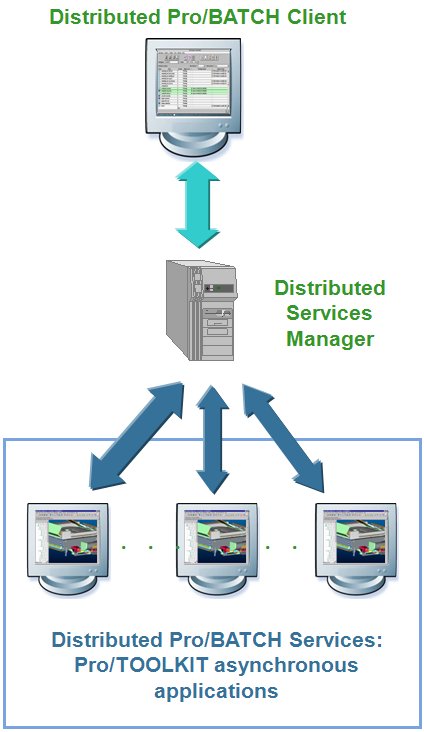
4. PTC’s Distributed Pro/BATCH:
- Includes Pro/TOOLKIT asynchronous applications as services that:
- Generate an extensive set of EXPORT and IMPORT formats
- Execute ModelCHECK
- Plot and print models
- Save models with display for preview in ProductView
- Generate an extensive set of EXPORT and IMPORT formats
Interoperability
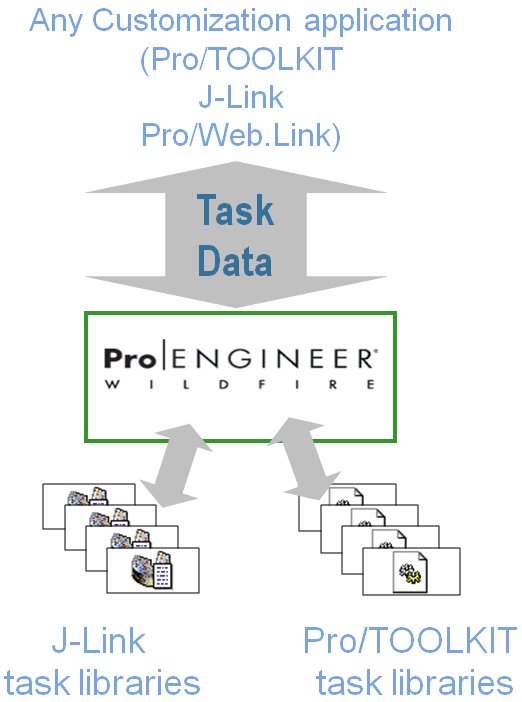
Pro/E Wildfire allows Pro/TOOLKIT and J-Link programmers to create reusable task libraries.
- Library functions can take any combination and number of name-value pairs as input and output arguments.
- Library functions can be invoked by any other customization application
Pro/E Wildfire supports the common goal of “write once, use in any situation” for customization efforts.
Sample Libraries
Session
Asynchronous
Models
Modules
UI
Drawings & Annotations
| Solid models
Parts
Assemblies
2D Models
Features
Sheetmetal
Utilities
|
You can download the complete newsletter by clicking here.
This thread is inactive and closed by the PTC Community Management Team. If you would like to provide a reply and re-open this thread, please notify the moderator and reference the thread. You may also use "Start a topic" button to ask a new question. Please be sure to include what version of the PTC product you are using so another community member knowledgeable about your version may be able to assist.