

Question
Collecting data from Allen-Bradley PLCs using a A-DH485R/B router
We are trying to collect data from an Allen-Bradley SLC5/05 PLC on the RS232 port using a A-DH485R/B router (https://www.prosoft-technology.com/Products/Gateways/Aparian/DH485-Router) between the PLC and the Kepware machine. The communication between PLC and the router seems to be up and running. We were able to create a local HMI application and see PLC tag values using the router.
However, we were not able to collect data in Kepware using following settings:
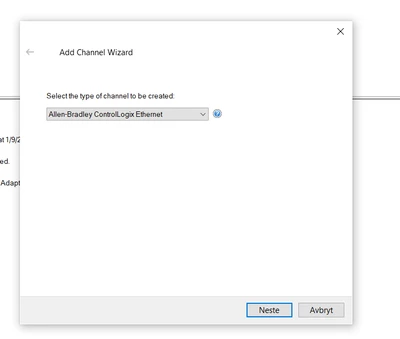
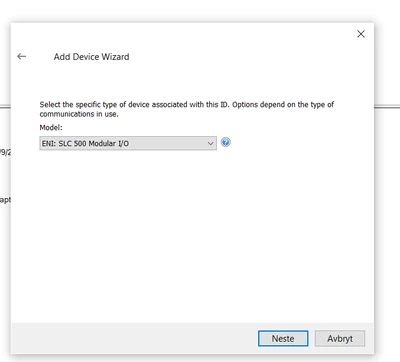
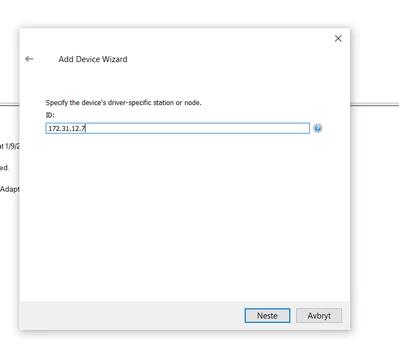
172.31.12.7 is the IP address configured on the router.
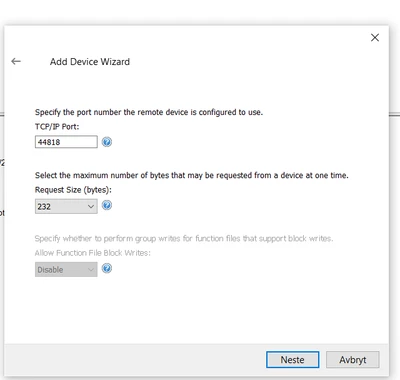
Port 44818 was automatically assigned as local port of the router. The router was configured according to the attached manual.
Anyone with experience with collecting data from Allen-Bradley PLCs using a A-DH485R/B router between? Are there any other configurations in Kepware you suggest that we should try in order to make the data collection work?