

Solved
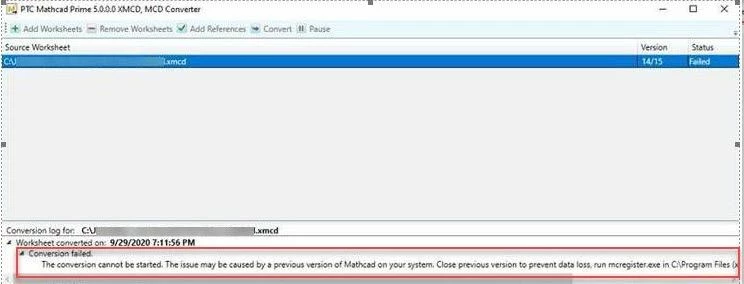
Error "Conversion failed. Could not start Mathcad conversion process".
Issue:
- Error "Conversion failed. Could not start Mathcad conversion process" while converting legacy Mathcad worksheets in Mathcad Prime
OR
- Mathcad Prime with parallel installed Mathcad 15.0 does not convert .xmcd files to .mcdx with error message:
Mathcad conversion process could not be started.
Resolution:
There are two options to resolve this issue:
Option I:
- Find Mathcad Prime shortcut on desktop > right mouse click > Properties
- Select Compatibility tab
- Under Privilege Level section check option check Run this program as an administrator
- Apply > OK
Option II:
- Click Start > Programs > Administrative Tools > Component Services
- Under Component Services, select Computers > My Computer > DCOM Config
- Select Mathcad, right-click, then select Properties
- Select the Security tab
- Click #Edit under #Access Permissions
- Select the System User and allow Remote Access rights