19-Tanzanite
May 27, 2024
Solved

BE. How to better translate this matlab code into Mathcad Prime implementation?

  • May 27, 2024
  • 1 reply
  • 1800 views

Hi,
I have this matlab code and I want to translate it to Mathcad Prime. I tried below one way, but maybe someone can implement better.
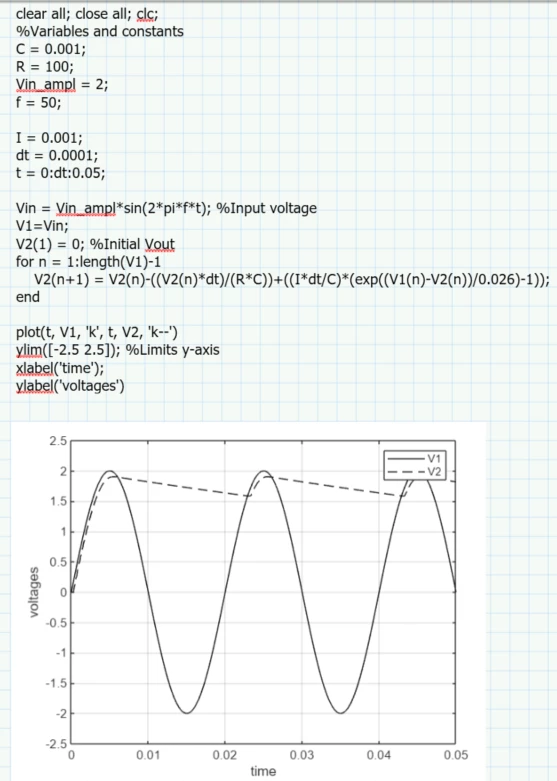
Matlab:

Cornel_4-1716797345678.png


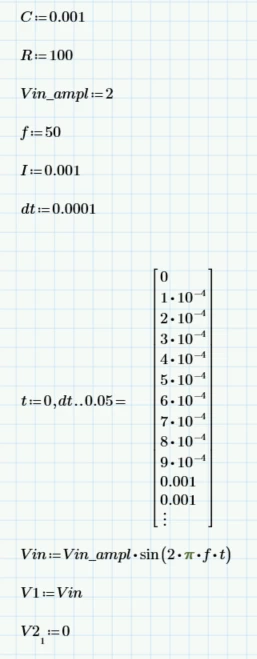
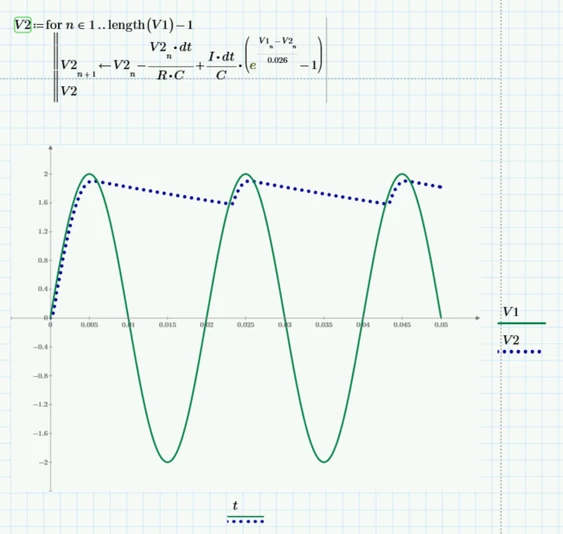
Mathcad Prime 9:

Cornel_5-1716797359262.png

Cornel_6-1716797376291.png


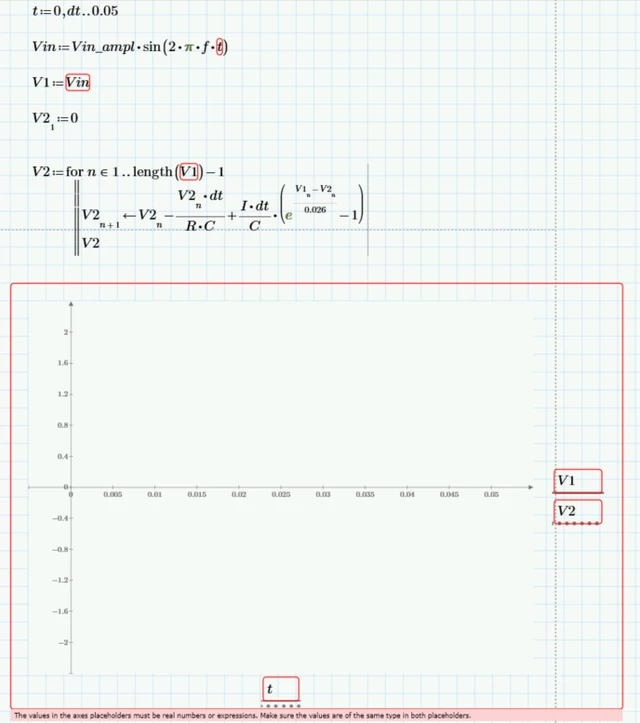
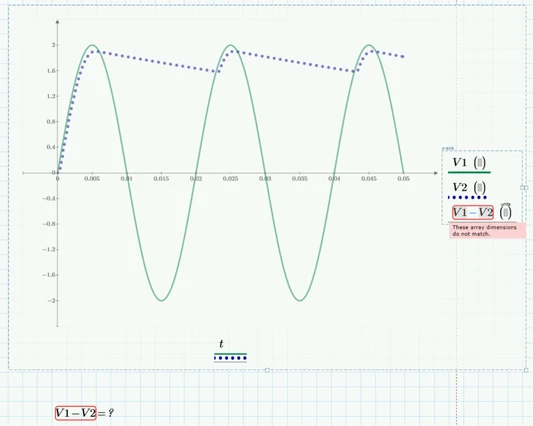
And if I remove evaluation of t, the the plot does not work anymore:

Cornel_7-1716797469212.png

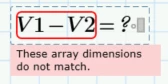
And then how to make this difference/calculation:

Cornel_0-1716797666610.png

Cornel_1-1716797705955.png

Best answer by Werner_E

Using inline evaluation after defining the range t is an undocumented trick to turn the range into a vector. Thats the reason it does not work if you omit this evaluation. This trick also does not work anymore in Prime 10, so you should create the vector in a different way (see the screenshot below and the attached file).

V1 is a vector with 501 elements, but the vector V2 you create has 502 elements! Thats the reason why V1-V2 does not work. You have to take care of the number of times the loop runs and also note that you use ORIGIN=0 in your sheet, so the first vector index is 0, not 1.
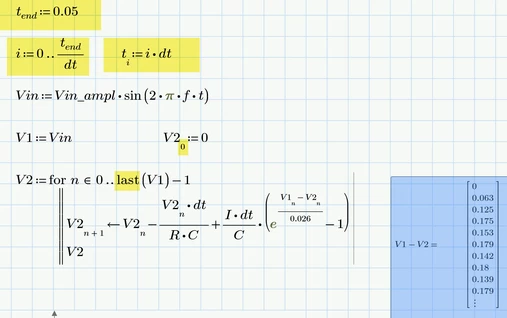
Werner_E_0-1716802765506.png

But as you are working in Mathcad/Prime, so why aren't you using units? You may also consider using "Odesolve" instead of programming your own numeric approximation.
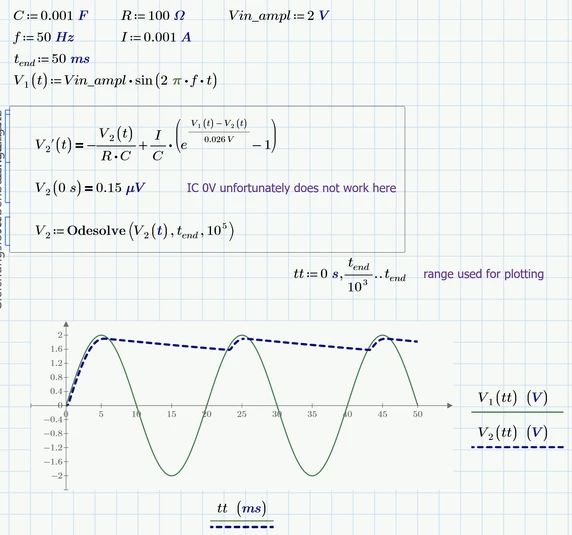

Werner_E_1-1716803150782.png


1 reply

Werner_E25-Diamond IAnswer
25-Diamond I
May 27, 2024

Using inline evaluation after defining the range t is an undocumented trick to turn the range into a vector. Thats the reason it does not work if you omit this evaluation. This trick also does not work anymore in Prime 10, so you should create the vector in a different way (see the screenshot below and the attached file).

V1 is a vector with 501 elements, but the vector V2 you create has 502 elements! Thats the reason why V1-V2 does not work. You have to take care of the number of times the loop runs and also note that you use ORIGIN=0 in your sheet, so the first vector index is 0, not 1.

Werner_E_0-1716802765506.png

But as you are working in Mathcad/Prime, so why aren't you using units? You may also consider using "Odesolve" instead of programming your own numeric approximation.

Werner_E_1-1716803150782.png


Cornel19-TanzaniteAuthor
19-Tanzanite
May 27, 2024

How to find also the maximum peak values for V1 and V2, and the coresponding time at which these maximum values occure?
Cornel_0-1716803749496.png


25-Diamond I
May 27, 2024

@Cornel wrote:

How to find also the maximum peak values for V1 and V2, and the coresponding time at which these maximum values occure?


You should have no problems finding the maxima of the pure sine wave V1, don't you? 😉


According V2 - if you decide for the functional approach as shown before, you may use the "root" function in one of its flavors to see where the first derivative is zero.

Werner_E_0-1716806071222.png


Using the array approach you may use "lookup" with all its drawbacks (was discussed quite some times here in the forum, last thread about the problems was BUG: inconsequent behaviour of match() function

Werner_E_1-1716806768251.png