19-Tanzanite
May 27, 2024
Solved

BE. How to better translate this matlab code into Mathcad Prime implementation?

  • May 27, 2024
  • 1 reply
  • 1800 views

Hi,
I have this matlab code and I want to translate it to Mathcad Prime. I tried below one way, but maybe someone can implement better.
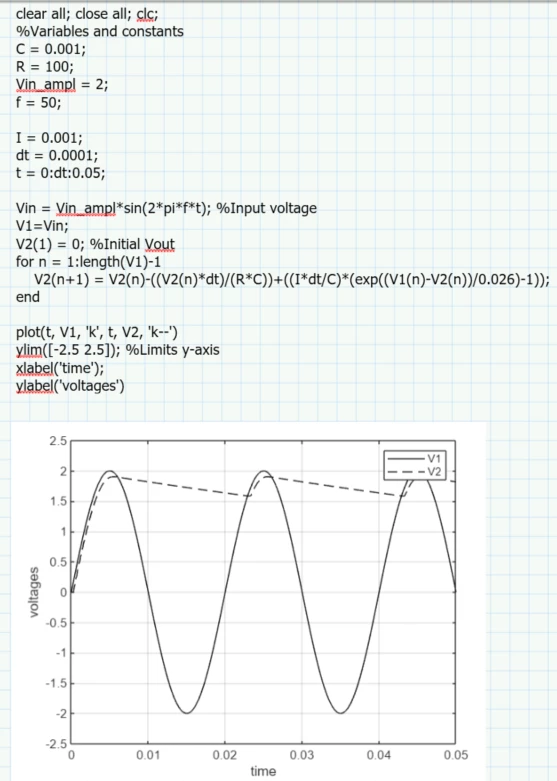
Matlab:

Cornel_4-1716797345678.png


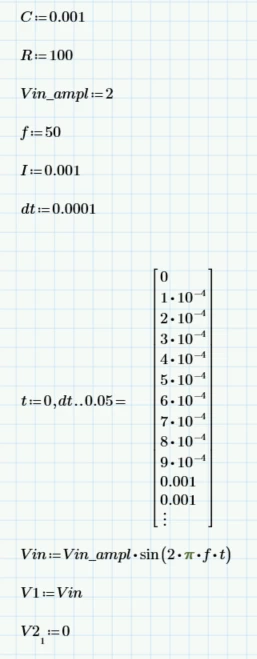
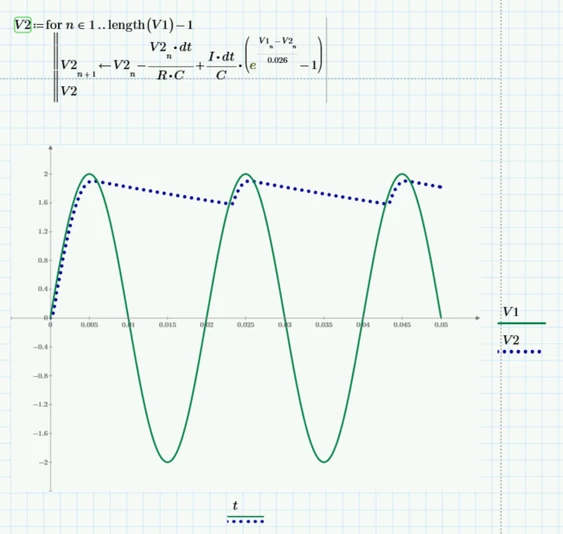
Mathcad Prime 9:

Cornel_5-1716797359262.png

Cornel_6-1716797376291.png


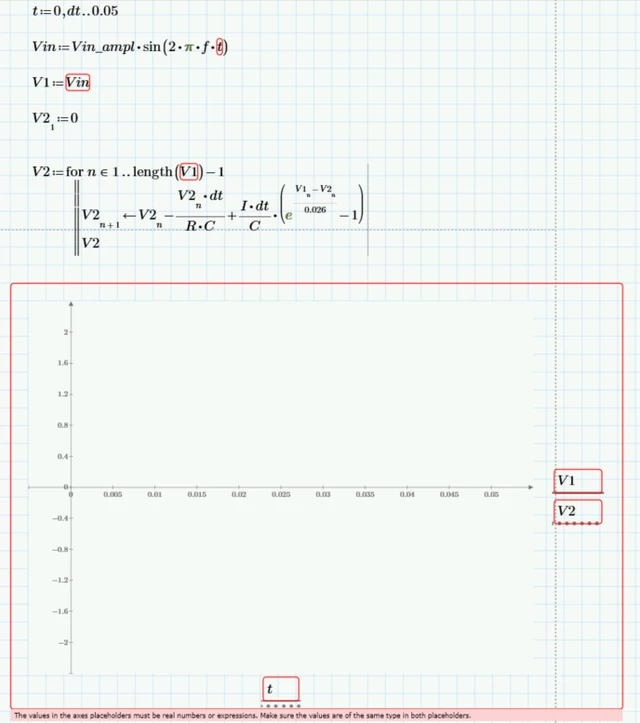
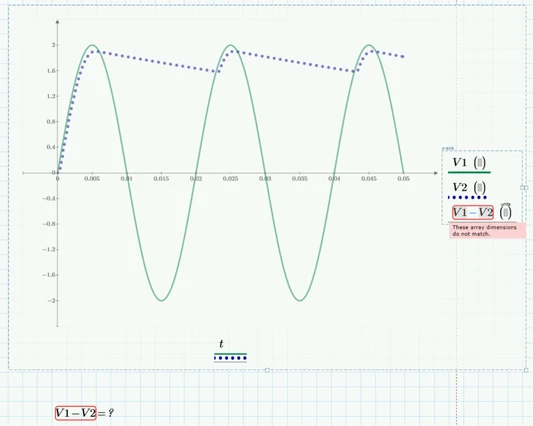
And if I remove evaluation of t, the the plot does not work anymore:

Cornel_7-1716797469212.png

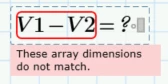
And then how to make this difference/calculation:

Cornel_0-1716797666610.png

Cornel_1-1716797705955.png

Best answer by Werner_E

Using inline evaluation after defining the range t is an undocumented trick to turn the range into a vector. Thats the reason it does not work if you omit this evaluation. This trick also does not work anymore in Prime 10, so you should create the vector in a different way (see the screenshot below and the attached file).

V1 is a vector with 501 elements, but the vector V2 you create has 502 elements! Thats the reason why V1-V2 does not work. You have to take care of the number of times the loop runs and also note that you use ORIGIN=0 in your sheet, so the first vector index is 0, not 1.
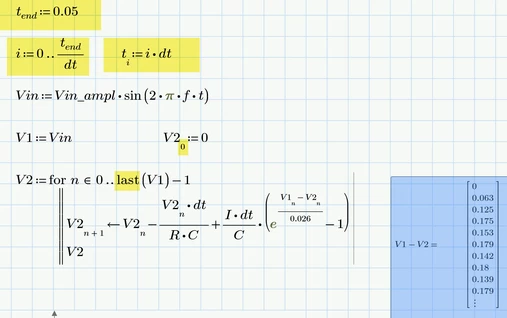
Werner_E_0-1716802765506.png

But as you are working in Mathcad/Prime, so why aren't you using units? You may also consider using "Odesolve" instead of programming your own numeric approximation.
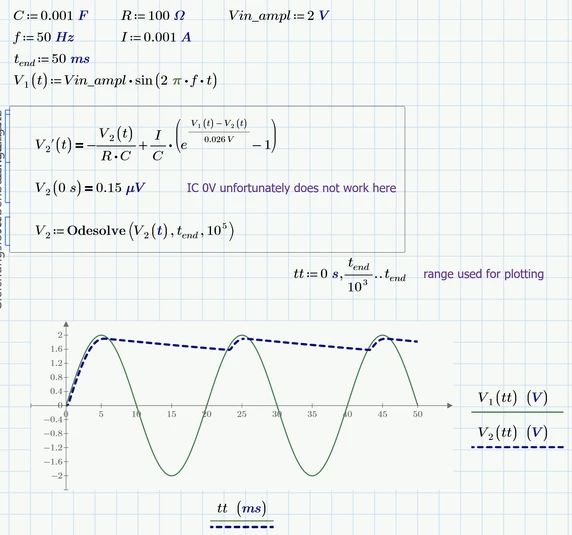

Werner_E_1-1716803150782.png


1 reply

Werner_E25-Diamond IAnswer
25-Diamond I
May 27, 2024

Using inline evaluation after defining the range t is an undocumented trick to turn the range into a vector. Thats the reason it does not work if you omit this evaluation. This trick also does not work anymore in Prime 10, so you should create the vector in a different way (see the screenshot below and the attached file).

V1 is a vector with 501 elements, but the vector V2 you create has 502 elements! Thats the reason why V1-V2 does not work. You have to take care of the number of times the loop runs and also note that you use ORIGIN=0 in your sheet, so the first vector index is 0, not 1.

Werner_E_0-1716802765506.png

But as you are working in Mathcad/Prime, so why aren't you using units? You may also consider using "Odesolve" instead of programming your own numeric approximation.

Werner_E_1-1716803150782.png


Cornel19-TanzaniteAuthor
19-Tanzanite
May 27, 2024

How to find also the maximum peak values for V1 and V2, and the coresponding time at which these maximum values occure?
Cornel_0-1716803749496.png


Cornel19-TanzaniteAuthor
19-Tanzanite
May 27, 2024

And this? Value and time at that lowest part/point.

Cornel_0-1716810003704.png